

Agentic Website Builder 2.0 by Lokuma
Lokuma · Image · Coding
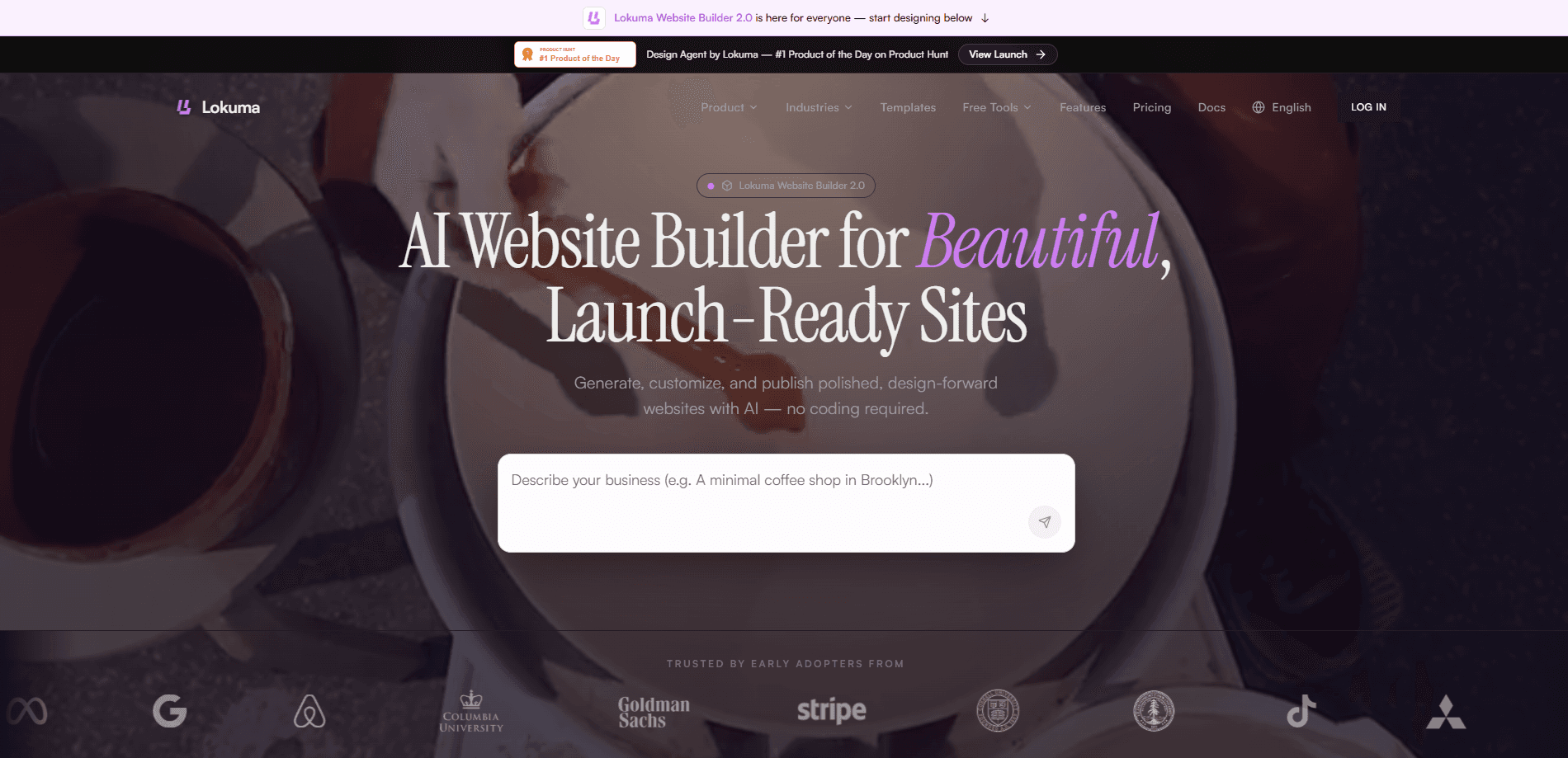
Agentic Website Builder 2.0 by Lokuma is a no-code website builder that turns a short business description into a polished, launch-ready site. It works as an AI website generator and a full workflow at once, handling page structure, persuasive copy, images, and styling together so you get a credible website in minutes. No designer or code required. Free plans cover small tests, while paid plans add custom domains, code export, and higher project limits.
About Agentic Website Builder 2.0 by Lokuma
What Is Agentic Website Builder 2.0 by Lokuma
Agentic Website Builder 2.0 by Lokuma is a design-first AI website builder aimed at founders, creators, and small teams who need a professional web presence fast. You describe your business, brand, or idea, and the product generates site structure, copy, visuals, and styling for you. Everything then stays editable in a visual editor, so you can refine text, swap images, and rearrange sections without touching code.
The main problem it solves is the gap between a blank canvas and a finished site. Most people stall on layout decisions and copywriting, not on the technical hosting. Do you know that feeling? Lokuma skips it by producing a structured, credible draft you can react to instead of building from zero.
The biggest limit is depth. It's built for marketing sites, landing pages, and portfolios, not for complex web apps with user logins or databases, which means anyone who needs custom backend logic will have to look elsewhere for a different kind of tool. If your project needs that, this isn't it.
Getting Started
- Sign in to Lokuma and open the website builder dashboard.
- Describe your business, industry, and region in the prompt box, or paste a reference site you like for style cues.
- Pick the site functions you need, such as taking appointments, selling services, or collecting contacts.
- Let the AI generate pages, copy, images, and layout, then review the result.
- Edit text, images, and sections in the visual editor, connect your domain, and publish.
Product Information
A quick look at Agentic Website Builder 2.0 by Lokuma's pricing, supported platforms, and performance.
Best for
The users, tasks, and scenarios where this tool fits best.
Users
- Founders and solo entrepreneurs
- Freelancers and consultants
- Local businesses like restaurants, salons, and fitness studios
Tasks
- Turning a business idea into a live website
- Building landing pages for a launch
- Creating portfolio and service pages
Scenarios
- Launching a first website with no coding or design experience
- Rebuilding an outdated site
- Testing a side project before committing budget
Key features
Design-First Generation
Unlike generic AI builders that chase speed alone, Lokuma focuses on structure and visual polish from the first pass. Pages come out with a clear heading hierarchy and logical content flow. That matters for first impressions. It matters for search visibility too. You get a site that looks considered rather than auto-filled.
Structured Pages and Persuasive Copy
The builder writes page structure and copy together, so headlines, sections, and body text arrive as a coherent set instead of disconnected blocks. That saves the slowest part of site building. Deciding what to say. Everything stays editable afterward.
Built-In Image Generation
Images are generated along with the layout, covering the visuals most marketing sites need. You aren't stuck hunting stock photos or leaving placeholder boxes behind. Swap any image for your own in the editor when you have real assets. That alone saves an afternoon.
Custom Domain Support
Free plans publish to a Lokuma subdomain, which is fine for testing. Paid plans let you connect your own custom domain so the site runs under your own brand. That's the switch that turns a draft into something you can actually promote. Big difference.
Code Export on Paid Plans
On eligible paid plans, you can export your website code and host it anywhere, and the exported site includes clean, structured HTML and styling that you or your team can keep developing independently. This removes the usual lock-in anxiety around hosted builders, which is the reason a lot of people avoid them in the first place.
SEO-Friendly Output
Lokuma generates semantically structured pages by default, with clear headings and editable metadata. You can update titles, descriptions, and headings at any time, giving each page a solid technical base for search. It won't rank the site for you. It starts you on level ground, and that's most of the fight.
Pros and cons
Pros
- Generates structure, copy, and images in one pass, so a usable draft appears in minutes.
- Editable visual editor means no coding required to refine the result.
- Custom domain and code export are available on paid plans, limiting lock-in.
- SEO-friendly page structure with editable metadata is built in from the start.
- Free plan lets you test the workflow before paying.
Cons
- Aimed at marketing sites, landing pages, and portfolios, so complex web apps with logins or databases aren't supported.
- Code export is limited to eligible paid plans, meaning the cheapest tier can't take its site elsewhere.
- Credit limits on lower tiers can constrain how many generations you get each month.
Frequently asked questions
It's an AI website builder from Lokuma that turns a business description into a polished, launch-ready site with structured pages, copy, images, and styling. It works as a no-code website builder for founders, creators, and small teams who want a professional presence without writing a line of code.
Related content
Explore related tools, skills, and articles for Agentic Website Builder 2.0 by Lokuma.
Agentic Website Builder 2.0 by Lokuma Alternatives

X Ray Interpreter
X-ray Interpreter · ImageX Ray Interpreter is a web-based AI radiology tool that turns X-rays, CT scans, MRI, ultrasound, and PET images into plain-language reports. You upload a scan, get a preliminary X-ray interpretation in moments, then ask follow-up questions if something needs explaining. It works as a second opinion and a learning aid, not as a medical diagnosis.

Aieasypic
AIEasyPic · ImageAIEasyPic is an AI image generator that turns plain text prompts into finished artwork in seconds. You can also train custom models on your own photos, swap faces in existing images, and create short video clips from text, all from a browser. It suits casual creators who want quick visuals and hobbyists who want to build a personal model without touching any code.

Chargen
Chargen · ImageChargen is an AI character generator and worldbuilding toolkit built for Dungeons & Dragons and other tabletop RPGs. It turns a one-line idea into a painted character portrait, spins up NPCs, monsters, maps and encounters from the same session, and keeps every creature's details close at hand. The tabletop RPG art side runs on a credit system called Gold, while the text generators stay free for everyone.