

Free AI Art Generator
Free AI Art Generator (aiartfree.online) · Image
Free AI Art Generator is a browser hub that turns text prompts into images through engines like Stable Diffusion 3, DALL·E 3, and Flux.1, with no sign up and no fee.
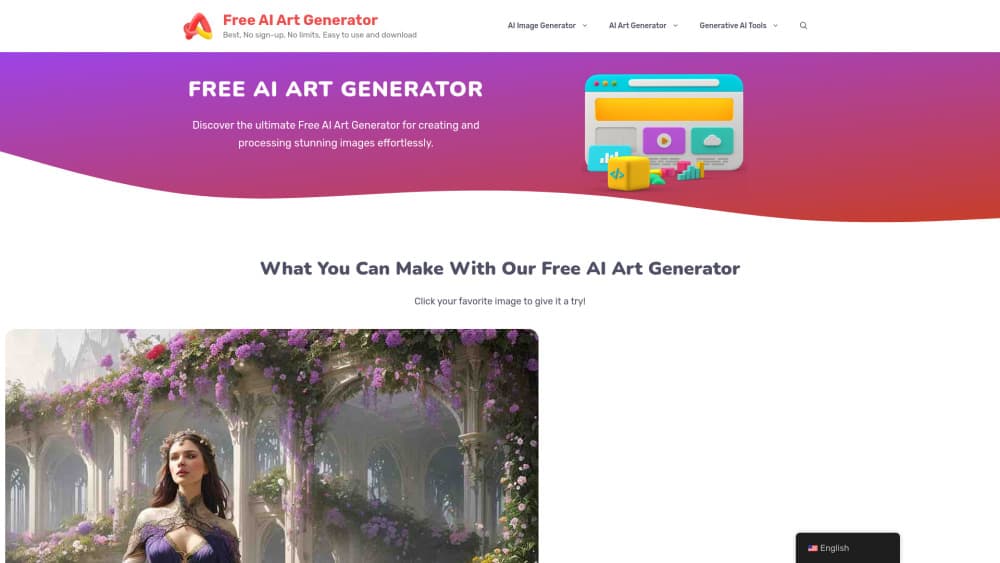
About Free AI Art Generator
What Is Free AI Art Generator
Free AI Art Generator is a web page that collects free image tools in one place. You type a description, pick a model card, and get artwork back in the browser. There's no account, no credit counter, and no installer. The site itself trains nothing. It routes your request to engines such as Stable Diffusion 3, DALL·E 3, Flux.1, and online Midjourney, then shows you the result or hands you off to the partner page that runs the model.
That layout solves a boring problem. Most people who want AI art don't want to compare ten signup forms first. They want to know which engine can draw a dragon in watercolor and which one mangles hands. This hub puts the choices side by side, with a prompt box on each card, so you can test three engines in the time it takes to register for one.
The trade-off is control. You don't get seeds, negative prompts, or sampler settings here, because each engine exposes its own options and the hub keeps the interface thin. Several cards also send you to an outside service with its own free quota, ads, and terms. The images are yours to download, but commercial rights follow the engine that rendered them, not the catalog page.
Getting Started
- Open aiartfree.online in any browser. Nothing to install, no email field on the home page.
- Pick a card. Choose Stable Diffusion 3 for painterly scenes, DALL·E 3 for prompts that need literal reading, or online Midjourney for stylized portraits.
- Write the prompt. Name the subject, the light, and the medium. "A brass diving helmet on wet sand, overcast light, 35mm photo" beats "cool helmet".
- Generate and compare. Run the same prompt on two engines, since each one fails in a different way.
- Download the file, or move to the AI photo editor and background remover tools if the picture needs cleanup.
Product Information
A quick look at Free AI Art Generator's pricing, supported platforms, and performance.
Best for
The users, tasks, and scenarios where this tool fits best.
Users
- Hobbyists testing AI art for the first time
- Social media creators on a zero budget
- Designers who need a quick mood board
Tasks
- Turning a written idea into a picture
- Restyling an existing photo
- Cleaning up an uploaded picture
Scenarios
- Drafting visuals for a small shop's posts
- Building a character reference before writing
- Classroom demos about generative AI
Key features
Several engines behind one prompt box
The home page is a catalog, and each card opens a different model. Stable Diffusion 3 handles painterly and photographic looks. DALL·E 3 follows long sentences more closely than most. Flux.1 is quick and strong on texture. Online Midjourney leans stylized and dramatic. You compare them by running the same words twice.
Text to image with no account
Type a description and the AI image generator returns a picture in seconds. There's no email gate, no verification step, and no watermark from the hub itself. That last part matters if you're testing an idea at 1 a.m. and don't want to hand over an address to see whether the concept works.
Image to image from your own photo
Upload a shot, add a style instruction, and the model rebuilds the frame in a new look. This is the practical route for anyone who has a usable composition and a bad color palette. The original stays intact on your device, and you keep whichever version reads better.
Photo cleanup tools beside the generator
The AI photo editor, background remover, photo enhancer, unblur, and watermark remover cards sit in the same menu. In practice you generate, then fix: cut the background, sharpen a soft face, lift the shadows. Having both steps in one bookmark saves a tab hunt.
Video and animation cards
Text to video, image to video, and video to anime cards run through partner services. They're useful for a short loop or an animated still, and they're clearly labelled as external. Expect a separate free quota there, because video rendering costs the partner far more than a still.
Free because the page is a storefront
Nothing on the site charges you. The cards carry affiliate links and ads, which is how the catalog stays online. You pay with attention rather than money, and the model you land on may show its own upgrade prompt once the free runs are used up.
Pros and cons
Pros
- No sign up, no card, no credit balance to track before your first image.
- Four well known engines on one page, so comparing output styles takes minutes instead of an afternoon.
- Photo tools for background removal and sharpening sit next to the generators, which covers the whole post production step.
- The prompt box is plain language, so someone who has never opened a diffusion interface can still get a result.
- Works on a phone browser, which helps when the idea arrives away from a desk.
Cons
- The site doesn't host its own model, so speed, image size, and daily limits change with whichever partner answers.
- Some cards redirect you to another domain with its own ads and quota, and that handoff breaks the flow mid task.
- Commercial rights depend on the engine that rendered the file, and the hub doesn't spell that out per card.
- There's no seed, negative prompt, or aspect ratio control, so matching a specific reference takes repeated attempts.
Frequently asked questions
Yes. The catalog charges nothing, and the free engines behind it let you generate without a subscription. Partner pages may cap daily runs, and some models show an upsell once the free quota is gone.
Related content
Explore related tools, skills, and articles for Free AI Art Generator.
Free AI Art Generator Alternatives

Google EmbeddingGemma 2
Google DeepMind · Writing · Image · CodingGoogle EmbeddingGemma 2 is a 740M-parameter open model that turns text, code, images, audio, and video frames into vectors in one 768-dimension space, running on phones and laptops.

Tractionwave
TractionWave · Image · MarketingTractionWave is an AI attention heatmap tool for static ads. Upload a PNG or JPG and it returns predicted attention, ranked hotspots, and fixes before you spend budget.

Imejis.io
Imejis.io · Image · MarketingImejis.io is an AI design studio for agents and marketing teams. Describe an image in plain words, and it writes the copy, builds the layout, reflows it to every size, then exports a finished file.