

Amotions
Amotions Inc. · Productivity · Leaning
Amotions is AI sales coaching software that listens to live calls, shows reps private prompts while the buyer is still talking, and scores the conversation afterward.
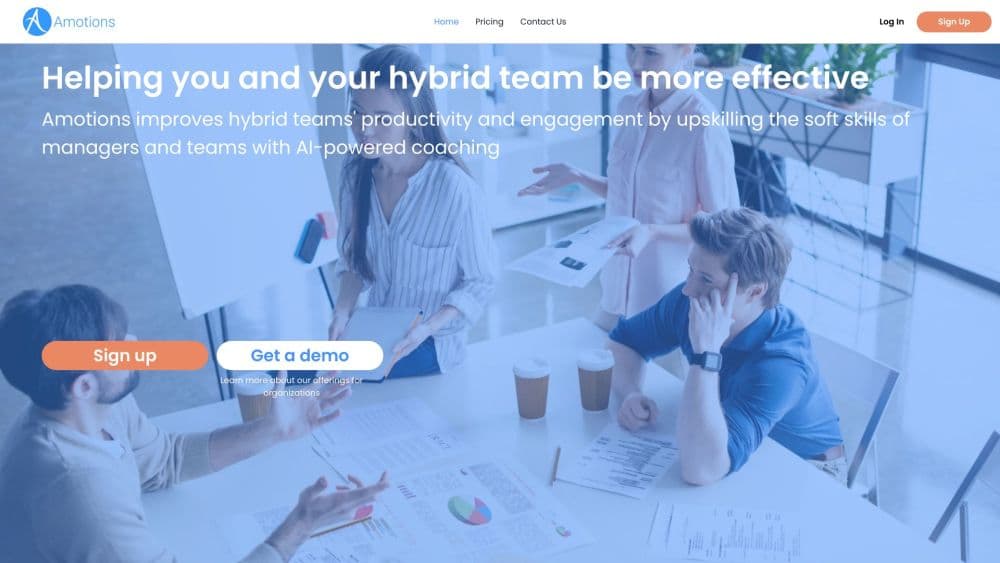
About Amotions
What Is Amotions
Amotions AI is sales call coaching software from Amotions Inc. It runs on the rep's own computer, either as a desktop app or a browser overlay, and listens to the conversation in progress. When a buyer raises an objection or the call drifts, a private panel suggests the next question, a rebuttal, or a next step. Nobody else on the call sees it, and no bot joins the meeting. The pitch is real time sales coaching without changing how the call gets run.
The product covers three moments. Before a call, reps rehearse against an AI buyer built from the team's own playbook and get a score. During a call, live guidance runs on the same criteria. Afterward, a post-call scorecard breaks down objection handling, talk ratio, question quality, and playbook alignment.
That loop is the main difference from call recording tools. Recording platforms tell a manager what happened last week. Amotions tries to change what the rep says in the next thirty seconds, then measures whether the habit stuck.
The limits matter too. Coaching runs on usage caps counted in live hours, roleplay sessions, chat messages, and transcript uploads, and the caps reset monthly. A rep who lives on the phone all day needs one of the higher plans. There's also no public API, so teams that want an AI coaching platform wired into their own CRM or QA stack have to wait for an integration.
Getting Started
- Create a free account on the Amotions site and pick the Basic plan to test the workflow.
- Upload the material the AI should learn from: playbooks, call transcripts, objection lists, and product documents. Links work as well as files.
- Set up a roleplay scenario with a buyer persona and a rubric, then run a practice call to see how scoring works.
- Install the desktop app or use the browser overlay on a real call, and review the scorecard when it ends.
Product Information
A quick look at Amotions's pricing, supported platforms, and performance.
Best for
The users, tasks, and scenarios where this tool fits best.
Users
- Sales reps who spend the day on live calls
- Sales managers and enablement leads
- New hires in their first ninety days
- Small practice owners in dental, hearing, optical, or medspa settings
Tasks
- Objection handling
- Discovery practice
- Post-call review
- Playbook rollout
Scenarios
- A pricing objection mid-call
- Ramp for a new market
- Manager one-on-ones
- A team pilot of ten to fifteen reps
Key features
Live guidance in a private overlay
The overlay listens to the call on the rep's machine and returns short prompts: a discovery question, an objection cue, a listening nudge, a next-best action. It stays off the meeting itself, so Zoom, Teams, and Meet participants see nothing unusual. Guidance arrives while the buyer is still talking, which is the only window where it can change the outcome.
AI roleplay against your own buyer personas
Reps practice discovery, pricing pushback, and closes with an AI buyer trained on the team's playbook and past calls. Each session ends with a score, and the feedback names one fix rather than listing ten. Sessions run on demand, so a rep can drill a hard objection at 8 a.m. without waiting for a ride-along.
Post-call scorecards and custom rubrics
The scorecard grades the call against the steps and criteria the team defines, covering objection handling, talk ratio, question quality, and playbook alignment. Managers can adjust the rubric so the score reflects how the company actually sells, not a generic template. Because practice and live calls use the same criteria, a roleplay score works as a readiness signal.
Playbook training and custom AI agents
Teams upload playbooks, product docs, and transcripts, and the AI answers from that material. Custom AI agents can hold a specific workflow, such as a renewal conversation or an intake script. The catch is input quality: a thin or outdated sales playbook produces generic prompts, and the coaching only gets as specific as the documents behind it.
AI Coach chat and transcript uploads
A chat window answers questions about a deal, a persona, or a talk track between calls, and reps can upload a transcript to get feedback on a conversation that happened somewhere else. This is the async half of the product, useful for review work that doesn't need live hours from the plan.
Team dashboards and admin controls
Starter plans include a basic team dashboard. Enterprise adds manager dashboards, advanced admin controls, multi-call insights, integrations, and a security review. Admins also control workspace separation, since playbooks, transcripts, and scorecards are stored per customer workspace.
Pros and cons
Pros
- The overlay stays off the call, so there's no bot notice and no awkward explanation to the buyer.
- Practice and live coaching share one rubric, which makes roleplay scores meaningful instead of decorative.
- The free Basic plan includes post-call scorecards, transcripts, and unlimited playbook documents, so a solo rep can judge the output before paying.
- Usage tiers map to real workloads, from 11 live hours on Starter to 81 on Power.
Cons
- Per-seat pricing adds up fast: ten seats on Professional run $990 a month billed annually.
- Live coaching is capped in hours, and a full-time closer can burn through a lower tier before the month ends.
- There's no public API, so coaching data stays inside Amotions unless the team buys Enterprise integrations.
- Output quality depends on the playbook you feed it, and a messy playbook yields vague prompts.
Frequently asked questions
It coaches customer-facing conversations in real time. A rep gets private prompts during a live call, practices the same scenario in AI roleplay beforehand, and reviews a scorecard afterward.
Related content
Explore related tools, skills, and articles for Amotions.
Amotions Alternatives

Base Code
Base44 (Wix) · Coding · ProductivityBase Code is a shared cloud development environment from Base44. Teammates describe changes to an existing GitHub codebase in chat, preview them live and send them back as pull requests.

Knocket
Knocket (Tencent RTC team) · Productivity · Business · ChatbotKnocket is a free live chat and contact page tool that lets visitors message you from your website, app, or a shareable link, with every reply handled from Telegram or one inbox.

FloorGen
Vinit Kumar (FloorGen) · Productivity · China AIFloorGen is a browser-based floor plan maker that turns a sentence or a sketch into an editable 2D plan and a 3D walkthrough. Export to PDF, DXF or video, and draw without an account.