

Akool AGI Content Platform
Akool · Image · China AI
Akool AGI Content Platform is a web studio for AI video, avatars, and face swap, letting marketers and creators produce talking-head clips and translate videos into 155 languages.
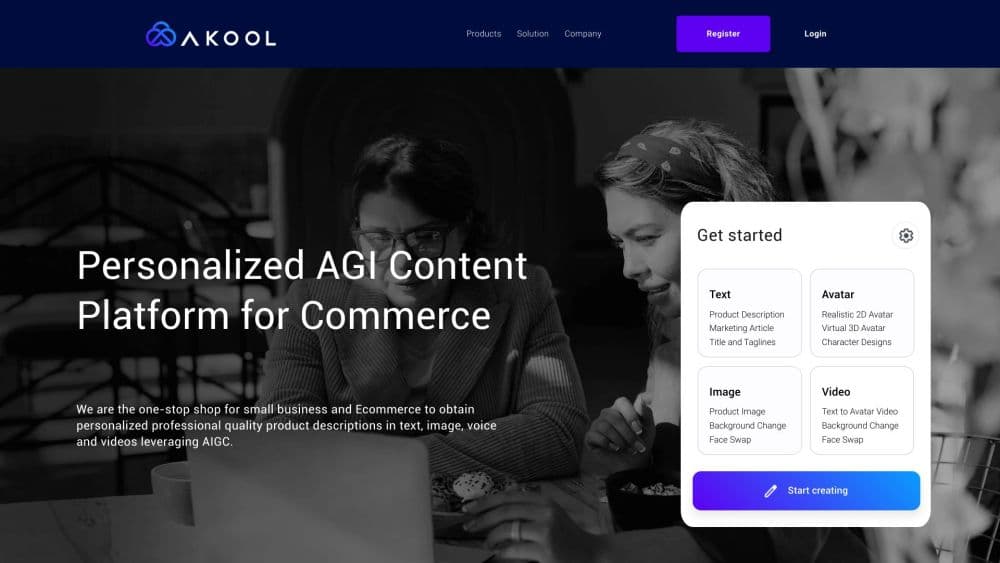
About Akool AGI Content Platform
What Is Akool AGI Content Platform
Akool AGI Content Platform is a generative AI suite for visual content, built by Akool in Palo Alto. You use it to make videos without a camera or a film crew: swap faces, animate a still photo into a talking avatar, translate an existing clip into another language with matching lip movement, or generate images from text.
The pitch is speed over production cost. A small marketing team can turn a script into a presenter-led video, then localize it for several markets, all from a browser. Instead of booking talent and studios, you work with credits that each task consumes based on type and length.
The main limit is the credit model. Output is sold in credits, not minutes, so a long 4K avatar video burns through an allowance fast, and the cheaper plans cap resolution and video length. Face swap and avatar tools also carry consent and likeness rules that restrict what you can publish.
Getting Started
- Create a free account on the Akool website with an email address. The Basic plan needs no credit card and starts you with a credit pool.
- Pick a tool: talking avatar, face swap, video translation, image generator, or voice generator.
- Upload your input, such as a photo, a script, an audio file, or a source video.
- Adjust resolution, voice, and language, then generate the clip and review the result in the editor.
- Download the export, or connect the API on higher plans to run the same steps from your own app.
Product Information
A quick look at Akool AGI Content Platform's pricing, supported platforms, and performance.
Best for
The users, tasks, and scenarios where this tool fits best.
Users
- Marketing teams
- Solo creators and freelancers
- E-learning and training producers
- Developers and product teams
Tasks
- Creating a talking avatar video from a script
- Translating a video into another language
- Swapping a face in an image or video
- Generating images and voiceovers
Scenarios
- A product launch that has to reach several markets at once
- A tight campaign deadline with no on-camera talent
- A recurring content series that needs a consistent onscreen host
Key features
Talking Avatar Videos
The AI avatar generator turns a script into a presenter-led clip by pairing a public or custom avatar with a chosen voice. You type the text or upload audio, set the resolution up to 4K on higher plans, and get a video without a camera. For teams that publish explainers or ads often, this removes the need to book talent for every update.
Video Translation with Lip Sync
Upload a clip, pick a target language, and the platform re-voices it while keeping the original visuals and matching the mouth movements. As an AI video translation tool, it does the localized version end to end. Support reaches 155+ languages, and paid plans let you upload a local voice file, keep the original video specs, and proofread the result before export. This is the feature that makes one video work across many regions.
Face Swap for Images and Video
Replace a face in a still or a clip, with multi-face detection so group shots are handled too. Paid tiers add re-aging and quality boosting options, and upload quality climbs from 720p on the free plan to 16K higher up. It suits ad mockups and entertainment edits, and likeness rights still apply.
Streaming and Instant Avatars
Build an avatar from a single photo, or pick from the public library, and use it in streaming sessions. Session length grows with your plan, from a few free minutes to an hour, and the streaming avatar runs in real time for live content. Creators who host interactive shows get a consistent onscreen host without setup each time.
Image and Voice Generation
Generate images from text prompts and produce voiceovers from written scripts in the same workspace. This uses the same AI video generator pipeline you already run for clips. The voice generator supports cloning and text-to-speech with character limits that rise by plan. Having these side by side with video tools means a project rarely needs a second app for basic assets.
Credit Based Pricing and API
Every task draws from a shared credit pool, priced by type and length, so face swap costs a few credits per image while 4K avatar video costs more per second. API access arrives on the Pro Max plan for teams that want to automate the same features from code, and Business raises concurrency for heavier workloads.
Pros and cons
Pros
- Packs talking avatars, face swap online, translation, and image generation into one browser workspace, so a small team covers a full video pipeline without juggling apps.
- Video translation reaches 155+ languages with lip sync, which lets one clip serve many markets instead of reshooting per region.
- A free Basic plan with no credit card lets you test avatars, face swap, and translation before paying.
- API access from the Pro Max plan lets product teams automate avatars and face swap inside their own tools.
- Annual billing trims roughly 30% off paid plans, which lowers the cost for steady users.
Cons
- Pricing runs on credits rather than minutes, so it is hard to predict the monthly bill before you know your exact output mix.
- Several key features stay locked until higher plans: API access needs Pro Max, and workspace collaboration is not available on Pro.
- The free Basic plan outputs 720p with a full-screen watermark and slow processing, so it is a trial rather than a working tier.
- The official pricing page shows $0 placeholders unless you are logged in, which makes comparing plans harder than it should be.
Frequently asked questions
It is a web studio for AI visual content, centered on video. You use it to create talking avatar videos, swap faces in photos and clips, translate videos into other languages, and generate images and voiceovers, mostly for marketing, social, and training content.
Related content
Explore related tools, skills, and articles for Akool AGI Content Platform.
Akool AGI Content Platform Alternatives

Google EmbeddingGemma 2
Google DeepMind · Writing · Image · CodingGoogle EmbeddingGemma 2 is a 740M-parameter open model that turns text, code, images, audio, and video frames into vectors in one 768-dimension space, running on phones and laptops.

Tractionwave
TractionWave · Image · MarketingTractionWave is an AI attention heatmap tool for static ads. Upload a PNG or JPG and it returns predicted attention, ranked hotspots, and fixes before you spend budget.

Imejis.io
Imejis.io · Image · MarketingImejis.io is an AI design studio for agents and marketing teams. Describe an image in plain words, and it writes the copy, builds the layout, reflows it to every size, then exports a finished file.