

AI Face Swap Online
AI Face Swap Online · Image
AI Face Swap Online is a free face swap tool that swaps faces in photos and videos in seconds, no signup needed. It's built for casual creators who want quick, no-signup face swap results.
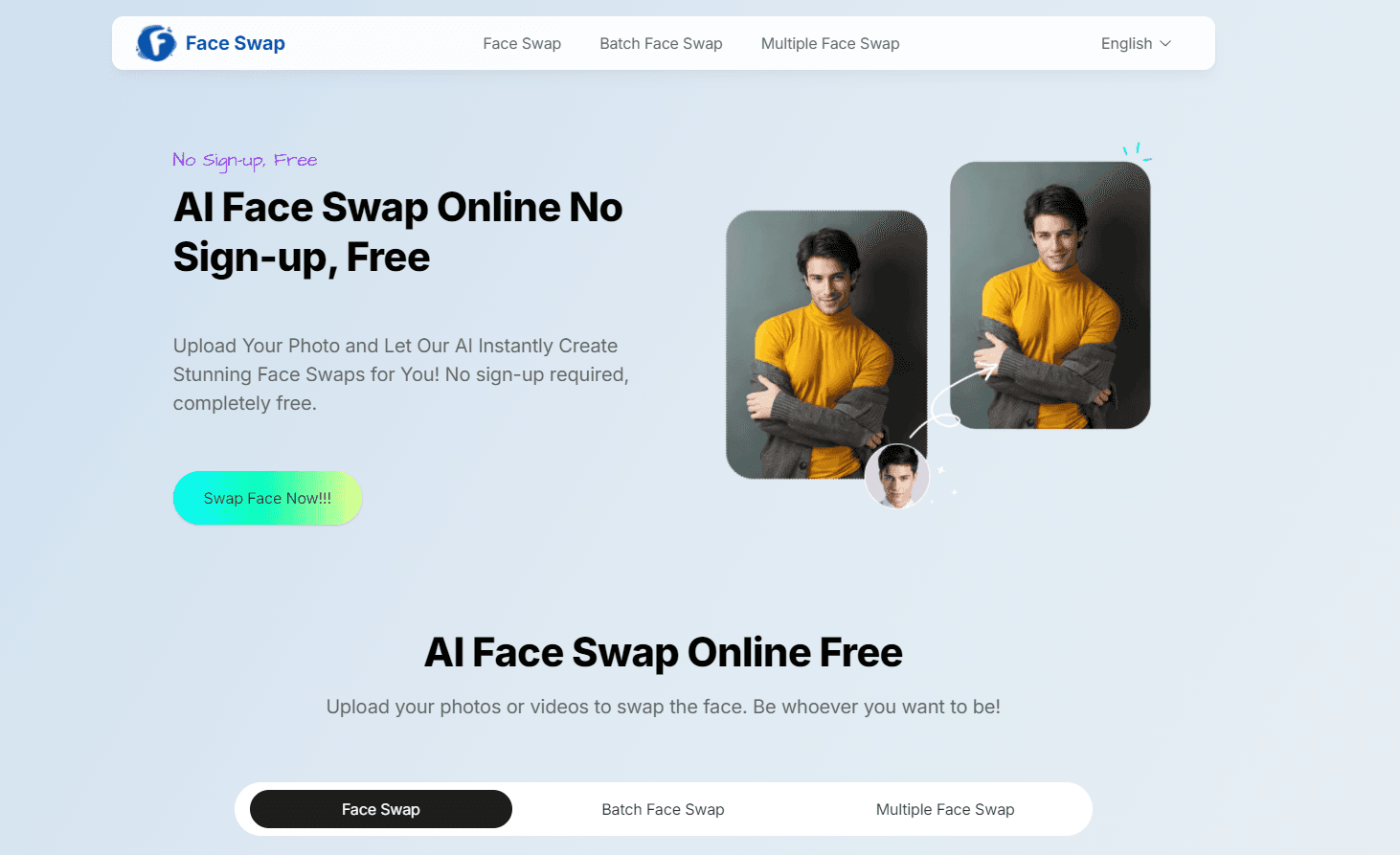
About AI Face Swap Online
What Is AI Face Swap Online
AI Face Swap Online is a web tool that replaces one face in a photo or video with another using AI. You upload a source face, pick a target image or clip, and the tool blends the new face onto the target in a few seconds. There's nothing to install, and you don't need an account to start.
It runs in the browser, so it works on a phone, a laptop, or a tablet. The pitch is speed and low friction. Most people just want a funny swap for a group chat or a profile picture, not a full video editing suite, and that's the exact gap this online face swapper was built to fill for people who'd never touch software like Premiere or After Effects.
The main catch? Free output tends to carry limits. You can't always get high resolution or long videos without a paid tier, and heavy traffic can slow results at peak hours. So what does that mean in practice? If you need a clean 1080p clip for a client, the free tier probably won't cut it. Facial angles, glasses, and messy lighting also trip up any face swap tool, this one included.
Getting Started
- Open the tool in your browser; no account or install is needed.
- Upload the source face you want to use, then the target photo or video.
- Let the AI detect the faces and check the alignment before you run the swap.
- Generate the result and download it, or save it to your device.
- Repeat with a different face if you want to compare options.
Product Information
A quick look at AI Face Swap Online's pricing, supported platforms, and performance.
Best for
The users, tasks, and scenarios where this tool fits best.
Users
- Casual creators
- Social media users
Tasks
- Swapping a face in a portrait
- Building meme images
- Light video edits
Scenarios
- Trying a new look before committing
- Group content for events
- Quick fun on the go
Key features
Photo Face Swap
Upload a source face and a target photo, and the tool maps the new face onto the target in seconds. It handles single-subject shots best. Skin tone and lighting stay reasonably consistent when both faces point at the camera at a similar angle.
Video Face Swap
Video swapping lets you apply a face across a clip rather than a still image. Free users get short clips, usually a matter of seconds. Longer footage and higher resolution sit behind a paid plan. This is the feature most people come for, and it's also the one with the tightest limits, because video runs many more frames through the AI than a single photo ever would.
No-Signup Workflow
You can start a swap without creating an account, which removes the usual email-and-password step. That matters if you just want one quick result. No password. No email. Just open it and go. Saving projects, higher resolution, and longer clips are where the sign-up wall tends to appear, though you can finish plenty of casual swaps before you ever hit it.
Browser-Based Processing
Everything runs online, so there's no desktop software, no plugin, and no GPU requirement on your end. It works the same on a Mac, a Windows laptop, an Android phone, or an iPhone, which means you can start a swap on your phone at lunch and finish it on your laptop back at your desk. The trade-off? You need a stable connection, and uploads drag on slow networks.
Template and Style Options
The tool offers starting templates and styles that give you a themed face to swap in, like a character or a costume look. Useful when you don't have a specific face in mind. You just want something that looks intentional rather than hand-made in a rush.
Quick Download and Sharing
Once a swap finishes, you download the image or clip and post it wherever you want. The workflow is built for speed. A simple photo swap usually takes under a minute from upload to download.
Pros and cons
Pros
- No signup needed for basic face swaps, so you can test it in under a minute.
- Runs entirely in the browser and works across desktop and mobile without an install.
- Handles both photos and video, covering the two formats most people want.
- Simple three-step flow that people with no editing experience can follow.
- Free tier is enough for occasional meme and social media use.
Cons
- Free video output is capped to short clips, so longer edits need a paid plan.
- High-resolution exports and batch processing sit behind the paid tier.
- Results get shaky with side profiles, glasses, or uneven lighting in the source photo.
- Processing can slow down during peak hours, and you need a decent connection to upload large files.
- There's no confirmed public API, so you can't easily plug it into your own workflow.
Frequently asked questions
Yes, there's a free tier that covers basic photo and short-video swaps without a signup. Heavier use, like longer videos and high-resolution exports, moves you to a paid plan. Check the official pricing page for current caps, since free limits can change without much warning.
Related content
Explore related tools, skills, and articles for AI Face Swap Online.
AI Face Swap Online Alternatives

Google EmbeddingGemma 2
Google DeepMind · Writing · Image · CodingGoogle EmbeddingGemma 2 is a 740M-parameter open model that turns text, code, images, audio, and video frames into vectors in one 768-dimension space, running on phones and laptops.

Tractionwave
TractionWave · Image · MarketingTractionWave is an AI attention heatmap tool for static ads. Upload a PNG or JPG and it returns predicted attention, ranked hotspots, and fixes before you spend budget.

Imejis.io
Imejis.io · Image · MarketingImejis.io is an AI design studio for agents and marketing teams. Describe an image in plain words, and it writes the copy, builds the layout, reflows it to every size, then exports a finished file.