

AI Face Swap Video App-Swapme
Face swap video · Image · Video
SwapMe is an AI face swap video app for Android that drops your face into any photo or clip in a few taps.
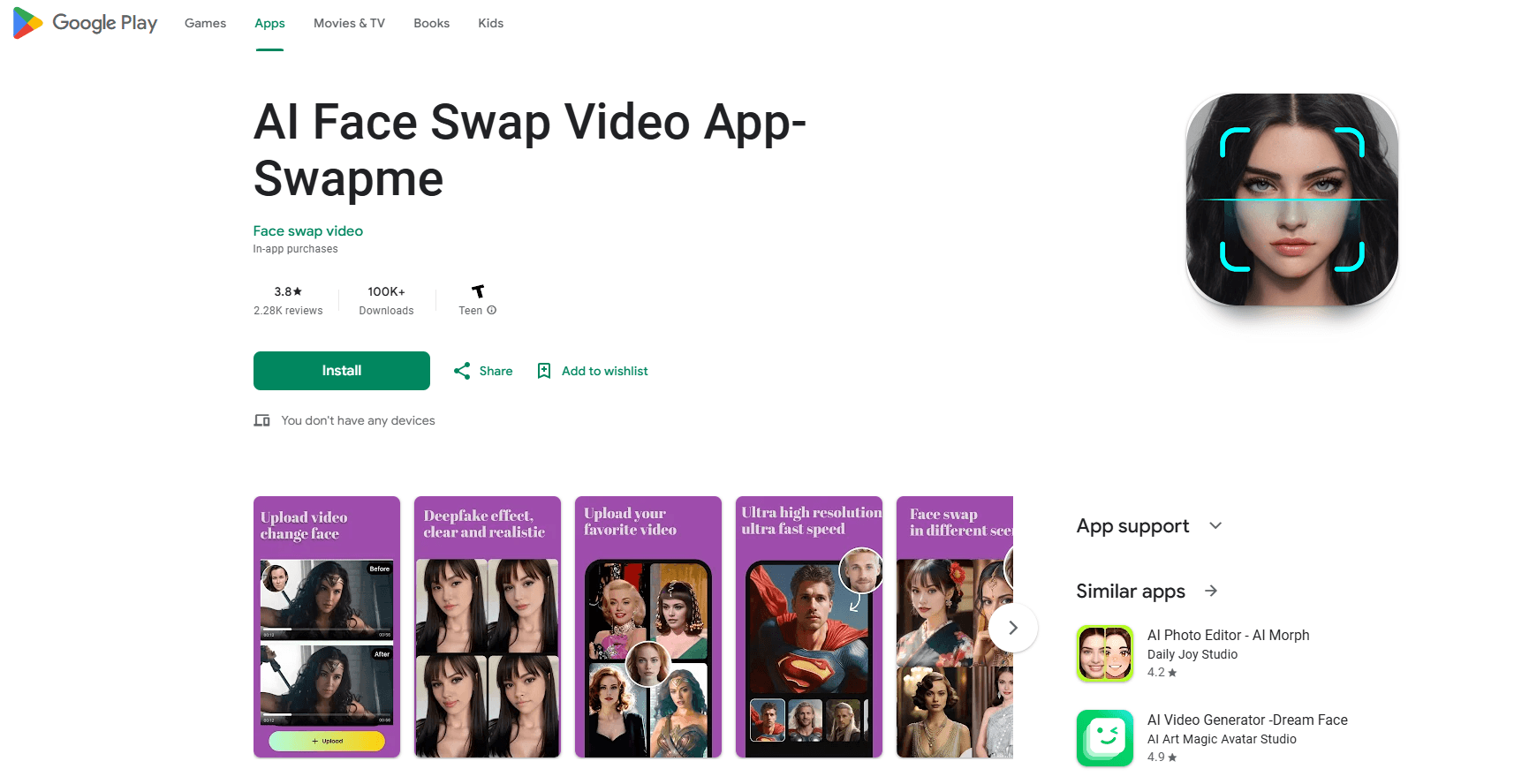
About AI Face Swap Video App-Swapme
What Is AI Face Swap Video App-Swapme
AI Face Swap Video App-Swapme (often just called SwapMe) is a mobile app that replaces the faces in photos and videos with a face you upload. You pick a source clip, add a selfie or headshot, and the app generates a new version where the original face is swapped out. It runs on Android and sits in the entertainment category rather than the serious editing tools.
The appeal is speed. Most people who try a face swap video maker don't want to learn keyframes or masking. They want a funny clip for TikTok, a running joke with friends, or a birthday greeting where Grandma suddenly looks like a movie star. SwapMe leans into that: upload, wait a few seconds, share. No timeline, no layers. So why do people keep coming back to this kind of app instead of a proper editor?
The trade-off is control. You get templates and preset clips, not a full editing suite. If you need to swap a face inside your own scene and fine-tune lighting, the app won't match what desktop software does. The official site has also sat on a "Coming soon" placeholder for a long while, so the app itself is where everything happens. For creative, casual use, that's usually fine.
Getting Started
- Install SwapMe from Google Play on an Android phone, then open it and allow the permissions it asks for (camera, photos, and storage).
- Choose a template or upload your own video, or pick one from your gallery.
- Upload a clear face photo (a well-lit selfie works best) to use as the replacement face.
- Tap to generate and wait a few seconds while the app renders the swapped clip.
- Save the result or share it straight to TikTok, Instagram, Facebook, Snapchat, or any other app.
Product Information
A quick look at AI Face Swap Video App-Swapme's pricing, supported platforms, and performance.
Best for
The users, tasks, and scenarios where this tool fits best.
Users
- Casual creators who want funny clips for social media without learning an editor.
- Friend groups and families making birthday or holiday video greetings.
- Small brands testing playful, personalized ad content, as long as they read the app's content rules first.
Tasks
- Swapping faces in an existing video
- Making a face swap video from a template
- Editing the result further
Scenarios
- Weekend fun with friends who want to see each other in a favorite movie scene.
- Festival and milestone messages where a personalized clip beats a text.
- Trend-jacking on TikTok when a face-swap audio or template is going around.
Key features
Photo and Video Face Swapping
The core feature does exactly what the name promises: take a face from one image and put it onto a person in a video. You upload both, tap generate, and the app handles the alignment, matching the new face to the motion and angle of the original as best it can. It's built for short social clips. The developer says longer uploads are supported too.
Face Swap Templates
The app ships with free templates and preset clips, so you don't need your own footage to start. Pick a template, drop in a face photo, and you get a shareable result. This is the fastest path for beginners. It's also the main reason new users stick around. Think of it as a face changer with training wheels.
Custom Video Uploads of Extended Lengths
You can bring your own clips, from short social clips to longer movie segments. That flexibility matters if you want a swap in a specific scene rather than a generic template, since the built-in options won't always match the exact moment you have in mind. The catch? Longer renders take more time and tend to look less clean around the edges.
Personal Gallery of Source Videos
Every source video you use gets stored in your personal gallery, ready to reuse with one click. It saves the hassle of re-uploading the same clip every time you want a fresh swap, which is handy when you're iterating on a joke or testing a few different face photos against the same scene until one finally lands.
Direct Social Sharing
Once a clip renders, you can push it straight to TikTok, Instagram, Facebook, Snapchat, or any other app on your phone. There's no forced detour through a desktop or a download folder, which means the whole idea to finished clip loop can happen while you're still standing in line for coffee. Create, share, done.
Paid Membership for Ad-Free Use
The free tier comes with ads and a set of basic features. Upgrading to a membership removes ads and unlocks more advanced options, and it also opens up extra AI video editing tools that the free version keeps locked behind the paywall. In-app purchases on Google Play run from $5.98 to $299.98 per item, which covers short-term access and longer plans. If you only want the occasional funny clip, the free tier, ads and all, is enough to test whether the effect works for you.
Pros and cons
Pros
- Fast workflow: upload two files, tap once, get a clip in seconds.
- Free templates make it easy to try without your own footage.
- Reusable source gallery saves re-uploading the same clip.
- Direct sharing to major social apps skips extra steps.
- Free templates mean you can start swapping before you figure out which of your own clips you want to use for the funny video.
Cons
- Limited fine control, so you can't fix awkward edges or blend lighting like desktop editors can.
- Ad-heavy on the free tier, which slows down quick sessions.
- No public API or desktop version, so Android is your only option.
Frequently asked questions
It's an Android app for swapping faces in photos and videos, mostly for fun content you share on TikTok, Instagram, and similar apps. You add a face photo to a clip, and the app generates the swap, so there's no manual editing or masking involved on your end.
Related content
Explore related tools, skills, and articles for AI Face Swap Video App-Swapme.
AI Face Swap Video App-Swapme Alternatives

Google EmbeddingGemma 2
Google DeepMind · Writing · Image · CodingGoogle EmbeddingGemma 2 is a 740M-parameter open model that turns text, code, images, audio, and video frames into vectors in one 768-dimension space, running on phones and laptops.

Tractionwave
TractionWave · Image · MarketingTractionWave is an AI attention heatmap tool for static ads. Upload a PNG or JPG and it returns predicted attention, ranked hotspots, and fixes before you spend budget.

Imejis.io
Imejis.io · Image · MarketingImejis.io is an AI design studio for agents and marketing teams. Describe an image in plain words, and it writes the copy, builds the layout, reflows it to every size, then exports a finished file.