
AI-Headshots.net
AI-Headshots.net · Image
AI-Headshots.net turns one selfie into about 100 studio-style AI headshots in roughly a minute, with more than 20 outfits and backgrounds to choose from. It runs in a browser and you pay per batch of credits.
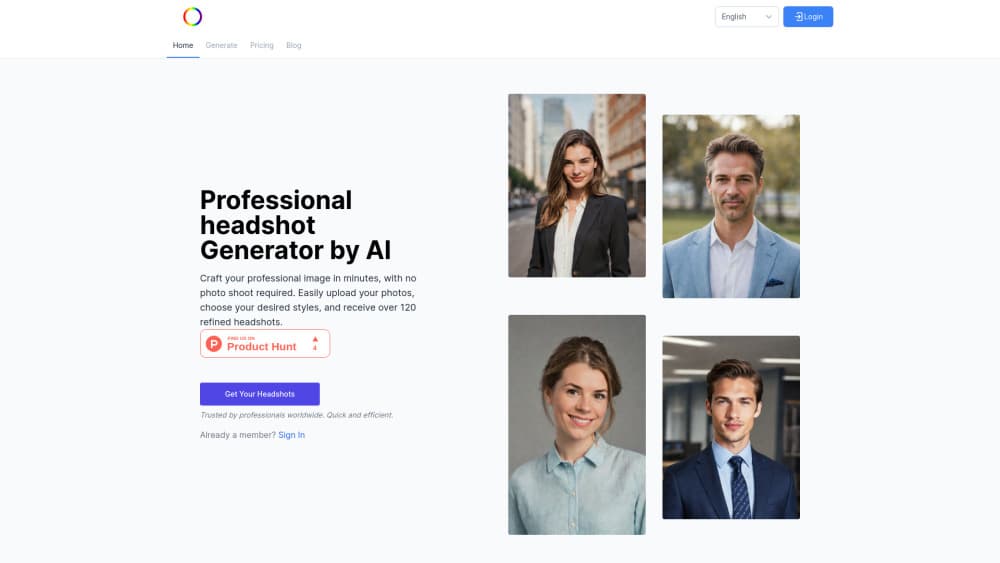
About AI-Headshots.net
What Is AI-Headshots.net
AI-Headshots.net is a web app that produces professional headshots from a phone photo. You upload a selfie, the service trains a private model on your face, and it returns a batch of portraits with different clothing, light and backdrops. No photographer, no studio booking, no trip to a rental shop for a blazer.
The pitch is speed and cost. It's a single-purpose AI headshot generator, not a full portrait studio, and that focus is the point. A traditional session eats half a day and a few hundred dollars, and you still walk away with maybe five usable frames. This service hands you a whole gallery to sort through while you're still at your desk. For a LinkedIn refresh before a job interview, that trade is easy to accept.
The limits matter too. Output is fixed once generated: you pick from what the model produced rather than retouching a favorite. The company's own FAQ says to expect three to six standout shots from a batch, so quality lands closer to a good phone shoot than a hired photographer. Everything happens in the browser, which means no mobile app and no offline editing.
Getting Started
- Create an account on ai-headshots.net and pick a credit plan. Crypto checkout needs you to sign in first.
- Upload your selfie. The site asks for a front-facing shot against a plain background, decent light, no glasses and no hat.
- Pick the outfit and background style you want, then start the run. The company quotes about one minute for delivery. A busy queue can stretch that.
- Review the full gallery and download the frames you like in high resolution.
Product Information
A quick look at AI-Headshots.net's pricing, supported platforms, and performance.
Best for
The users, tasks, and scenarios where this tool fits best.
Users
- Job seekers
- Freelancers and consultants
- Small teams without a design budget
Tasks
- Swapping a cropped group photo for a real headshot
- Filling out a resume or job portal
- Building team pages and company profiles
- Refreshing an email signature or business card
Scenarios
- A recruiter asks for a photo the day before an interview
- You changed roles or industries and the old photo no longer fits
- You need a photo that works across regions and platforms
Key features
One selfie, about 100 headshots
The core loop is one upload and a full batch back. AI-Headshots.net asks for a single selfie and returns more than 100 variations across outfits, light and backgrounds, which gives you enough material to compare before committing to a profile photo.
20 plus outfits and backgrounds
Style options cover suits, shirts and neutral studio backdrops, with the exact count tied to your plan: 8 looks on the smallest pack, 16 on the middle one and 20 on the largest. That range is what separates business headshots you can put on a company site from a photo that looks like a filter was applied.
Roughly a minute per batch
The company advertises roughly one minute from upload to gallery, and its FAQ quotes 60 seconds for typical runs. That's the real difference from older AI portrait tools that asked you to wait hours for a training job to finish.
Browser only, nothing to install
Everything runs on the website, including uploads from a phone browser. You don't install an app, and you don't need a desktop editor to crop or export, which keeps the workflow short for people who just need one image.
Full ownership and commercial rights
The service grants a commercial license over the images it generates, so they can go on a company site, a pitch deck or a paid ad. The company says it doesn't resell your photos or use them for marketing without written consent.
Data handling worth reading
Uploads are used to train a model of your face, and the site says both the model and the originals are deleted afterward, with a seven-day window cited on the homepage. Servers sit in the United States and are run by third-party providers.
Pros and cons
Pros
- Fast enough for a same-day deadline: about a minute per batch instead of a scheduled shoot.
- Far cheaper than a studio session, and you can buy a small pack to test the output first.
- 20 plus outfits and backgrounds make it easy to match a company's visual style.
- Commercial rights are included, which matters for consultants and agencies.
- No install and no editing skills needed, so a phone and a browser are enough.
Cons
- Web only, so there's no app for offline edits or batch work on a laptop without a connection.
- Results vary per batch, and the official FAQ says only three to six shots usually stand out, so budget retries.
- No team or bulk tools, which means a five-person page takes five separate runs.
- Little manual control after generation: you choose from what came back instead of adjusting a single image.
Frequently asked questions
About a minute for a typical batch, according to the company. Larger orders and busy periods can add a little time, but you're waiting minutes, not days.
Related content
Explore related tools, skills, and articles for AI-Headshots.net.
AI-Headshots.net Alternatives

Google EmbeddingGemma 2
Google DeepMind · Writing · Image · CodingGoogle EmbeddingGemma 2 is a 740M-parameter open model that turns text, code, images, audio, and video frames into vectors in one 768-dimension space, running on phones and laptops.

Tractionwave
TractionWave · Image · MarketingTractionWave is an AI attention heatmap tool for static ads. Upload a PNG or JPG and it returns predicted attention, ranked hotspots, and fixes before you spend budget.

Imejis.io
Imejis.io · Image · MarketingImejis.io is an AI design studio for agents and marketing teams. Describe an image in plain words, and it writes the copy, builds the layout, reflows it to every size, then exports a finished file.