

DreamVid - AI Video Generator
DreamVid · Image · Video
DreamVid is an AI video generator that turns photos into short clips. Upload two pictures and it renders a hugging video, a kissing scene or a face swap in minutes.
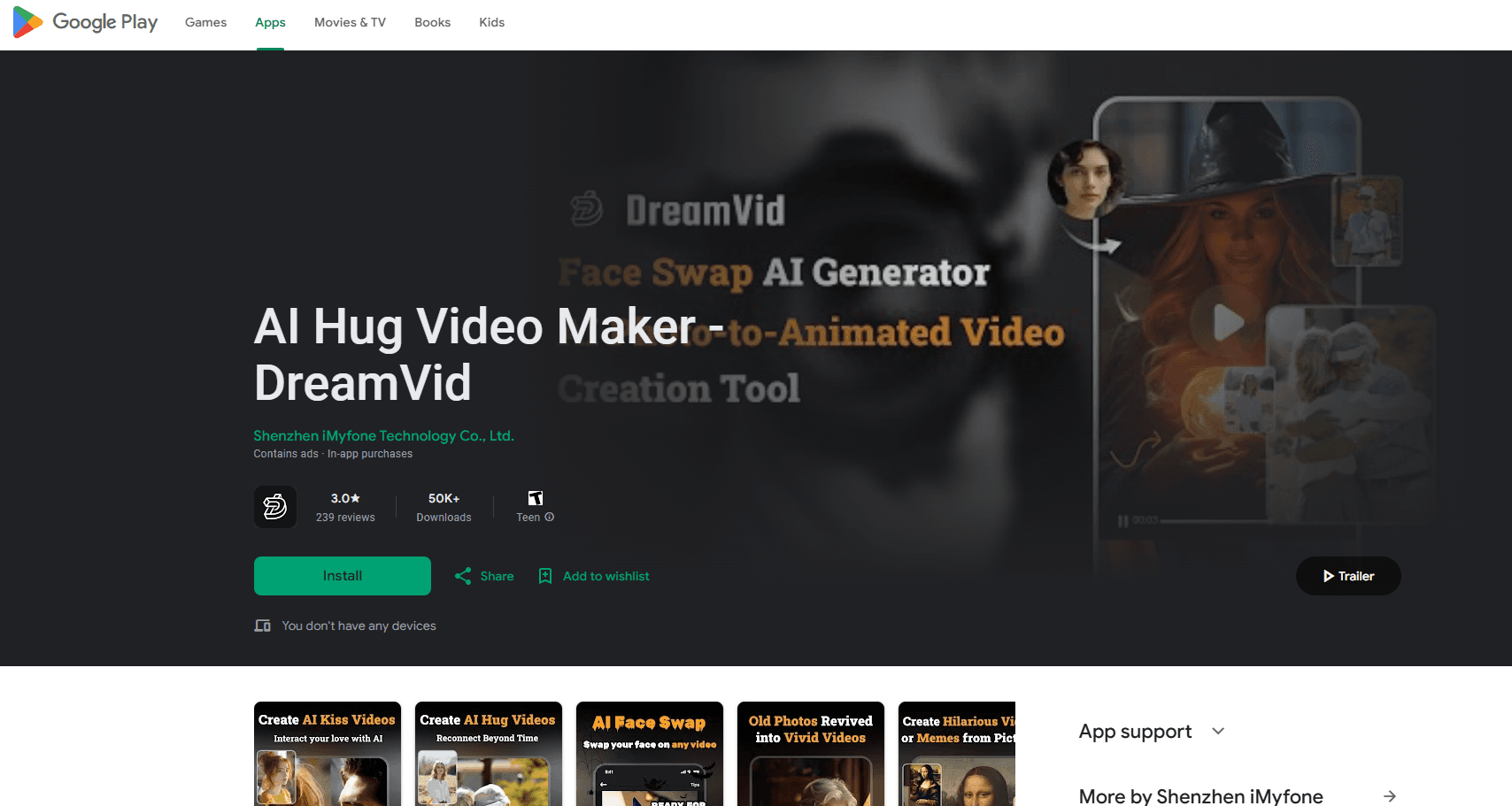
About DreamVid - AI Video Generator
What Is DreamVid
DreamVid is an AI video generator built around photo animation. You pick a template, upload one or two images, and the app renders a short clip. The headline use is the AI hug video maker. You give it two photos of people, and it produces a clip where they move toward each other and embrace, as if the moment had been filmed.
The product is part of the wider move to image to video tools, where a still becomes a few seconds of motion. DreamVid leans on the emotional end of that market. Hugs, kisses, wedding scenes and face swaps are the templates people reach for first, because they carry a story that a plain animated photo does not. A user in another city can send a hug clip to a parent. Two friends can turn a scrapbook photo into a moving moment.
What sets it apart from a full editing suite is scope. DreamVid does not try to replace Premiere or CapCut. It ships a small set of templates and aims to render them fast, on a phone, without a timeline to learn. The trade is control. You get a consistent result quickly, but you give up frame level tweaking. Photography from the company's own demos shows the target: a natural looking embrace, not a stiff morph.
Two things matter before you start. Results depend on the photos you feed in. Clear, front facing shots work; blurry or crowded ones fall apart. And the engine that renders the motion is a black box, so two runs on the same pair can differ slightly.
Getting Started
- Install the DreamVid app or open the web tool and pick a template such as hug, kiss or face swap
- Upload one or two photos where faces are clear and well lit
- Crop each face inside the guide frame and adjust the placement until both line up
- Start the render, wait for it to finish, then preview the clip
- Save it to your camera roll or share it straight to a chat app or social feed
Product Information
A quick look at DreamVid - AI Video Generator's pricing, supported platforms, and performance.
Best for
The users, tasks, and scenarios where this tool fits best.
Users
- People separated from family
- Social media creators
- Couples and long distance partners
- Casual phone users
- Fans of photo trends
Tasks
- Making a hug video
- Making a kiss video
- Swapping faces in a clip
- Animating a still photo
- Building a themed clip
Scenarios
- Reconnecting with family abroad
- An anniversary gift
- Filling a content gap
- Trying a trend
- Quick project work
Key features
AI Hug Video Maker
This is the feature the app is named for. You upload two photos, place both faces inside the guide frames, and the tool renders a short clip of the two people moving together into an embrace. The output is built for sharing, most often as a private message to someone you miss or as a post on a social feed. Because the result rests on the source photos, sharp and well lit portraits give the cleanest motion.
AI Kiss and Romantic Templates
Beyond hugs, the app carries a set of couple and romance templates. Kiss scenes, wedding looks and similar setups take two portraits and stage them in a themed moment. These templates suit anniversaries, Valentine posts and long distance couples. The staging comes from the template, so the style is fixed, but the two faces stay yours.
AI Face Swap
DreamVid includes face swap for both photos and short videos. You supply the source face and the target image or clip, and the tool replaces one face with the other while keeping the scene around it. This is useful for fun edits, memes and quick character swaps, and it pairs with the other templates when you want to place a face in a scene you did not shoot.
Photo Animation and Image to Video
The core engine turns a still into motion. You give it a portrait and a template, and it produces a few seconds of movement. This is the base for the themed clips. A plain animated photo works as well when you only have one image, so the app remains useful without a second person in the frame.
Template Library and Fast Render
The app leans on presets rather than a timeline. A library of templates covers the common effects, and the render runs on the device or in the cloud in a short time. The aim is a result in a couple of minutes, from upload to saved clip, which suits phone users who want to post the same day.
Sharing and Export
Finished clips save to the camera roll and export in a format sized for chat apps and social platforms. Sharing is one tap, which fits the way these clips travel, mostly through messengers and short form feeds. You keep the file, so you can post it later or edit it further in another app.
Pros and cons
Pros
- Hug and kiss templates answer a clear emotional need, and the result is ready to share in minutes
- Runs on iOS, Android and the web, so the same account works across phone and desktop
- A free tier lets you test the templates before you pay for a subscription
- Template driven flow means no timeline to learn, which suits casual phone users
- Face swap and photo animation sit in the same app, so you cover several effects without installing more tools
Cons
- Output quality tracks the source photos, and blurry or crowded shots give weak motion
- The render engine is a black box, so two runs on the same pair of photos can differ
- A short free allowance then pushes you to a subscription, which is common for this type of app
- Template styling is fixed, so there is little room to fine tune a scene beyond face placement
- Generated clips are short, which limits them to social posts and messages rather than longer edits
Frequently asked questions
DreamVid is an AI video generator focused on photo animation. You upload photos, pick a template, and it renders a short clip. Its best known effect is the AI hug video, where two portraits are combined into a clip of the two people embracing. Kiss scenes, face swaps and single photo animation are also part of the app.
Related content
Explore related tools, skills, and articles for DreamVid - AI Video Generator.
DreamVid - AI Video Generator Alternatives

Google EmbeddingGemma 2
Google DeepMind · Writing · Image · CodingGoogle EmbeddingGemma 2 is a 740M-parameter open model that turns text, code, images, audio, and video frames into vectors in one 768-dimension space, running on phones and laptops.

Tractionwave
TractionWave · Image · MarketingTractionWave is an AI attention heatmap tool for static ads. Upload a PNG or JPG and it returns predicted attention, ranked hotspots, and fixes before you spend budget.

Imejis.io
Imejis.io · Image · MarketingImejis.io is an AI design studio for agents and marketing teams. Describe an image in plain words, and it writes the copy, builds the layout, reflows it to every size, then exports a finished file.