
Ilus AI
Retter Digital OÜ · Image
Ilus AI is a browser illustration generator that keeps one visual style across every image, with preset styles, custom fine-tunes, SVG export and pay-as-you-go credits.
About Ilus AI
What Is Ilus AI
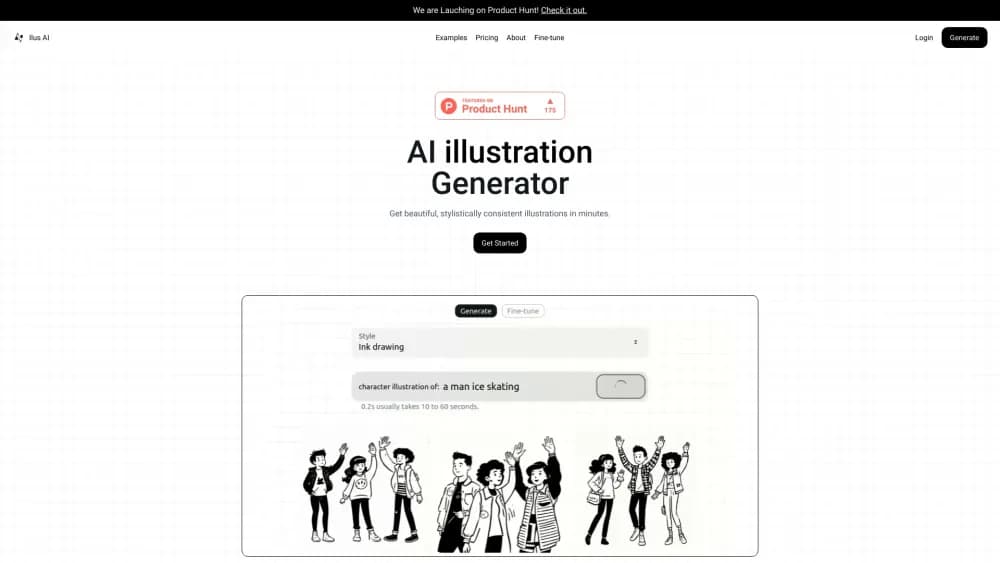
Ilus AI is a web app for people who need illustrations that look like they came from the same hand. Instead of chasing a prompt until one image happens to match, you pick a trained style or upload samples of your own artwork, then describe the scene you want. The output keeps the same line weight, palette and level of detail across a series.
That consistency is the point. A blog with ten illustrations in ten different looks reads as a pile of stock images. A blog with ten images from one Ilus AI style reads as a designed publication. Designers use it for client decks, founders for landing pages, and marketers for newsletters and ads. It's often pitched as a Midjourney alternative for teams that need consistent illustrations rather than one striking image.
The limits are worth knowing before you pay. Ilus AI works in a browser only, with no desktop or mobile app, and its API is still marked as coming soon. The tool is built for flat, doodle and ink drawing styles rather than photorealism, so it won't replace a general image model for portraits or product shots. Credits are bought in one-time packs, which suits project work better than a monthly subscription habit.
Getting Started
- Sign in at ilus.ai with a Google account. A free trial credit balance is added without a card.
- Pick a preset style such as Flat, Doodle or Ink Drawing, or open the fine-tune panel and upload 10 to 20 reference images to build a custom illustration style.
- Write a prompt that names the subject, the action and the setting. Short, concrete descriptions work better than a list of adjectives.
- Generate the image, then use the editor to erase mistakes, remove the background or upscale the result.
- Export a PNG for free or spend 4 credits on an SVG illustration export when the artwork needs to scale in a layout.
Product Information
A quick look at Ilus AI's pricing, supported platforms, and performance.
Best for
The users, tasks, and scenarios where this tool fits best.
Users
- Designers building a visual system
- Founders and indie developers
- Content marketers
Tasks
- Creating a set of on-brand spot illustrations
- Keeping a character consistent across poses
- Turning rough ideas into finished vectors
- Cleaning up a generated image
Scenarios
- A brand refresh with a tight deadline
- A blog that needs a header image every week
- A pitch deck the night before a meeting
Key features
Style-Consistent Image Generation
The core tool takes a text prompt and renders it in a chosen style, with Flat, Doodle and Ink Drawing among the presets. The V4 models produce cleaner lines and better handling of small details than earlier versions. Every image in a series shares the same visual grammar, which is the main reason to choose this illustration generator for consistent illustrations instead of a general purpose image model.
Custom Style Fine-Tuning
Upload 10 to 20 example images and Ilus AI trains a fine-tune illustration model on that look. Fine-tuning costs 150 credits, roughly $7.50 at the 500 credit rate, and the result behaves like any preset afterward. This is how teams get a custom illustration style that matches an existing brand guide, and it's also the recommended route for a consistent character.
SVG and PNG Export
PNG downloads are free, and an SVG illustration export costs 4 credits. SVG files stay sharp at any size and can be edited node by node in vector software. Flat, Ink Drawing, Doodle and custom styles support SVG, so the export option covers most of what the tool produces. Logos and icons come out clean enough to place in a design file without tracing.
Built-In Editing Tools
The editor handles the small fixes that usually send you back to a prompt box. An eraser removes a stray object for 1 credit, background removal costs 1 credit, upscaling costs 1 credit, and a broader edit costs 2 credits. Fixing one flaw costs less than generating a new image, which matters when a client likes everything except a single detail.
Pay-As-You-Go Credits
There's no subscription. Credit packs cost $3.50 for 50, $9 for 150 and $25 for 500, and the balance doesn't expire. Generation, erasing, background removal and upscaling each cost 1 credit, while editing costs 2. A small project can run on a single pack, and a team that stops using the tool doesn't keep paying for it.
Figma Plugin and Commercial License
A Figma community plugin brings generated illustrations into a design file without a download step. Every image ships under a CC0 license, so you can use it in commercial work, modify it or publish it without asking permission. The training images behind the preset styles also carry a CC0 license, according to Ilus AI.
Pros and cons
Pros
- Style consistency is the default, not a lucky prompt result, which saves hours of rerolling for a series.
- Credit packs start at $3.50 and never expire, so occasional users aren't locked into a monthly fee.
- SVG export at 4 credits gives editable vectors, a real advantage over tools that only output flat PNGs.
- CC0 licensing removes the usual commercial use questions for client work and published content.
- The fine-tune route turns 10 to 20 brand images into a reusable style, which is cheaper than a custom illustration commission.
Cons
- The style range is narrow by design. Flat, doodle and ink looks are strong, while photorealistic or painterly images are not the point of this tool.
- There's no API yet, so teams that want to automate illustration generation have to wait or build a manual workflow.
- Fine-tuning costs 150 credits up front, which is a real commitment before you know whether a style will work for a whole campaign.
- Free trial images are not kept private, according to the site, so client work should start on a paid balance.
Frequently asked questions
Ilus AI generates illustrations from text prompts while keeping a single visual style. Designers, founders and marketers use it for website graphics, blog headers, pitch decks and app empty states.
Related content
Explore related tools, skills, and articles for Ilus AI.
Ilus AI Alternatives

Google EmbeddingGemma 2
Google DeepMind · Writing · Image · CodingGoogle EmbeddingGemma 2 is a 740M-parameter open model that turns text, code, images, audio, and video frames into vectors in one 768-dimension space, running on phones and laptops.

Tractionwave
TractionWave · Image · MarketingTractionWave is an AI attention heatmap tool for static ads. Upload a PNG or JPG and it returns predicted attention, ranked hotspots, and fixes before you spend budget.

Imejis.io
Imejis.io · Image · MarketingImejis.io is an AI design studio for agents and marketing teams. Describe an image in plain words, and it writes the copy, builds the layout, reflows it to every size, then exports a finished file.