

AI Image Extender
AI Image Extender · Image
AI Image Extender expands photos past their borders with AI outpainting. Upload a JPG or PNG, pick a direction, and preview the wider frame free before paying for HD.
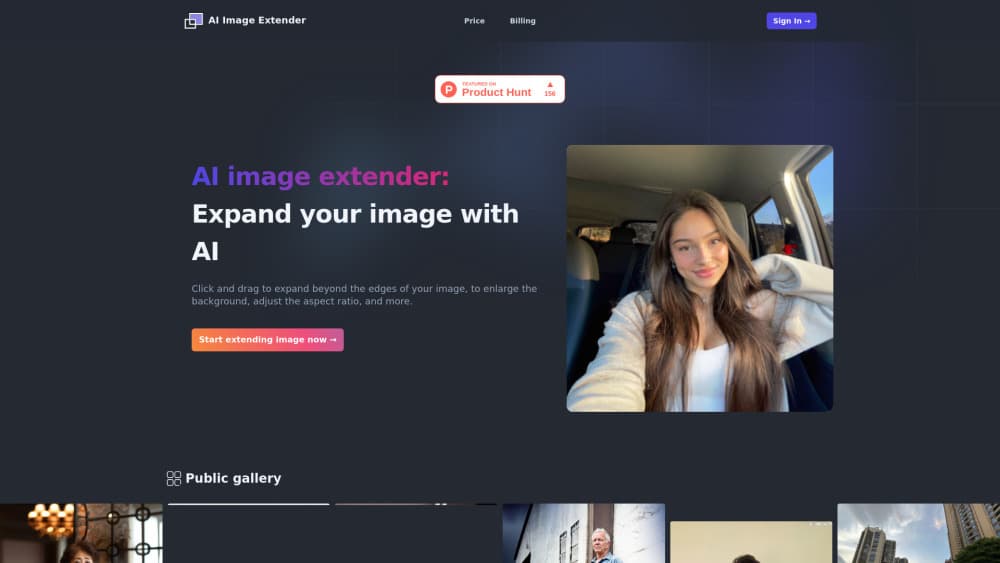
About AI Image Extender
What Is AI Image Extender
AI Image Extender is a browser tool that adds new canvas to a photo and fills the empty space with generated pixels that match what's already there. It keeps your subject in place and continues the background, so a tightly cropped shot can gain room on any side.
The job it handles is narrow and common. A product photo shot for a square listing needs to work as a wide banner. A portrait cropped at the shoulders needs breathing space above the head. Instead of reshooting or padding the frame with a solid color, you upload the file, pick the sides to grow, and let the model invent the rest.
Three limits matter before you start. Files must be JPG or PNG and no larger than 5MB. The free tier gives you a low-resolution preview only, and a full HD download costs a credit. Results also depend on the photo: clear subjects and natural backgrounds hold up well, while busy patterns and unusual textures can produce visible repeats.
Getting Started
- Open aiimageextender.org. No account is needed for the preview, so you can test the tool before handing over an email.
- Drop in a JPG or PNG under 5MB.
- Choose how the frame should grow: all sides, or only the top, bottom, left, or right.
- Check the free preview. If the extension looks right, buy a credit pack or a subscription and download the HD file without a watermark.
Product Information
A quick look at AI Image Extender's pricing, supported platforms, and performance.
Best for
The users, tasks, and scenarios where this tool fits best.
Users
- Social media managers who need one photo in several aspect ratios
- Small store owners with tight product shots
- Photographers fixing a bad crop
Tasks
- Creating a vertical Story or Reel cover from a wide photo
- Preparing a wide banner for a site or slide deck
- Fixing an uncrop image for a profile header
Scenarios
- A single batch before a campaign
- Steady monthly output
- Testing a photo you're unsure about
Key features
Smart Background Extension
The model reads the photo, finds the subject, and generates new pixels that continue the existing background. Sky, walls, and floor lines carry on past the old edge, so the result looks like a wider shot rather than a padded frame.
Directional Expansion Controls
You pick where the extra space goes: all four sides at once, or only the top, bottom, left, or right. That matters when a layout needs headroom for a title or empty space on one side for a text block.
Free Low-Resolution Preview
Every extend can be previewed before you pay. The preview is low-res, which is enough to judge composition and spot an awkward repeat in the generated area. No account and no card are required at this stage.
HD Credits with Two Payment Paths
One credit equals one HD download. You can buy 10 credits for $3.90 as a one-time payment, or subscribe for 200 credits a month at $9.90, with a $59 yearly option that works out to about $4.92 a month.
Batch Processing
Several images can be extended in one session instead of one at a time. It suits sellers updating a whole catalog or a social team resizing a week of posts, but each HD file still uses a credit.
Watermark-Free Files
The downloaded HD image carries no watermark or badge. That keeps the file usable for client work and paid ads, which is often the sticking point with free image tools.
Pros and cons
Pros
- The preview is genuinely free and needs no account, so you can judge the fill before paying.
- One-time credits at $3.90 lower the cost for occasional jobs.
- Direction controls cover all sides or a single edge, which fits most layout fixes.
- HD files come without a watermark.
- Batch processing saves time on catalogs and weekly content runs.
Cons
- Uploads are capped at 5MB and limited to JPG and PNG, so large RAW or TIFF files need converting and compressing first.
- Free users only get a low-res preview, and a usable HD file always costs money.
- Monthly credits reset and don't roll over, which punishes light months on the subscription.
- There's no API, desktop app, or mobile app, so automated pipelines and phone-only workflows are out.
Frequently asked questions
It adds canvas to a photo and fills the new area with AI-generated content that continues the background. You can expand image borders on all sides or on a single edge.
Related content
Explore related tools, skills, and articles for AI Image Extender.
AI Image Extender Alternatives

Google EmbeddingGemma 2
Google DeepMind · Writing · Image · CodingGoogle EmbeddingGemma 2 is a 740M-parameter open model that turns text, code, images, audio, and video frames into vectors in one 768-dimension space, running on phones and laptops.

Tractionwave
TractionWave · Image · MarketingTractionWave is an AI attention heatmap tool for static ads. Upload a PNG or JPG and it returns predicted attention, ranked hotspots, and fixes before you spend budget.

Imejis.io
Imejis.io · Image · MarketingImejis.io is an AI design studio for agents and marketing teams. Describe an image in plain words, and it writes the copy, builds the layout, reflows it to every size, then exports a finished file.