

HyNote: AI Notebook LLM Notes
HyNote · Productivity
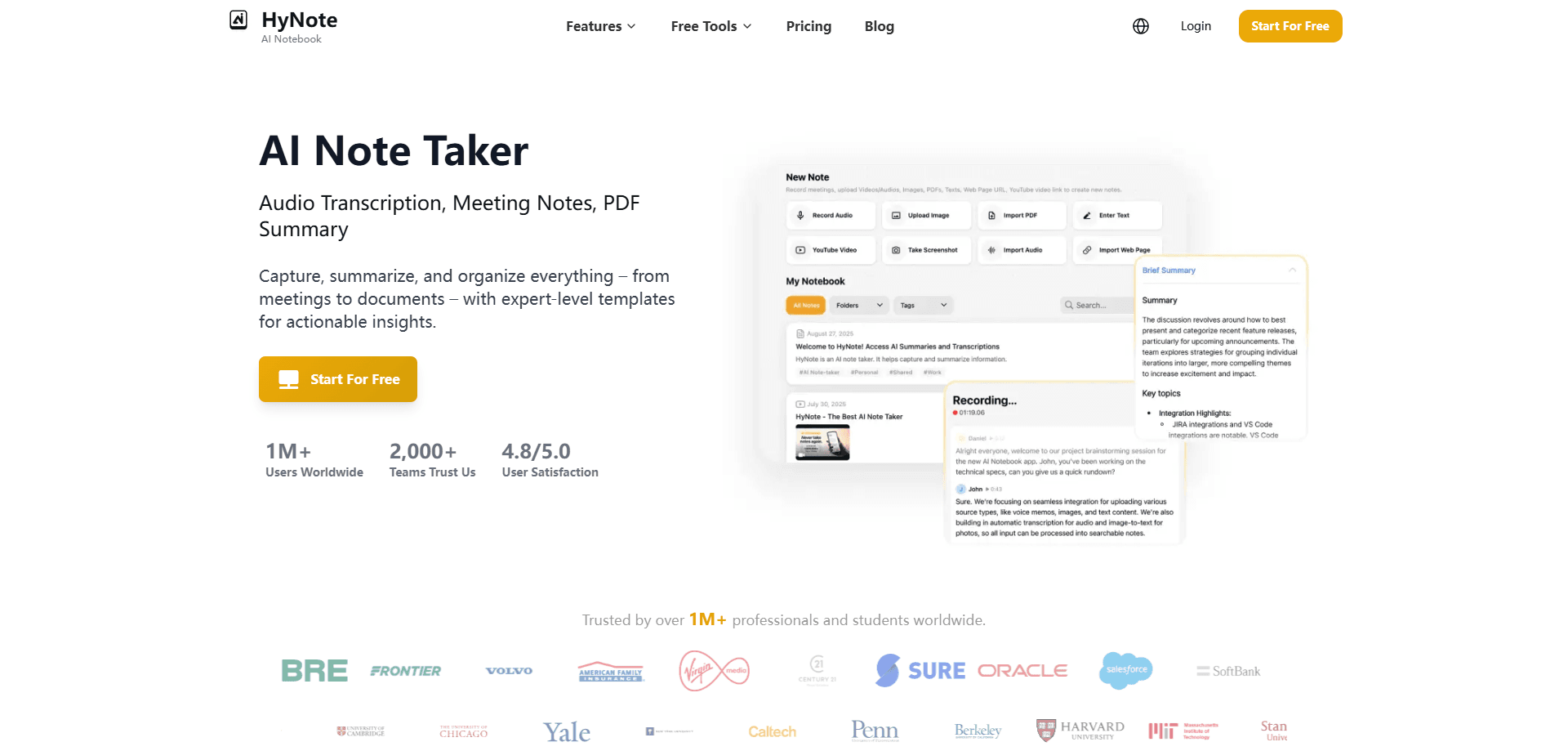
HyNote is an AI note taker that records meetings, lectures, and calls, then transcribes them in 50+ languages and turns them into summaries, action items, and study notes.
About HyNote: AI Notebook LLM Notes
What Is HyNote
HyNote is a note-taking app built around AI transcription. You record audio, upload a file, scan a page, or paste a link, and the app turns that raw input into searchable text, summaries, and follow-up tasks. It works with live meetings, phone calls, YouTube videos, PDFs, images, and web pages instead of text you type by hand.
The main problem it solves is the gap between a conversation and a usable record. Meetings and lectures move fast, and the useful details get buried in hour-long recordings. HyNote handles the capture, the transcript, and the first draft of the notes, so you can stay in the conversation and review later. It also pulls double duty as a study tool, since the same notes feed flashcards, quizzes, and study plans.
The biggest limitation is scope. Transcription accuracy depends on audio quality, and background noise or heavy accents can lower it. Speaker labels and live translation sit behind paid plans, and free recordings are capped at 120 minutes per session. HyNote is a web, mobile, and wearable app with no public API, so it fits personal and team note-taking rather than custom software builds.
Getting Started
- Sign up on the HyNote website or download the app for iOS or Android, then open the free plan.
- Connect your calendar if you want upcoming meetings to show up inside the app.
- Start a recording, upload audio or video, scan a document, or paste a YouTube link.
- Pick a template and let the AI generate a summary, key points, and action items.
- Tag, file, and sync the note, then export it to TXT, PDF, Google Docs, or Notion.
Product Information
A quick look at HyNote: AI Notebook LLM Notes's pricing, supported platforms, and performance.
Best for
The users, tasks, and scenarios where this tool fits best.
Users
- Students
- Business professionals
- Content and media professionals
Tasks
- Turning a meeting recording into minutes
- Converting a PDF or research paper into notes
- Learning from a YouTube video or webinar
- Turning notes into study material
Scenarios
- Back-to-back meeting days
- Exam prep from scattered sources
- Hands-free capture on the move
Key features
Voice Recording With Built-In Transcription
HyNote records live audio and transcribes it as you go, covering 50+ languages at up to 99% accuracy for clear speech. You can record in the app or the Chrome extension, and no bot joins your meeting. Recordings run up to 120 minutes per session on every plan.
AI Summaries and Action Items
Every recording or document can be reduced to a brief summary, a list of key points, or an action list. The app assigns owners and deadlines to tasks it finds, and it can format the result as meeting minutes or lecture notes. You choose paragraph, bullet, or key-takeaways output.
30+ Professional Templates
Instead of a blank page, HyNote offers structured formats like meeting agendas, case studies, SWOT analyses, interview notes, resumes, and follow-up emails. You pick a template and the AI applies it to your content in one click. This is what separates it from a plain transcript tool.
Multimodal Input and Export
You can feed HyNote audio, video, PDFs, Word files, images, YouTube links, and web pages, with OCR for photos and handwritten notes. Finished notes export to TXT, PDF, Google Docs, or Notion, and the mobile apps share through the native sheet.
Study Tools From Your Own Notes
The same notes power flashcards, quizzes, study plans, and a problem solver that walks through solutions step by step. Study notes pull key points into logical headings, which suits students working from lectures and reading lists.
Chat With All Your Notes
You can ask one question and search across every note, transcript, and PDF in your workspace at once. Answers come back with clickable source citations so you can check the context. Smart tags and folders keep the library organized without manual filing.
Pros and cons
Pros
- Handles audio, video, PDFs, images, and web pages in one app, so you avoid juggling separate transcription and summary tools.
- Works without a bot joining your meetings, which suits calls where an extra participant would be awkward.
- Free plan covers recording and transcription up to 120 minutes per session, so you can test the core workflow at no cost.
- Study and publishing tools build on the same notes, which saves rework for students and content creators.
- Syncs across web, iOS, Android, Apple Watch, and the Chrome extension, so capture and review happen on different devices.
Cons
- Speaker identification and live translation require Plus or Unlimited, so the free and Pro plans miss features many meetings need.
- Transcription accuracy drops with background noise or heavy accents, which affects recordings made in noisy rooms.
- No public API, so teams that want to build HyNote into their own software have no official path.
- Free and Pro plans cap transcription minutes, and heavy users will need to move to a higher tier.
Frequently asked questions
HyNote turns audio, video, and documents into searchable notes. It records meetings, lectures, and phone calls, then transcribes them and generates summaries, action items, and study material.
Related content
Explore related tools, skills, and articles for HyNote: AI Notebook LLM Notes.
HyNote: AI Notebook LLM Notes Alternatives

Base Code
Base44 (Wix) · Coding · ProductivityBase Code is a shared cloud development environment from Base44. Teammates describe changes to an existing GitHub codebase in chat, preview them live and send them back as pull requests.

Knocket
Knocket (Tencent RTC team) · Productivity · Business · ChatbotKnocket is a free live chat and contact page tool that lets visitors message you from your website, app, or a shareable link, with every reply handled from Telegram or one inbox.

FloorGen
Vinit Kumar (FloorGen) · Productivity · China AIFloorGen is a browser-based floor plan maker that turns a sentence or a sketch into an editable 2D plan and a 3D walkthrough. Export to PDF, DXF or video, and draw without an account.