
ai-redact.com
SOKT Technologies Private Limited · Productivity
AI-Redact is a browser-based AI PDF redaction tool that finds names, emails, SSNs, and other personal data in a document, then deletes it for good. Four pages are free.
About ai-redact.com
What Is AI-Redact
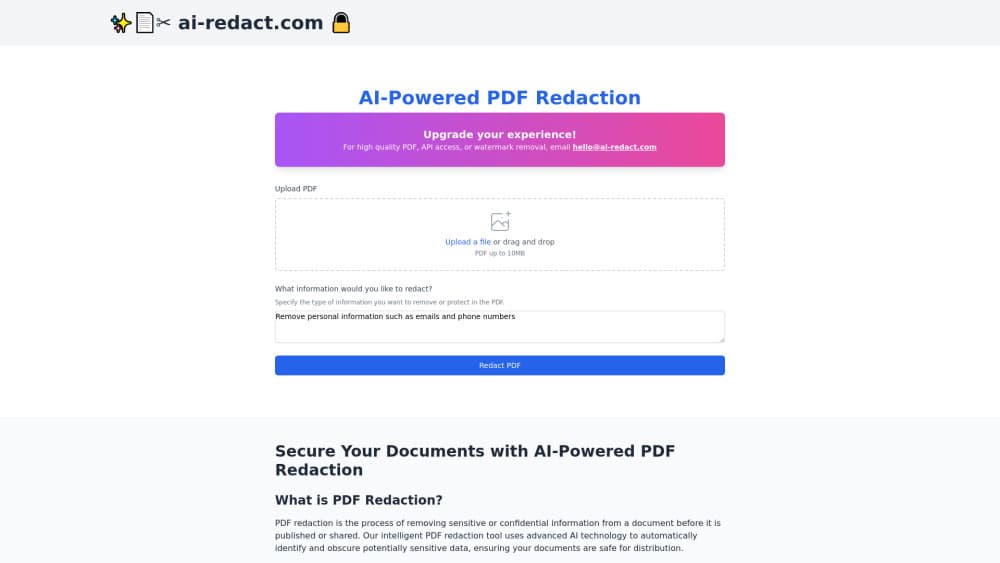
AI-Redact is a web app that pulls identifying information out of PDF files. You upload a document, the models scan it for names, email addresses, Social Security numbers, phone numbers, account details, and health data, and you choose which hits to remove. What comes back is a new PDF with those characters gone from the file itself.
The purpose is simple: remove personal data from PDF files before they leave your hands. What it targets is old-fashioned black-box redaction. Drawing a rectangle over text in a normal PDF editor hides it on screen and leaves the words underneath, so anyone who copies the page or runs it through a text extractor reads the secret. Courts, regulators, and newsrooms have all been burned by that. AI-Redact rebuilds the page without the data instead of layering something on top.
The limits are worth knowing before you sign up. It handles PDFs only, so Word files and email exports need converting first. Detection is a model, not a guarantee, which is why the tool puts a review step in front of export. Free jobs also carry a watermark that stays until you buy credits.
Getting Started
- Open ai-redact.com and drop a PDF onto the upload area. The free tier needs no account.
- Wait for the scan. The job keeps running if you refresh the tab, and the page checks its status every few seconds.
- Review the flagged matches and uncheck anything the model got wrong.
- Download the cleaned file. Paid jobs come out without the watermark.
Product Information
A quick look at ai-redact.com's pricing, supported platforms, and performance.
Best for
The users, tasks, and scenarios where this tool fits best.
Users
- Legal teams working through discovery
- Healthcare compliance staff
- Court clerks and records officers
- Small firms with no redaction budget
Tasks
- Prepping a filing for the public docket
- Sending patient records to a research partner
- Cleaning bank statements before a loan or rental application
- Responding to a subject access request
Scenarios
- Case files that arrive as phone scans
- A disclosure set that runs to hundreds of pages
- One confidential contract a month
Key features
Detection for Names, Contact Details, and ID Numbers
The model scans for personal identifiers as it reads the page: full names, email addresses, phone numbers, Social Security numbers, account and routing numbers, and health information. It works across common business document types rather than one narrow form. PII detection runs page by page, and you see each hit before anything is removed, so a false positive costs one click.
Removal That Deletes the Text Instead of Hiding It
Redacted characters are taken out of the PDF content stream, not covered with a shape. Copy the page into a text editor afterward and the data isn't there. That distinction matters for anything heading to a court, a regulator, or a journalist, where a visual overlay has failed people before.
Batch Uploads for Large Sets
You can push several files at once instead of one at a time. Each one runs as its own job with its own status, and clearing a job from the list deletes the redacted file from the servers. For a disclosure set or a month of statements, that saves the babysitting.
OCR for Scanned Paperwork
Scanned pages and photographed documents go through optical character recognition first, so you can redact scanned PDF files that have no text layer at all. The same detector then runs on the extracted text. Without OCR, a scan would sail through untouched because there's nothing for a text parser to read.
Review Before Export
Every match lands in a list you can edit. Confirm the obvious ones, drop the ones the model misread, add anything it missed. This is the step that makes automated document redaction usable in a compliance workflow, since a person signs off on the final file.
Browser Only, Files Not Kept
There's no installer and no desktop app. Uploads travel encrypted, and the site says files are never stored after processing. Removing a job deletes the output permanently, so the redacted copy doesn't sit on someone else's disk.
Pros and cons
Pros
- Permanent redaction, so the export holds up when someone tries to extract the text underneath.
- Free PDF redaction for up to four pages per file with no signup, which is enough to test the detection quality on your own documents.
- Per page pricing means a small firm pays for a handful of files instead of a yearly seat licence.
- OCR support covers phone scans and photocopies, the format most case files actually arrive in.
- The review screen keeps a human decision in the loop, which is what auditors expect to see.
Cons
- PDFs only. Word documents, spreadsheets, and email files have to be converted before upload, which adds a step to every job.
- The free tier caps each file at four pages and stamps a watermark, so anything client facing needs credits.
- Detection misses are possible on unusual layouts or handwritten annotations, and there's no automated check that proves the file is fully clean.
- API access sits behind the enterprise contract, so teams that want to wire redaction into their own systems can't start on the self-serve plans.
Frequently asked questions
Names, email addresses, phone numbers, Social Security numbers, bank account and routing numbers, and health information are the main targets. Anything the model flags appears in a review list first, and you decide what actually gets removed.
Related content
Explore related tools, skills, and articles for ai-redact.com.
ai-redact.com Alternatives

Base Code
Base44 (Wix) · Coding · ProductivityBase Code is a shared cloud development environment from Base44. Teammates describe changes to an existing GitHub codebase in chat, preview them live and send them back as pull requests.

Knocket
Knocket (Tencent RTC team) · Productivity · Business · ChatbotKnocket is a free live chat and contact page tool that lets visitors message you from your website, app, or a shareable link, with every reply handled from Telegram or one inbox.

FloorGen
Vinit Kumar (FloorGen) · Productivity · China AIFloorGen is a browser-based floor plan maker that turns a sentence or a sketch into an editable 2D plan and a 3D walkthrough. Export to PDF, DXF or video, and draw without an account.