

AI Photo Enhancer, AI Enhancer
VIDEOSHOW PTE. LTD. · Image
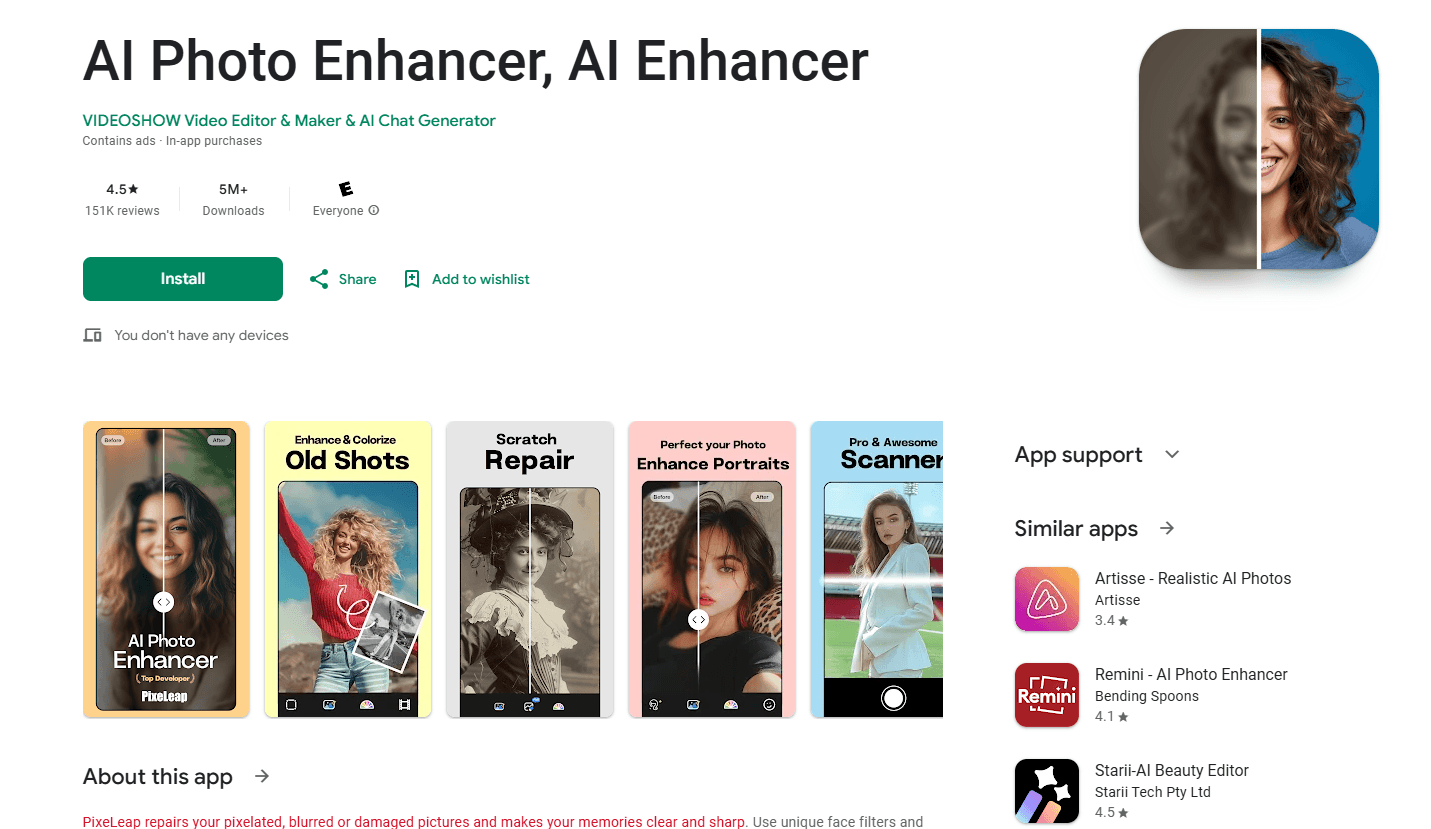
AI Photo Enhancer, also called AI Enhancer, is an Android app that unblurs, restores, and colorizes old photos in one tap. It sharpens faces, repairs scratches, and lifts resolution up to 800%.
About AI Photo Enhancer, AI Enhancer
What Is AI Photo Enhancer
AI Photo Enhancer is a mobile photo restoration app for Android, published on Google Play by VIDEOSHOW PTE. LTD. You feed it a blurry, pixelated, or damaged picture, tap once, and the app rebuilds sharpness, skin texture, and eye detail. It also colorizes black-and-white shots and cleans up scratches and creases.
The app fits people who want a quick fix without learning an editor. Scan an old print or pick a photo from your gallery, and you get an HD result in seconds. Extra tools cover cartoon effects, filters, and an age filter that shows younger or older versions of a face.
A few things are worth knowing before you pay. The free version is ad-supported and slow, and several features burn "coins" that you top up with in-app purchases. Reviews on Google Play flag aggressive auto-renew charges and a support desk that's hard to reach. The app is Android only, runs online, and publishes no public API.
Getting Started
- Install AI Photo Enhancer from Google Play on an Android phone or tablet. It's free to download.
- Open the app, grant photo access, then scan a physical print or pick an image from your gallery.
- Choose a tool such as Enhance, Unblur, Colorize, or Scratch Repair, and run it on the photo.
- Save the result to your gallery. Some tools spend coins or need an active subscription to unlock.
Product Information
A quick look at AI Photo Enhancer, AI Enhancer's pricing, supported platforms, and performance.
Best for
The users, tasks, and scenarios where this tool fits best.
Users
- Families who want to restore old photos
- Casual phone photographers
- Social media posters
Tasks
- Unblurring soft photos
- Restoring damaged pictures
- Colorizing black-and-white photos
- Raising photo resolution
Scenarios
- Sorting a box of family prints
- Fixing a blurry wedding or graduation shot
- Bringing a grandparent's black-and-white portrait to color
Key features
One-tap photo enhancement
The core tool takes a low-quality image and rebuilds clarity, sharpness, and detail in one tap. You don't pick masks or fiddle with sliders. The app handles faces, skin texture, and eye detail on its own, which is the point for anyone who just wants a better-looking photo fast.
Unblur and sharpen
The unblur tool targets out-of-focus and blurry photos and brings back edge detail. It's aimed at soft selfies, shaky shots, and portraits where the focus missed. Results run best on faces, since that's where the app spends most of its processing.
Old photo restoration
Dedicated repair tools fix scratches, creases, folds, and stains on scanned prints. If a photo has suffered stripes, blobs, or fading over the years, this is the mode that patches the damage before you run the main tool. It suits anyone digitizing a shoebox of family pictures.
AI colorization
The colorize feature reads a black-and-white or sepia image and adds color back to skin, clothing, and background. You tap once and the app assigns natural tones rather than flat fill. For vintage family photos, this is usually the feature that makes the restoration feel finished.
Resolution upscaling up to 800%
The app claims it can raise any photo's resolution by 200%, 500%, or over 800% toward HD. It works on small, compressed, or pixelated images and rebuilds detail as it enlarges them. That helps when you want to print a shot or view it on a large screen.
Cartoon and avatar styles
A cartoonize tool turns a photo into a stylized illustration and builds a personal avatar for profiles. It's a creative extra rather than a restoration tool, and it gives the app a second use beyond fixing old pictures.
Filters and portrait beauty tools
A small editor sits alongside the AI features, with filters, basic adjustments, and AI beauty retouching for portraits. It smooths skin and lifts facial detail, so you can polish a selfie without leaving the app.
Age filter
An age filter reworks a face to show a younger or older version of the person. It's a novelty feature for fun, not a restoration tool, and it rounds out the app's creative side.
Pros and cons
Pros
- One-tap enhancement and unblurring need no editing skill, so anyone can clean up a photo in seconds.
- Colorization and scratch repair handle the two most common problems in old family photos.
- Free to download on Android, with the basic tools available without paying upfront.
- Upscaling claims go as high as 800%, which is more than many free enhancers offer.
Cons
- Coin costs and auto-renewing subscriptions frustrate users, and Google Play reviews cite unwanted charges and refund trouble.
- The free version runs slowly and carries ads, so heavy tools feel locked behind paywalls.
- Some results carry a watermark or are tricky to save, which undercuts the point of restoring a photo.
- No iOS version and no public API, so iPhone owners and developers are left out.
Frequently asked questions
AI Photo Enhancer is an Android app that restores and improves photos with AI. It unblurs and sharpens soft images, repairs scratches on old prints, colorizes black-and-white shots, and upscales resolution by up to 800%. Most actions run from a single tap.
Related content
Explore related tools, skills, and articles for AI Photo Enhancer, AI Enhancer.
AI Photo Enhancer, AI Enhancer Alternatives

Google EmbeddingGemma 2
Google DeepMind · Writing · Image · CodingGoogle EmbeddingGemma 2 is a 740M-parameter open model that turns text, code, images, audio, and video frames into vectors in one 768-dimension space, running on phones and laptops.

Tractionwave
TractionWave · Image · MarketingTractionWave is an AI attention heatmap tool for static ads. Upload a PNG or JPG and it returns predicted attention, ranked hotspots, and fixes before you spend budget.

Imejis.io
Imejis.io · Image · MarketingImejis.io is an AI design studio for agents and marketing teams. Describe an image in plain words, and it writes the copy, builds the layout, reflows it to every size, then exports a finished file.