
Petal
Paladin Max, Inc. · Productivity · Leaning
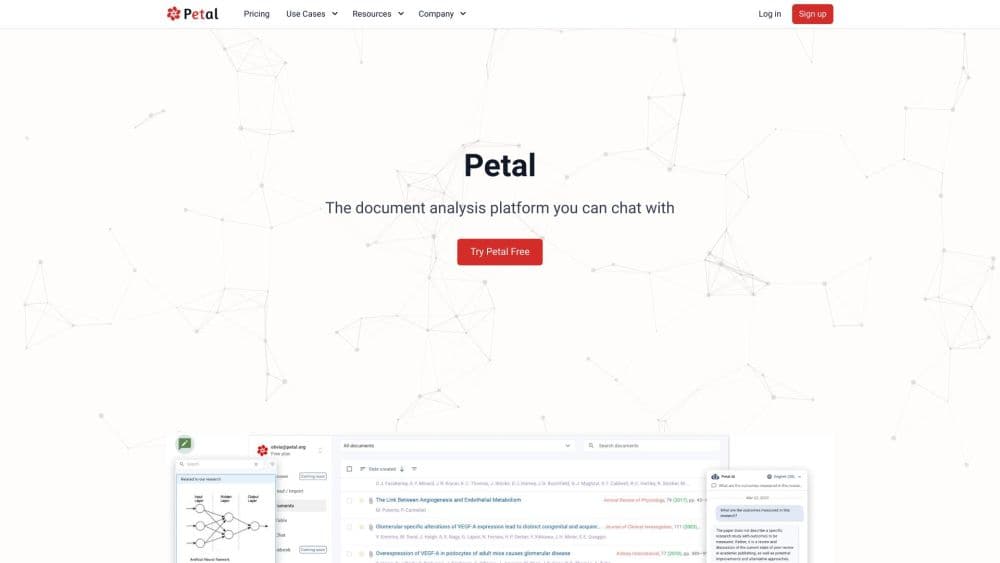
Petal is an AI-powered document analysis platform from Paladin Max, Inc. It turns your PDFs, research papers, and reference library into a searchable knowledge base that answers questions with fully sourced citations. Free plan available.
About Petal
What Is Petal
Petal is a cloud-based document analysis platform built around a simple promise: you shouldn't have to hunt through dozens of PDFs to find one answer. It combines a reference manager, a cloud drive for your files, and a generative AI layer that reads what you upload and responds to questions using only your own sources.
The platform was created in 2018 by Paladin Max, Inc., and it's aimed squarely at research paper analysis and document Q&A. It serves researchers, faculty, and corporate R&D teams as an AI research assistant for their own files. The company says more than 20,000 researchers, faculty, and industry experts use it, and it's listed by MIT as a trusted university resource on its site.
The key limitation is scope. Petal is tuned for academic and scientific documents, not for general office file wrangling. Its AI features also run on a credit system, so heavy users on cheaper plans will hit monthly ceilings and need to buy add-ons.
Getting Started
- Create a free account at cite.petal.org using email or an institutional login.
- Add the browser extension, which captures PDFs you open in your browser and files them to your project library.
- Upload documents or import references into a collection, then let Petal pull metadata automatically.
- Open a document to start a single-document chat, or select several files for a multi-document query.
- Ask questions in plain language and follow the inline citations back to the source sentence.
Product Information
A quick look at Petal's pricing, supported platforms, and performance.
Best for
The users, tasks, and scenarios where this tool fits best.
Users
- Graduate students and faculty
- Corporate R&D teams
- Librarians and research groups
Tasks
- Literature reviews
- Reference formatting
- Comparing studies
- Annotating PDFs
Scenarios
- Writing a dissertation chapter
- Scoping a new research project
- Sharing a reading list with a team
Key features
Chat With Your Documents
You ask a question in plain language and Petal answers from the documents you've uploaded, showing where each claim came from. Answers carry inline citations, so you can jump straight to the source sentence instead of trusting the model. Free accounts get a single-document chat, while multi-document chat is a 7-day trial that requires the Advanced plan afterward.
Reference Manager and Citation Generator
Petal organizes references into collections and generates citation lists in standard academic styles. Metadata such as authors, year, and journal is pulled automatically when you add a document, which cuts down on manual entry. Export is included from the Plus plan upward, so free users can build lists but can't take them out.
Automatic Metadata Extraction and Deduplication
When you add files, Petal reads the document properties and fills in the bibliographic fields itself, with dedicated support for technical and scientific papers. It also spots duplicate files so the same paper doesn't pile up twice in your library. This is the part that saves the most tedious work for anyone managing a large reading list.
Annotate and Collaborate
You can highlight key passages, add comments, and share a read-only link with a colleague. The AI can also mark up key points and explain dense sections for you. Shared links replace the usual cycle of emailing PDFs back and forth. Live co-editing isn't part of the offer.
AI Table for Multi-Document Comparison
The AI Table lays several papers side by side so you can compare outcomes, methods, and limitations in one view. It's built for literature reviews where the useful details hide in the full text rather than the abstract. The feature is available from the Plus plan and up.
Cloud Drive With Search
Every file lives in a synced cloud library that you can search across, on the web or through the browser extension. Petal keeps a single source of truth for your documents so you're not juggling local folders. Storage ranges from 1 GB on the free plan to 25 GB on Premium.
Pros and cons
Pros
- Answers are tied to inline citations, so you can verify each claim against the original text
- Automatic metadata extraction removes most manual reference entry
- The browser extension captures PDFs as you find them, which fits a normal research workflow
- A genuinely free tier covers single-document chat and citation lists
- Built-in document comparison handles multi-paper literature reviews in one place
Cons
- Multi-document chat and the AI Table sit behind the Advanced plan, so free users can't try the most useful AI features beyond a 7-day trial
- The AI runs on monthly credits; the free plan's 400 credits don't refill, so heavy use stalls until you pay
- Storage is tight at the low end, and free accounts get just 1 GB
- It's built for academic and scientific documents, so general office files won't benefit much
Frequently asked questions
Yes. There's a free plan with 1 GB of storage, 400 one-time AI credits, single-document chat, and unlimited citation lists. Export, multi-document chat, and the AI Table need a paid plan.
Related content
Explore related tools, skills, and articles for Petal.
Petal Alternatives

Base Code
Base44 (Wix) · Coding · ProductivityBase Code is a shared cloud development environment from Base44. Teammates describe changes to an existing GitHub codebase in chat, preview them live and send them back as pull requests.

Knocket
Knocket (Tencent RTC team) · Productivity · Business · ChatbotKnocket is a free live chat and contact page tool that lets visitors message you from your website, app, or a shareable link, with every reply handled from Telegram or one inbox.

FloorGen
Vinit Kumar (FloorGen) · Productivity · China AIFloorGen is a browser-based floor plan maker that turns a sentence or a sketch into an editable 2D plan and a 3D walkthrough. Export to PDF, DXF or video, and draw without an account.