

Ai-ProDo
AiProdo · Productivity
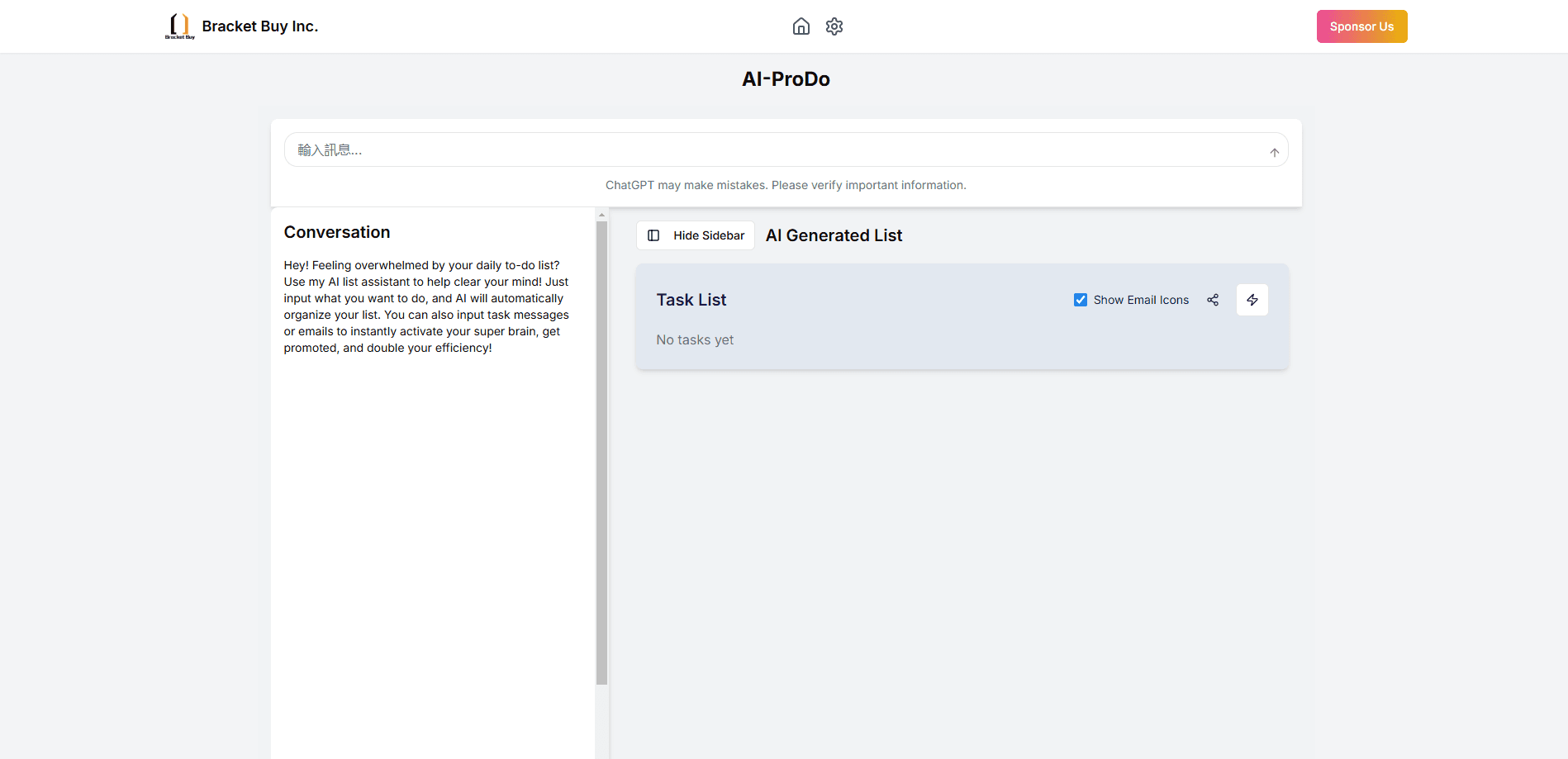
AiProdo is an AI app builder that turns one plain sentence into a clickable app you can preview in the browser and download as source code when the build succeeds.
About Ai-ProDo
What Is AiProdo
AiProdo is a web-based AI app builder built around a single promise: describe what you want in one sentence and open a working app. You type a plain description, the platform runs it through staged generation, and you get a clickable preview in the page. When a build finishes, you can grab the source and keep going outside the tool. It sits in the same lane as other text to app tools, but the focus is narrow and on purpose.
Most AI app generators hide the messy middle. You type a prompt, wait, and hope something sensible appears. AiProdo shows the work: the build moves through stages you can watch, from understanding the request to generating the app to preparing the preview. That transparency is the main draw if you've been burned by tools that produce a blank screen and no explanation.
The honest limits matter too. Deploy is listed as coming soon, so AiProdo is not yet a full launch-and-host pipeline. The free plan also caps you at a single app and blocks source download, which means real project work needs the paid membership. If you want one place to design, host, and run an app in production, this tool isn't there yet.
Getting Started
- Create an account on the AiProdo website to get started.
- Write your idea in one sentence, ideally naming the core screens or actions you want.
- Watch the build run through its stages as the platform understands the request and generates the app.
- Preview the result directly in the page, clicking through screens and testing basic interactions.
- Download the source code once the build succeeds and a paid membership is active, then continue in your own environment.
Product Information
A quick look at Ai-ProDo's pricing, supported platforms, and performance.
Best for
The users, tasks, and scenarios where this tool fits best.
Users
- Non-technical founders
- Product managers and designers
- Developers prototyping fast
Tasks
- Turning a sentence into a clickable preview
- Sketching an app concept for feedback
- Getting starter source code
- Testing an idea before committing
Scenarios
- Early concept validation
- Weekend prototyping
- Explaining an idea to stakeholders
Key features
One-Sentence App Generation
The core of AiProdo is its sentence-to-app flow. You describe the app in a single line, and the platform generates a working application from that description. It keeps the entry point low: no spec document, no setup wizard, no code required to get something on screen. Think of it as a no-code app builder that starts from a sentence rather than a blank canvas. For people who think in plain language, that's the whole appeal.
Visible Build Stages
Instead of a silent spinner, AiProdo shows the build moving through named stages: understanding the request, generating the app, and preparing the preview. You can see where the process is, which makes a failed or slow build easier to read. It's a small design choice that matters when you're waiting on a generation you can't control.
In-Page Clickable Preview
When the build lands, you try the app right in the page. You can click through screens and test basic interactions without downloading or installing anything first. This turns the result into something you can react to immediately, which is far more useful than a screenshot for judging whether the app does what you meant.
Source Code Download
When a build succeeds, a paid membership lets you download the source code and take it with you. That matters because it means AiProdo isn't a walled garden you can't leave: you get the starting files and continue in your own editor or environment. The free tier blocks this, so the download is a paid-tier feature.
Membership and Fuel Pricing
AiProdo splits pricing into two parts: membership unlocks platform rights like app count and source download, and fuel pays for builds and iterations. A share of what you pay on subscription is credited back as starter fuel. It's an unusual model, but it separates access from usage, so light builders don't burn credits just by signing up.
Simplicity by Design
AiProdo deliberately keeps the surface small: one input, a staged build, a preview, and a download. There's no sprawling template library or plugin market to learn. That restraint is the point for people who want to move from idea to clickable result with as few decisions as possible.
Pros and cons
Pros
- A single sentence is enough to start, so there's no spec document or setup to clear first.
- The staged build display shows progress, which makes long or failed generations easier to understand.
- You preview the generated app directly in the page before downloading anything.
- The paid membership lets you download the source, so the output isn't locked inside the tool.
- Splitting membership and fuel means light users aren't forced to buy build credits upfront.
Cons
- Deploy is marked coming soon, so you still need your own hosting to put an app online, which leaves a gap between generating and shipping.
- The free plan caps you at one app and blocks source download, so any real project work requires paying.
- API availability isn't documented, which is a problem if you want to drive generation from scripts or automate builds.
Frequently asked questions
AiProdo generates a working app from a one-sentence description. You type the idea, watch the build stages, then preview the result in the page as a clickable app. When the build succeeds and you have a paid membership, you can download the source code.
Related content
Explore related tools, skills, and articles for Ai-ProDo.
Ai-ProDo Alternatives

Udon
Udon · Coding · ProductivityUdon turns an Apple Silicon Mac into a home server you run from a browser, with container controls, file shares, and an optional AI sysadmin.

offstage
offstage cloud · Coding · Productivityoffstage gives AI coding agents and CI jobs a real Mac: a fresh macOS account on Apple silicon, driven over an API and billed by the second.

BotBus
Chengdu Tuyang Tusen Technology Co., Ltd. · Coding · ProductivityBotBus lets you control AI coding agents from your phone and watch: approve commands, start tasks and read results while the code stays on your desktop.