
AI Product Shot
AI Product Shot · Image
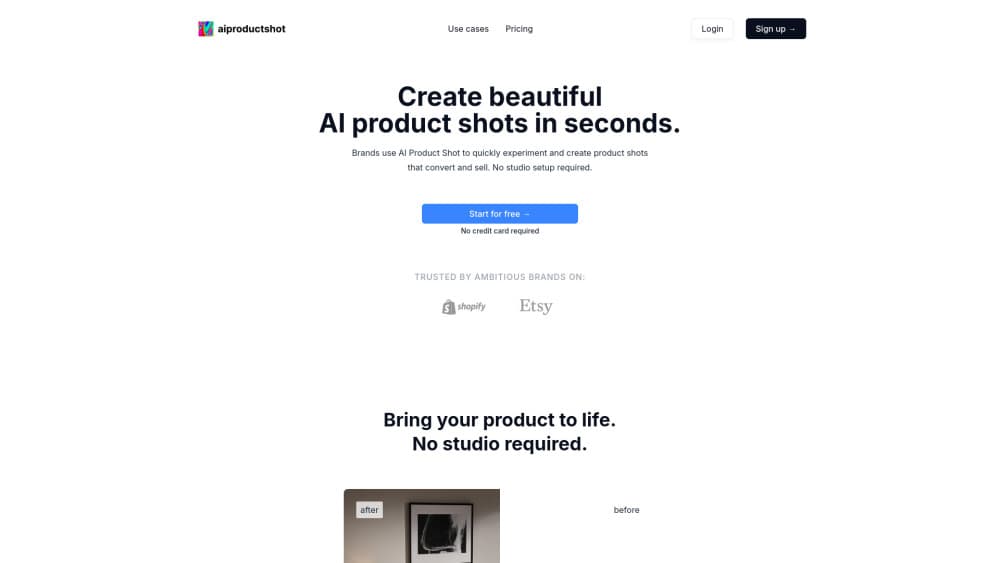
AI Product Shot is an AI product photo generator that turns a plain product photo into studio-style images, so online sellers can test scenes, light direction and props without booking a shoot.
About AI Product Shot
What Is AI Product Shot
AI Product Shot is a browser-based product photography tool for ecommerce sellers, small brands and marketing teams. You upload a photo of your product, describe or pick the setting you want, and the tool renders a new image with your item placed in that scene. The company says more than 1.3 million product shots have been generated on the platform and that 1,000+ brands use it.
The pitch is speed and cost. A studio shoot needs a photographer, a location, props, a stylist and a week of scheduling. AI Product Shot cuts that down to minutes per image, and you can keep changing the scene after the first result. The site puts studio quotes for big brand shoots at $10,000 and up, so the gap is obvious for a small seller.
There's a limit worth knowing upfront. The tool works from a photo you already have, so the original image still decides how much detail survives. Fine print, embossed logos and unusual textures are the first things to check on any render, because image models tend to redraw what they can't read. You also work inside the web app, since there's no public API for bulk jobs.
Getting Started
- Create an account at app.aiproductshot.com, or run the free demo on the site first to see sample output.
- Upload a clear photo of your product on a plain background. A phone shot works if the edges and labels are sharp.
- Set the scene: choose the setting, the light, the staging and the composition, or load a reference shoot you like through the Inspire Engine.
- Generate variations, then download the frames that fit your store, ad or social post.
- Cancel or change your plan inside the account settings if the trial doesn't fit your workflow.
Product Information
A quick look at AI Product Shot's pricing, supported platforms, and performance.
Best for
The users, tasks, and scenarios where this tool fits best.
Users
- Small ecommerce owners
- Social media and brand marketers at agencies
- Solo sellers on Shopify, Etsy and Amazon
Tasks
- Building seasonal campaign visuals
- Testing creative concepts before a real shoot
- Refreshing catalog images
Scenarios
- Launching a product with no photography budget
- Pitching a concept to a client
- Selling into several markets
Key features
Scene and Staging Control
You set the environment, not just the backdrop. Choose the surface, the props around the product and how it sits in the frame, then adjust until the composition reads the way you want. This is the part that separates the tool from a background remover.
Inspire Engine Reference Matching
The Inspire Engine lets you feed in a shoot from another brand and copy its lighting, composition and art direction onto your own product. It's useful when a client sends a reference and asks for that look, since you skip rebuilding the setup by hand.
Photorealistic Lighting and Composition
Lighting, shadows and depth are generated along with the scene, so the product sits in the image instead of floating on top of it. The output is meant to hold up as a hero image on a product page, not only as a thumbnail.
Unique Renders on Every Run
Each generation comes out different because the model works from a wide set of variables. That makes it practical to produce ten options and pick one, which is closer to how a shoot works than a single fixed filter.
Fast Iteration in the Browser
Everything runs in a browser tab, with no plugins or desktop software. A first render takes minutes, and changes to the scene are just another generation, so testing a new idea costs a click instead of a reschedule.
Trial and Demo Before You Pay
The site runs a free demo, and paid plans come with a 7-day trial you can cancel. You can judge output quality on your own product before committing to a subscription.
Pros and cons
Pros
- Covers the scene, the light and the staging, so it does more than swap the background behind a cutout.
- The Inspire Engine turns a client reference into a usable direction without a manual rebuild.
- Monthly pricing starts at $19, which is a fraction of a single studio day for most small brands.
- Browser-only workflow means no install and no learning curve for a design suite.
- A 7-day trial and a free demo let you test on real product photos first.
Cons
- There's no permanent free plan, so anything beyond the demo needs a paid subscription.
- The site publishes only a starting price, which makes it hard to compare higher tiers before signing up.
- No public API, so large catalogs still mean running images one at a time in the app.
- Labels, logos and fine print can come back redrawn, which means a human check on every frame you publish.
Frequently asked questions
It works as a product shot generator for online stores, ads and social posts, and the output covers ecommerce product photos as well as lifestyle scenes. You start from a photo you already have and the tool renders your product in a new scene with new lighting and staging.
Related content
Explore related tools, skills, and articles for AI Product Shot.
AI Product Shot Alternatives

Google EmbeddingGemma 2
Google DeepMind · Writing · Image · CodingGoogle EmbeddingGemma 2 is a 740M-parameter open model that turns text, code, images, audio, and video frames into vectors in one 768-dimension space, running on phones and laptops.

Tractionwave
TractionWave · Image · MarketingTractionWave is an AI attention heatmap tool for static ads. Upload a PNG or JPG and it returns predicted attention, ranked hotspots, and fixes before you spend budget.

Imejis.io
Imejis.io · Image · MarketingImejis.io is an AI design studio for agents and marketing teams. Describe an image in plain words, and it writes the copy, builds the layout, reflows it to every size, then exports a finished file.