

AI Selfie Studio
AI Selfie Studio · Image
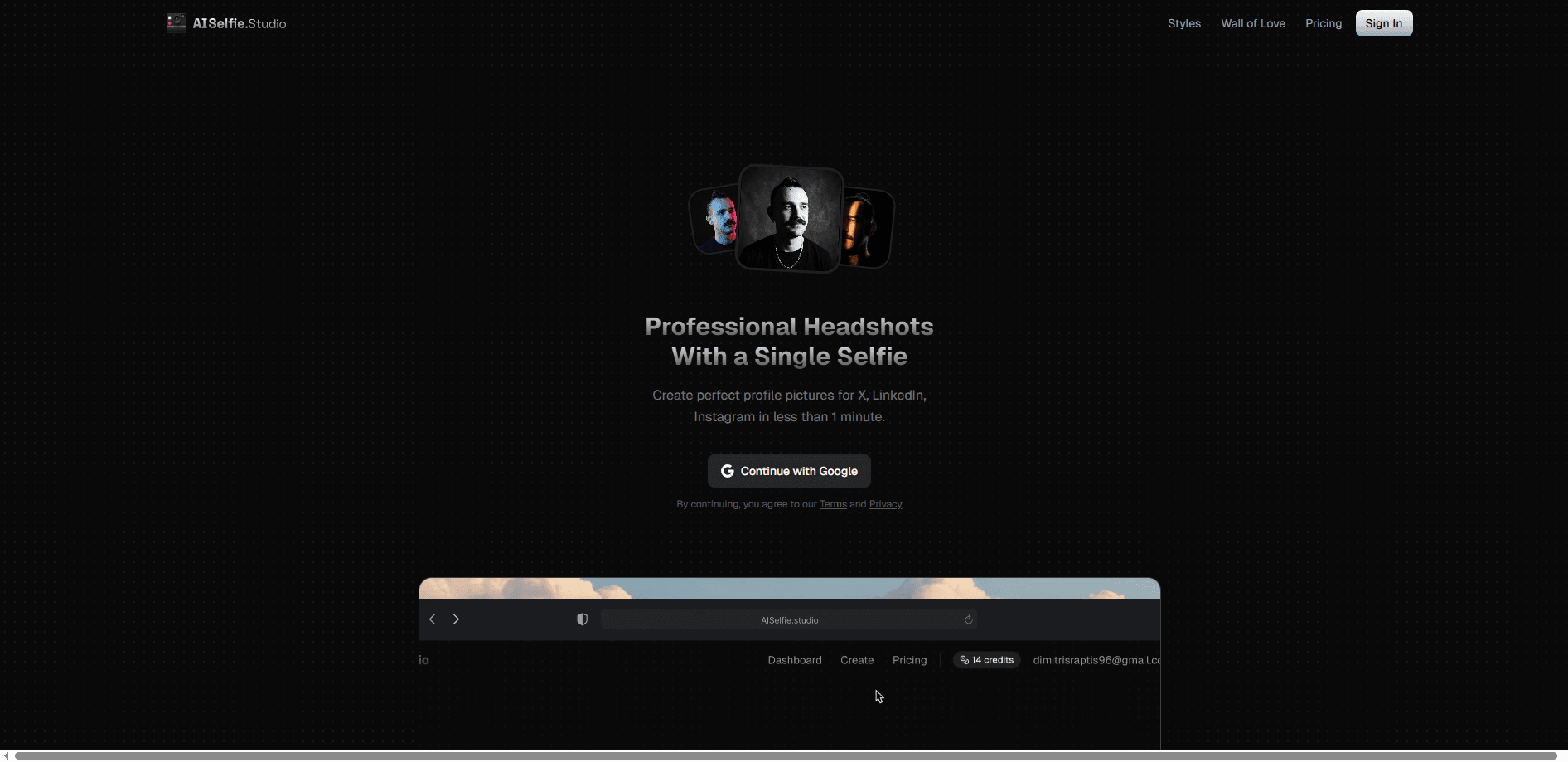
AI Selfie Studio is an AI headshot generator that turns one ordinary selfie into studio-quality professional headshots and portraits in under 60 seconds. It's built for people who need a polished AI profile picture for LinkedIn, a resume, a dating profile, or social media without booking a photographer. You upload a photo, pick from 54+ styles, and the AI portrait generator handles lighting, backgrounds, and outfits for you. No studio visit. No waiting.
About AI Selfie Studio
What Is AI Selfie Studio
AI Selfie Studio is a web-based AI headshot generator that creates professional-looking photos from the selfies you already have on your phone. Instead of scheduling a studio session and waiting days for edited shots, you upload one photo and the platform generates dozens of variations with studio lighting and corporate-ready backgrounds. The likeness stays yours; the polish comes from the model.
The product targets a real pain point. A traditional photo studio runs anywhere from $150 to $500 and can take up to two weeks to deliver a handful of edited images. Most people who need a decent LinkedIn headshot or a resume photo aren't willing to spend that. AI Selfie Studio compresses the whole thing into a minute and a one-time credit purchase. That's it. One selfie, one purchase, done.
The main limitation is that it's a generation tool, not a photographer. You get AI-generated images, which means extreme close-ups or unusual poses can drift from your exact features, and results depend on the quality of the selfie you feed it. It also works only in a browser, so there's no native mobile app to install.
Getting Started
- Create an account on the AI Selfie Studio website and buy a credit pack (credits never expire, so you can spread them out).
- Upload a clear, well-lit selfie that shows your face straight on.
- Choose a headshot style from the 54+ options, or pick a corporate, editorial, or cinematic look.
- Tune the details with the built-in filters: skin smoothing, expression, gaze direction, outfit, and glasses removal.
- Generate and download your high-resolution images, then make any final tweaks in the AI photo editor.
Product Information
A quick look at AI Selfie Studio's pricing, supported platforms, and performance.
Best for
The users, tasks, and scenarios where this tool fits best.
Users
- Job seekers and professionals
- Remote teams and companies
- Daters and social media users
Tasks
- Generating a LinkedIn headshot from an existing selfie, no photographer or appointment needed.
- Replacing a dull or old profile picture across resume, LinkedIn, and email signatures.
- Standardizing team headshots during onboarding so new hires match the existing brand look.
Scenarios
- You just landed an interview and need a professional headshot before the resume goes out.
- Your company is updating its team page and wants every member shot in the same style.
- You want a fresh dating profile photo but don't want to pay studio prices for a single image.
Key features
54+ AI Headshot Styles From One Selfie
Upload a single selfie and the platform generates dozens of distinct professional headshots that you can route to a resume, a company website, or social media depending on the look you choose. You can pick corporate, editorial, cinematic, or creative looks depending on whether the image is headed for a resume, a company website, or Instagram.
One-Tap Portrait Filters
Before generating, you can shape the result with a set of filters: smooth skin, adjust expression, change the gaze direction, select an outfit and color, or remove glasses. It's the kind of detail control a real studio offers, except here it takes a tap instead of a conversation.
Under-60-Second Generation
Image generation typically finishes in 10 to 30 seconds, and the full set is ready in under a minute. That speed is the core difference from a traditional shoot, where the gap between booking and delivered photos runs into days. Ten to thirty seconds, to be clear. The wait is basically nothing.
Built-In AI Photo Editor
Headshots don't always come out perfect, so the tool includes an editor for the final pass. You can remove and replace backgrounds, apply effect presets, and fine-tune color and lighting without leaving the browser. It saves you from exporting to another app just to fix a background. Handy.
Credit-Based, Non-Expiring Pricing
You buy credits rather than a subscription, and one credit equals one generated image. Packs start at $15 for 15 images and scale up to 300, and credits never expire, so there's no pressure to burn them inside a billing window. Buy once. Use whenever.
Team Headshot Consistency
For companies, the platform keeps the same style, lighting, and background across every team member. New hires can generate a matching headshot in minutes, so the team page doesn't end up with mismatched photos from different sources. Want the whole team to match? This handles it.
Pros and cons
Pros
- Turns one selfie into dozens of professional headshots in under a minute.
- Credit packs start at $15 and credits never expire, so there's no subscription lock-in.
- 54+ styles plus filters for expression, gaze, outfit, and glasses removal.
- Built-in AI photo editor handles background removal and lighting tweaks.
- Team option keeps headshot style consistent across an entire company.
Cons
- No free plan, so you pay before you can test the output quality.
- Web-only, with no native mobile app for editing on the go.
- Results depend heavily on the selfie you upload, so a poor source photo leads to weaker headshots.
- Refunds are only offered within 24 hours of purchase and only if no credits were used.
Frequently asked questions
It generates professional headshots and portraits from a single selfie. People use it mainly for LinkedIn profile pictures, resumes, team pages, and social or dating profiles where a polished photo matters.
Related content
Explore related tools, skills, and articles for AI Selfie Studio.
AI Selfie Studio Alternatives

Google EmbeddingGemma 2
Google DeepMind · Writing · Image · CodingGoogle EmbeddingGemma 2 is a 740M-parameter open model that turns text, code, images, audio, and video frames into vectors in one 768-dimension space, running on phones and laptops.

Tractionwave
TractionWave · Image · MarketingTractionWave is an AI attention heatmap tool for static ads. Upload a PNG or JPG and it returns predicted attention, ranked hotspots, and fixes before you spend budget.

Imejis.io
Imejis.io · Image · MarketingImejis.io is an AI design studio for agents and marketing teams. Describe an image in plain words, and it writes the copy, builds the layout, reflows it to every size, then exports a finished file.