

AI Studios
DeepBrain AI · Image · Video
AI Studios is DeepBrain AI's cloud platform that turns scripts, documents, and URLs into videos with realistic AI avatars, voices, and dubbing. It suits creators and teams that need fast, multilingual content without a camera.
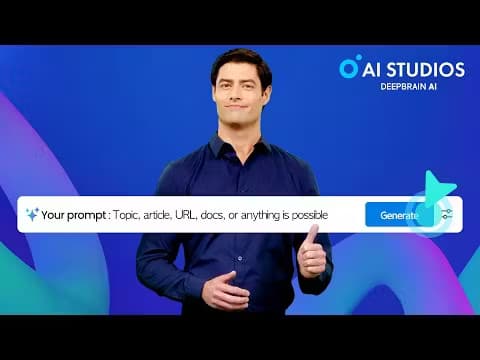
About AI Studios
What Is AI Studios
AI Studios is a browser-based AI video generator built by DeepBrain AI, a Korean company known for digital human technology. As an AI avatar video generator, it turns a script, a link, or a document into a finished video with a talking avatar, narration, captions, and on-screen visuals. It also handles video translation through built-in dubbing.
The tool targets people who make videos regularly but don't want a studio. Marketing teams, course creators, and social media managers use it to produce training clips, product promos, and explainer videos. The main trade-off is realism: avatars look convincing but still land in uncanny territory, and the best generative models run on credits that can run out.
Pricing starts free and scales toward teams. The Free plan covers a few short videos, while paid tiers lift duration, export quality, and avatar limits.
Getting Started
- Sign up at app.aistudios.com with an email or Google account. No credit card is needed for the free tier.
- Pick a starting point: type a script, import a PPT or PDF, paste a URL, or enter a topic for the AI to research.
- Choose an avatar and a voice. Browse the preset library or create a custom avatar from a short recording.
- Edit the generated scenes, swap images or background music, and add captions or gestures.
- Export in 720p, 1080p, or 4K depending on your plan, or dub the finished video into another language.
Product Information
A quick look at AI Studios's pricing, supported platforms, and performance.
Best for
The users, tasks, and scenarios where this tool fits best.
Users
- Marketing teams
- Course creators and trainers
- Social media managers
- Solo content creators
Tasks
- Dubbing existing videos
- Turning documents into video
- Building e-learning modules
- Generating product videos
Scenarios
- Weekly team updates
- Localizing a launch campaign
- 24/7 customer support
Key features
AI Avatars and Custom Cloning
AI Studios ships 2,000+ preset avatars and lets you build your own from a short video and voice recording. Photo Avatars generate a presenter from a single still image, and Product Avatars hold and demonstrate items. Custom slots are capped by plan, from one on Free to unlimited on Enterprise.
AI Dubbing with Lip-Sync
The dubbing tool translates a video into 150+ languages and re-syncs the avatar's lips to the new speech. It detects multiple speakers and assigns each a distinct cloned voice. A proofreading editor lets you fix translations before the final render, and SRT files import and export for subtitles.
Text-to-Video and Automation Tools
Rather than building scenes by hand, you can start from a topic, a URL, a document, or a product listing and let the platform assemble the video. Topic to Video researches a subject and writes the narration, while Docs to Video converts slides into scenes. The Free plan unlocks these at limited volume.
Massive Template and Voice Library
The platform offers 7,000+ editable templates and 1,000+ AI voices across 150+ languages and accents. Templates cover marketing, explainer, and news formats, and you can save your own designs as reusable templates for consistent branding.
Interactive Avatars and Conversational AI
Beyond static videos, AI Studios runs real-time avatars that hold live conversations using your own data and a connected LLM. You can train them on company documents and deploy on web, app, or kiosk, with pricing billed per five minutes of session time.
Generative Model Access
Paid plans bundle generative credits for image and video models, including Veo and Sora and newer options like Seedance 2.0. These models create cinematic clips that don't need an avatar. Credits reset each cycle and don't roll over, and heavier use means buying add-on packs.
Pros and cons
Pros
- One workspace covers avatar videos, dubbing, translation, and generative clips, so you avoid stacking subscriptions.
- 2,000+ avatars and 150+ languages make multilingual output practical for small teams.
- Free tier is generous enough to test the full creation flow before paying.
- Enterprise adds SCORM export, SAML SSO, and a RESTful API for LMS and system integration.
Cons
- Generative credits and dubbing minutes reset monthly and don't carry over, so unused allowance is lost.
- Avatar realism is good but not perfect, and unnatural facial motion shows up in close-ups.
- 4K export and longer clips sit behind the Team plan, which pushes solo creators toward a higher price.
- Most automation features are capped on Free, so judging the real workflow takes a paid trial.
Frequently asked questions
AI Studios creates videos from text, documents, or links using AI avatars, voices, and dubbing. People use it for marketing clips, e-learning lessons, product ads, and social media content without filming anything.
Related content
Explore related tools, skills, and articles for AI Studios.
AI Studios Alternatives

Google EmbeddingGemma 2
Google DeepMind · Writing · Image · CodingGoogle EmbeddingGemma 2 is a 740M-parameter open model that turns text, code, images, audio, and video frames into vectors in one 768-dimension space, running on phones and laptops.

Tractionwave
TractionWave · Image · MarketingTractionWave is an AI attention heatmap tool for static ads. Upload a PNG or JPG and it returns predicted attention, ranked hotspots, and fixes before you spend budget.

Imejis.io
Imejis.io · Image · MarketingImejis.io is an AI design studio for agents and marketing teams. Describe an image in plain words, and it writes the copy, builds the layout, reflows it to every size, then exports a finished file.