

AI Two
AI Two · Image
AI Two is an AI design platform for interiors, exteriors, architecture, images, video, and voice. You describe the result you want and it either finds a matching tool or builds one for you.
About AI Two
What Is AI Two
AI Two began as an app that redesigned rooms from a photo. It now runs a library of more than 5,000 AI tools, and the home design set still sits at the center of it. Upload a picture of a living room, pick a style, and you get a furnished version back in under a minute. The same account also covers image generation, video, text to speech, product photography, and fashion mockups.
The way it hands off work is the part that stands out. You type a goal in ordinary language, and the platform routes you to the closest tool in its catalog. If nothing fits, it builds a new tool from your description and gives it a shareable page, which means the library grows from what users actually ask for. Credits work across everything, so there is one balance to watch instead of a separate subscription per feature.
What it won't do matters just as much. The renders are concept images, not drawings a contractor can build from. Measurement, structure, and load bearing stay outside what a photo model can tell you. Heavy models also burn credits faster than light ones, and billing runs weekly, so the cost adds up in a way monthly plans don't. Treat the output as a fast way to test ideas before you spend money on a real renovation.
Getting Started
- Sign up at aitwo.co with an email or a Google account. No card is needed for the first generation.
- Pick a category from the home design set, such as Interior, Exterior, or AI House Painter, or describe your goal in the chat box on the homepage.
- Upload a photo or type a prompt. For remodels, a straight-on shot with good light gives cleaner results than a wide angle with clutter.
- Choose a style and run the tool. Most renders finish in around 30 seconds, and premium models take longer while costing more credits.
- Save or download the result. Downloads come without a watermark on paid plans, and you can use the images for client decks, listings, or social posts.
Product Information
A quick look at AI Two's pricing, supported platforms, and performance.
Best for
The users, tasks, and scenarios where this tool fits best.
Users
- Homeowners planning a remodel
- Interior designers and stagers
- Real estate agents and property developers
Tasks
- Restyling a living room from a phone photo
- Testing exterior curb appeal
- Painting a facade before you buy paint
- Making product or model shots
Scenarios
- A weekend renovation brainstorm with your partner
- Pre-listing prep for a rental unit
- Client revisions that keep coming
Key features
Interior Design AI From a Photo
The core tool takes one room photo and returns a redesigned version in the style you pick, from modern and minimalist to Scandinavian and industrial. The layout, window positions, and camera angle stay put, which is what makes the result read as the same room rather than a stock image. It handles living rooms, bedrooms, kitchens, bathrooms, and home offices. You can also feed it a prompt only, with no photo, when you're still exploring ideas.
Exterior Design and Yard Planning
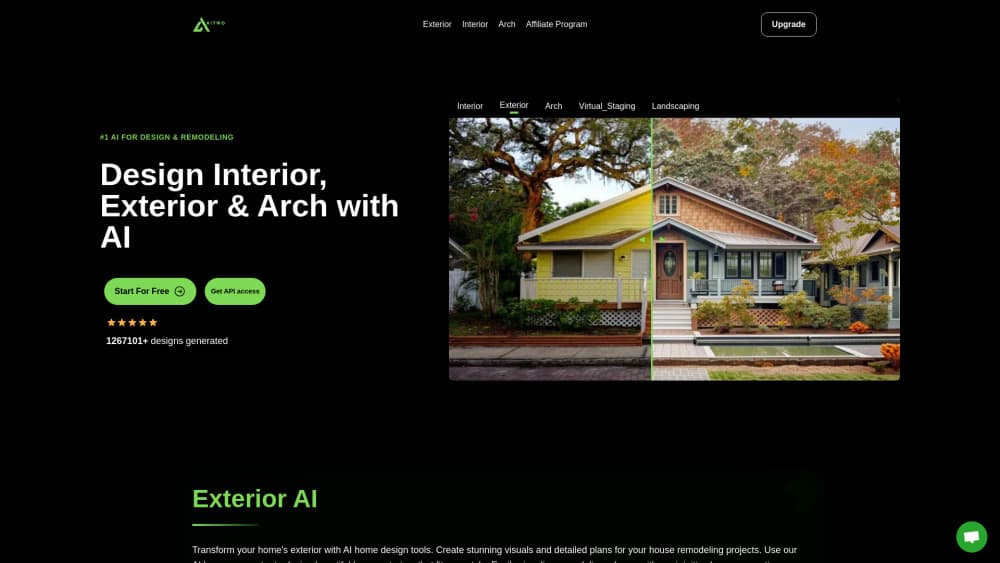
The exterior design AI works on the outside of a house: siding, roofing, garage doors, driveways, and front-yard planting. A separate yard tool handles lawns, patios, and garden beds, so you can try a new planting layout without paying a designer for a rough sketch. Both keep the house's footprint intact, and both are useful for the conversation you have with a contractor rather than as a substitute for one.
AI House Painter
This one does a single job well. Upload a photo of a wall, a facade, or a whole house, and the tool repaints it in a color you specify. You see how a color sits against the roof, the trim, and the neighboring houses in daylight. For anyone who has ever painted a test patch and hated it, that's a cheap way to narrow the list to two or three candidates before buying anything.
Image, Video, and Voice Tools in One Account
Beyond interiors, the platform covers an AI video generator for short clips, an AI voice generator with text to speech in more than 140 languages, background removal, photo upscaling, and product or fashion photography. The library is broad enough that a small marketing team could produce listing photos, a promo clip, and a voiceover without four separate subscriptions. Quality varies by tool, and the popular ones get the most use for a reason.
Build a Tool From a Description
When the catalog has no match, you describe what you need and the platform builds a working tool in seconds. It gets its own shareable page, and other users can find and run it. Small businesses use this for narrow jobs like a membership card designer or a design plan generator for a specific product. The result is a usable interface, not a custom app you own, so treat it as a shortcut rather than a development platform.
One Credit Balance and Weekly Plans
Every tool draws from the same credit pool. Basic costs $6.99 a week for 100 credits, Plus costs $9.99 for 300, and Premium costs $14.99 for 500. Yearly billing takes about 40% off, and credits arrive all at once on a yearly plan. The upside is flexibility, since you aren't buying a separate plan for video and another for design. The catch is that premium models charge more per run, so 100 credits go quickly if you lean on the heavy ones.
Pros and cons
Pros
- A room redesign takes about 30 seconds from upload to result, which is fast enough to iterate in a client meeting.
- One subscription covers interior design, exterior design, images, video, and voice, so you're not stacking tools.
- The first generation is free and needs no card, so you can judge output quality before paying.
- Watermark-free downloads and commercial use are included on paid plans, which matters for agents and designers.
- The build-your-own-tool option covers niche jobs that no off-the-shelf product handles.
Cons
- Weekly billing means the entry plan costs about $28 a month, more than most monthly design subscriptions.
- Credits run out fast with premium models, and there's no refund policy once they're spent.
- Renders are concept images. They don't give measurements or structural guidance, so you still need a professional for anything you plan to build.
- Quality swings between tools. The interior set is mature, while newer community tools can produce rough results.
Frequently asked questions
AI Two generates design visuals from photos and text. The main uses are interior redesigns, exterior and landscaping previews, house paint colors, plus general image, video, and voice generation. It started as a home design app and kept that focus while adding a much wider tool library.
Related content
Explore related tools, skills, and articles for AI Two.
AI Two Alternatives

Google EmbeddingGemma 2
Google DeepMind · Writing · Image · CodingGoogle EmbeddingGemma 2 is a 740M-parameter open model that turns text, code, images, audio, and video frames into vectors in one 768-dimension space, running on phones and laptops.

Tractionwave
TractionWave · Image · MarketingTractionWave is an AI attention heatmap tool for static ads. Upload a PNG or JPG and it returns predicted attention, ranked hotspots, and fixes before you spend budget.

Imejis.io
Imejis.io · Image · MarketingImejis.io is an AI design studio for agents and marketing teams. Describe an image in plain words, and it writes the copy, builds the layout, reflows it to every size, then exports a finished file.