

AiAssistWorks - AI for Sheets
AiAssistWorks · Productivity
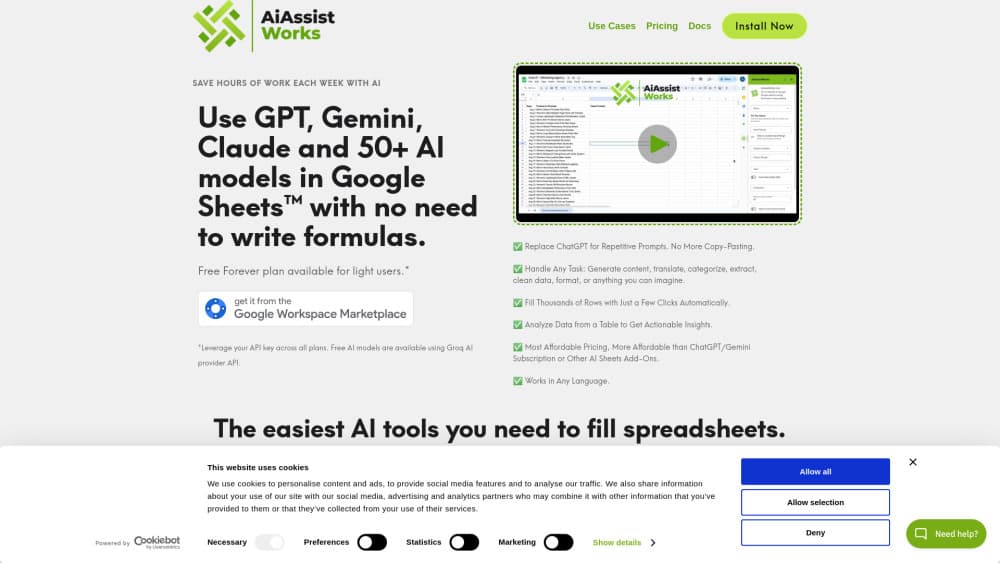
AiAssistWorks - AI for Sheets is a Google Sheets add-on that runs 100+ AI models on your spreadsheet data using plain-English commands.
About AiAssistWorks - AI for Sheets
What Is AiAssistWorks - AI for Sheets
AiAssistWorks - AI for Sheets is a Google Workspace add-on that brings large language models straight into your spreadsheet, and it does this without asking you to learn a single function or write a formula of your own. Instead, you type an instruction in a sidebar and the AI fills cells, cleans rows, or rewrites text for you. It works inside Sheets, and the same product also reaches Docs and Slides.
The main problem it solves is friction. Most people pushing through a messy spreadsheet hit the same wall: the task is obvious, but the formula to do it isn't. This tool turns "translate column B into Spanish" or "write a product title for each row" into something you just ask for. It supports 100+ models across seven providers, so you can pick a fast cheap one for bulk work and a stronger one for writing. It works in all three Google Workspace editors, which means one subscription instead of three.
The catch is that you bring your own API key from an AI provider. The subscription covers the add-on itself, not the AI calls, and those are billed separately by whoever supplies the model. Is that a dealbreaker? Not really. We'd call it a fair trade for the cost per task, but it's the first thing to understand before subscribing.
Getting Started
- Sign up at aiassistworks.com and add the add-on from the Google Workspace Marketplace.
- Open your spreadsheet, then launch AiAssistWorks from the Extensions menu.
- Paste an API key from a provider like OpenAI, Anthropic, or OpenRouter into the settings panel.
- Type a plain-English instruction in the sidebar and select the range you want it applied to.
- Run the command and review the filled cells before you overwrite anything.
Product Information
A quick look at AiAssistWorks - AI for Sheets's pricing, supported platforms, and performance.
Best for
The users, tasks, and scenarios where this tool fits best.
Users
- Non-technical spreadsheet users
- Marketers and e-commerce teams
- Analysts cleaning large exports
Tasks
- Bulk filling a column
- Translation and cleanup
- Content generation
Scenarios
- Weekly reporting
- Early product research
- One-off data tidy-ups
Key features
Access to 100+ AI Models
The add-on connects to more than 100 models from seven providers, including OpenAI, Anthropic, Gemini, Groq, OpenRouter, and Straico. You switch between them from one panel, so a cheap model can handle bulk rows while a stronger one takes the writing tasks that need it. Pick per task. No vendor lock-in.
Plain-Language Smart Commands
You don't write =GPT() formulas or nested functions. You describe the job in normal words and the tool works out how to apply it across the range you selected, which matters most when you're staring at a task that's easy to say out loud but a nightmare to translate into spreadsheet syntax. Categorizing products, translating columns, and generating titles all start from the same sidebar.
Bulk Fill for Large Datasets
Batch processing runs a single instruction down an entire column, which is the feature most spreadsheet users actually need. It handles big datasets without the rate-limit errors that hit formula-based AI add-ons when thousands of cells fire at once. Set it once. Then walk away.
Works Across Sheets, Docs, and Slides
The same subscription covers Google Docs and Slides too. You can rewrite or translate a document in the editor, or generate up to 20-slide presentations from a prompt, without buying three separate tools. One bill. Three editors.
Bring Your Own API Key
Your key goes straight to the AI provider, so you pay their direct rates rather than a marked-up middleman price. The flip side is an extra setup step. The provider signup and key paste is quick, and it doesn't require any technical background beyond creating a free account, adding a small amount of credit, and copying the key into the settings panel. It needs no technical background.
Pros and cons
Pros
- Runs 100+ models from seven providers from a single add-on, so you aren't locked into one vendor's stack.
- Direct provider pricing with your own API key usually costs less per task than bundled AI subscriptions, since you're paying the model provider directly instead of a reseller markup.
- Bulk fill and batch processing cover the high-volume jobs that trip up formula-based alternatives.
- The same subscription extends to Docs and Slides, which cuts down on tool sprawl.
- A free plan lets light users test the workflow before paying anything.
Cons
- You need your own API key, and AI usage is billed separately, so the real cost depends on the models you pick.
- It lives inside Google Workspace, so anyone outside that world gets nothing from it.
- The free plan caps usage, which means heavy users will need the paid tier quickly.
Frequently asked questions
It adds AI commands to Google Sheets so you can fill, clean, translate, and generate data with plain-English instructions instead of formulas. It runs on 100+ models from seven AI providers.
Related content
Explore related tools, skills, and articles for AiAssistWorks - AI for Sheets.
AiAssistWorks - AI for Sheets Alternatives

Base Code
Base44 (Wix) · Coding · ProductivityBase Code is a shared cloud development environment from Base44. Teammates describe changes to an existing GitHub codebase in chat, preview them live and send them back as pull requests.

Knocket
Knocket (Tencent RTC team) · Productivity · Business · ChatbotKnocket is a free live chat and contact page tool that lets visitors message you from your website, app, or a shareable link, with every reply handled from Telegram or one inbox.

FloorGen
Vinit Kumar (FloorGen) · Productivity · China AIFloorGen is a browser-based floor plan maker that turns a sentence or a sketch into an editable 2D plan and a 3D walkthrough. Export to PDF, DXF or video, and draw without an account.