
AIColoring.art
Bootstrapped Ventures LLC · Image
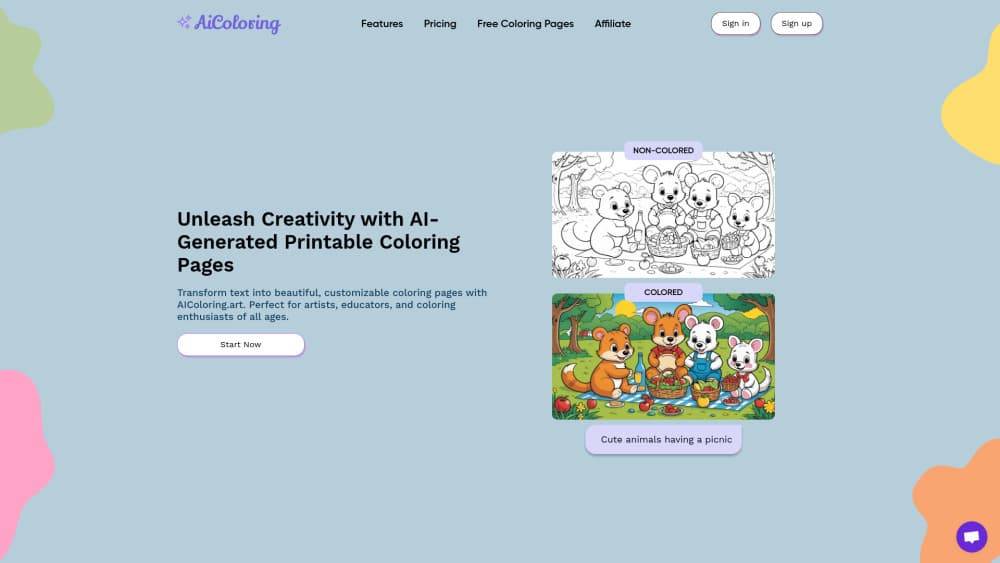
AIColoring.art turns a text prompt into printable coloring pages, giving you a black-and-white sheet to color and a colored version for reference.
About AIColoring.art
What Is AIColoring.art
AIColoring.art is an AI coloring page generator that builds printable coloring sheets from a written prompt. You type a description, such as a friendly dinosaur in a jungle, and the tool returns two images: a black-and-white page ready to print and color, plus a full-color version you can keep as a reference.
It is aimed at parents, teachers, and anyone who wants custom coloring pages without hunting through a stock library. The pages print on a regular A4 printer, and every prompt and result is saved to your account dashboard.
The limits are worth knowing up front. The free account covers a single image, so real use means paying for one of the two plans. The tool also lives in the browser, so there is no offline mode, and the quality of a sheet depends on how clearly you describe what you want.
Getting Started
- Sign up for an account. A new user gets one free credit to create a coloring page.
- Type a prompt describing the image you want, or pick one of the suggested examples for ideas.
- Wait while the generator produces both a colored version and a black-and-white printable version.
- Review the result, then click Print to send the sheet to an A4 printer in horizontal view.
- Return to your dashboard later, where every prompt and generated image is saved for reuse.
Product Information
A quick look at AIColoring.art's pricing, supported platforms, and performance.
Best for
The users, tasks, and scenarios where this tool fits best.
Users
- Parents
- Teachers and Sunday school leaders
- Artists and hobbyists
Tasks
- Generating a page from a theme
- Producing materials for a class
- Keeping a prompt library
Scenarios
- A last-minute classroom activity
- A weekend with the kids
- A seasonal event
Key features
Text-to-coloring-page generation
The core of the tool is simple. You write a description and the generator draws it as a coloring sheet. There are no sliders, no layer panels, and no design software to learn. Type a prompt and the page comes back ready to print. It runs as a browser-based AI coloring app, so there is nothing to install.
Colored and black-and-white output
Every generation returns two images at once. One is the printable black-and-white sheet for coloring. The other is a fully colored version, which works as a reference or an inspiration guide. That pairing matters when a child wants to know how a finished page might look.
A4 printing in horizontal orientation
Finished pages are built for a standard A4 printer. The tool prints in horizontal view, so a wide prompt, such as a horizontal scene, keeps its proportions on paper. There is nothing to export or resize before printing.
Saved prompts and image history
Every prompt and generated image lands in your dashboard. That history lets you revisit an earlier design, reprint it, or reuse a prompt that worked well. Instead of losing a good page, you keep a running record.
Prompt suggestions for ideas
The tool offers example prompts, such as cute animals having a picnic or a vintage hot air balloon, to get a user moving. For someone who is stuck on what to ask for, the examples set the tone and show what kind of descriptions produce a usable page.
Marketplace for selling pages (coming soon)
Both paid plans list an upcoming option to sell generated images on a marketplace. The feature is marked as soon on the pricing page, so it is a stated direction rather than something available today.
Pros and cons
Pros
- Wide age range: prompts can be kept simple for young children or made detailed for older ones.
- Two outputs per run: a colored reference and a printable sheet come from a single generation.
- Saves the work: prompts and images stay in the dashboard, so a good page can be reprinted.
- No design skill needed: a written description is the only input, so there is no software to learn.
- Print-ready format: pages target A4 printing in horizontal orientation, with no export step.
Cons
- Free tier is thin: the free account covers one image, which is enough to try the tool but not to use it.
- Browser only: there is no mobile app or offline mode, so a working connection is required.
- Output depends on the prompt: a vague description leads to a weak page, and results vary run to run.
- Marketplace not live: the sell-your-pages option is still marked as coming soon.
Frequently asked questions
AIColoring.art generates printable coloring pages from a text description. You type what you want to see, and the tool returns a black-and-white page to color plus a colored version to use as a reference.
Related content
Explore related tools, skills, and articles for AIColoring.art.
AIColoring.art Alternatives

Google EmbeddingGemma 2
Google DeepMind · Writing · Image · CodingGoogle EmbeddingGemma 2 is a 740M-parameter open model that turns text, code, images, audio, and video frames into vectors in one 768-dimension space, running on phones and laptops.

Tractionwave
TractionWave · Image · MarketingTractionWave is an AI attention heatmap tool for static ads. Upload a PNG or JPG and it returns predicted attention, ranked hotspots, and fixes before you spend budget.

Imejis.io
Imejis.io · Image · MarketingImejis.io is an AI design studio for agents and marketing teams. Describe an image in plain words, and it writes the copy, builds the layout, reflows it to every size, then exports a finished file.