

Aidocmaker.com
AI Doc Maker · Productivity
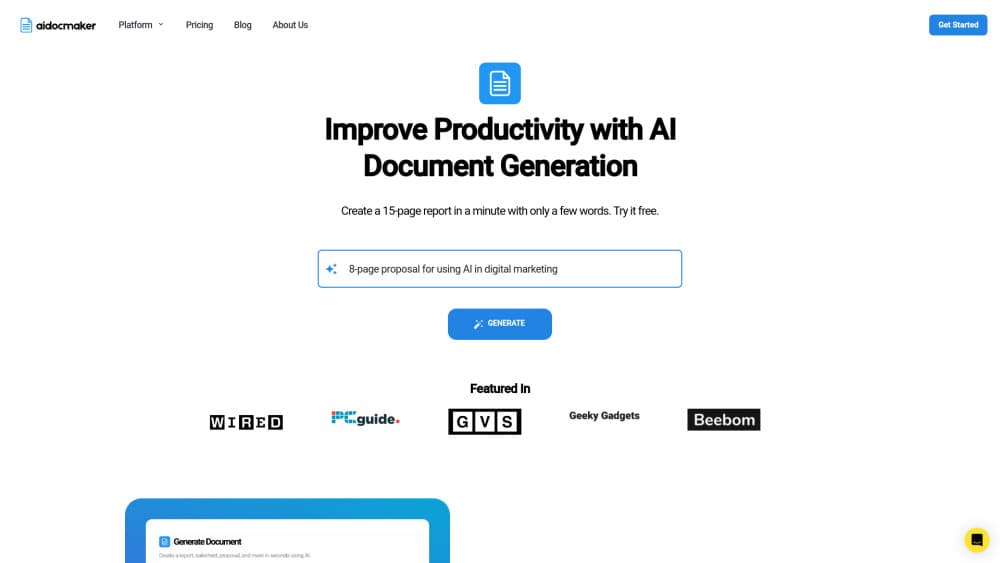
Aidocmaker.com is an AI document generator that turns plain prompts into PDFs, Word docs, spreadsheets, and voiceovers, built for students, freelancers, and small teams.
About Aidocmaker.com
What Is Aidocmaker.com
Aidocmaker.com is a browser-based AI document maker. You describe what you need, and it drafts a finished file: a report, a proposal, a contract, a slide deck, a spreadsheet, or a voiceover track. Nothing to install. The whole workspace lives in the cloud.
The pitch is speed over polish-by-hand. Instead of opening Word, setting up styles, and typing everything from scratch, you give the tool a few sentences and edit the draft it hands back. That's the real appeal for anyone who writes the same kinds of documents over and over, like weekly reports or client proposals.
It leans on large language models. Paid tiers get stronger ones. The trade-off is the usual one for AI writing tools: you still have to check the output. Numbers, names, and legal language can drift, so treat the first draft as a starting point, not a final file. The team says as much on its own site and asks you to verify what the AI produces.
Two limits are worth knowing up front. Free-plan content that you publish needs an attribution link back to Aidocmaker.com, and paid plans remove that requirement. Voiceover minutes and premium credits are also capped per month, so heavy users will hit the ceiling fast.
Getting Started
- Open Aidocmaker.com in any browser and create a free account, or sign in with your existing credentials.
- Pick what you want to make from the workspace, such as a document, a spreadsheet, a presentation, or a voiceover.
- Type a prompt describing the content, and attach source files if you have them (plan limits apply to page counts).
- Review the generated draft and edit it in the built-in chat, asking the AI to rewrite, expand, or reformat sections.
- Export the result as PDF, DOCX, XLSX, or HTML, or generate audio if you're working on a voiceover.
Product Information
A quick look at Aidocmaker.com's pricing, supported platforms, and performance.
Best for
The users, tasks, and scenarios where this tool fits best.
Users
- Students and researchers
- Freelancers and consultants
- Small teams without a designer
- Content creators who need audio
Tasks
- Writing a first-draft report or proposal
- Building a spreadsheet with formulas and charts
- Preparing a slide deck
- Converting text to PDF
- Producing a voiceover
Scenarios
- A student finishing a group project the night before the deadline
- A freelancer replying to a new client lead
- A manager who needs weekly status reports
- A small business owner without Excel skills
Key features
Prompt-to-Document Generation
The core of the product is a text box. Describe the document you want, and the AI drafts it with headings, paragraphs, and a basic structure. It works for reports, contracts, proposals, and research papers, and you can steer the tone and length in the prompt. For anyone who knows what they want to say but not how to lay it out, this is the part that saves the most time.
AI PDF Maker and Text to PDF
Aidocmaker.com handles PDF work two ways: generating a PDF from a prompt, and converting existing text into a formatted, print-ready file. That makes it a practical AI PDF generator and text to PDF converter in one. Layout and pagination are handled for you, which matters if you've ever spent an afternoon nudging margins in a word processor. The output is meant to look like something a professional prepared.
AI Word Document Generator
You can create Word-style documents and export them as DOCX, so the files open cleanly in Microsoft Word or Google Docs. That matters if your workplace still runs on shared Word templates. You generate the draft in the browser, then hand it off to whoever needs to review it in the tools they already use. If your workplace runs on shared Word templates, this keeps everyone in the same format without forcing them to learn a new app.
AI Spreadsheet Generator
This one builds tables, formulas, and charts from a description. Ask for a monthly budget, a project tracker, or a comparison sheet, and it assembles the grid. You can then export to Excel or Google Sheets. It won't replace a spreadsheet expert, but it gets you a working starting point without writing a single formula. Ever stared at a blank grid wondering where to start? This skips that part.
AI Voiceover Generator
Paid plans include voiceover generation with monthly character allowances. Free users get a smaller cap of 30K characters per month (roughly 30 minutes of audio) and must include an attribution link for commercial use. Standard and Premium remove the attribution requirement and raise the limit.
File Upload and Chat With Documents
Paid tiers let you upload source files, capped at 500 pages on Standard and 2,500 pages on Premium. Once uploaded, you can ask questions and generate new material based on those files. It's handy for working from a textbook, a long report, or a batch of notes. Handy, but not magic.
Built-In Editing Chat
You don't regenerate from scratch when something's off. A chat panel lets you ask for targeted changes, like shortening a section, changing the tone, or reformatting a table. It keeps the editing loop inside the same window instead of bouncing between apps.
Multilingual Output
As an online document maker, the generator supports multiple languages, so you can produce documents for audiences outside English. The formatting stays intact across languages. Useful for teams that ship the same content to different regions.
Pros and cons
Pros
- Covers documents, spreadsheets, slides, and voiceovers in one place, so there's no juggling five separate subscriptions.
- A genuinely free tier exists, with file creation and chat included, which makes it easy to test before paying.
- Exports to common formats like PDF, DOCX, XLSX, and HTML, so files work in the tools your team already uses.
- File upload on paid plans lets you generate from your own source material rather than a blank prompt.
Cons
- Free-plan content published publicly needs an attribution link to Aidocmaker.com, which isn't practical for client work.
- Import and Chat limits are generous on paper but there's no way to see your real usage cap until you're deep into a project.
- Voiceover minutes and premium credits reset monthly, so a big deadline week can burn through your allowance.
- The AI still gets facts and figures wrong, so anything with numbers or legal weight needs a manual check.
Frequently asked questions
It's an AI document generator that creates PDFs, Word documents, spreadsheets, presentations, and voiceovers from a text prompt. You describe what you need, and the tool drafts the file, which you then edit and export.
Related content
Explore related tools, skills, and articles for Aidocmaker.com.
Aidocmaker.com Alternatives

Base Code
Base44 (Wix) · Coding · ProductivityBase Code is a shared cloud development environment from Base44. Teammates describe changes to an existing GitHub codebase in chat, preview them live and send them back as pull requests.

Knocket
Knocket (Tencent RTC team) · Productivity · Business · ChatbotKnocket is a free live chat and contact page tool that lets visitors message you from your website, app, or a shareable link, with every reply handled from Telegram or one inbox.

FloorGen
Vinit Kumar (FloorGen) · Productivity · China AIFloorGen is a browser-based floor plan maker that turns a sentence or a sketch into an editable 2D plan and a 3D walkthrough. Export to PDF, DXF or video, and draw without an account.