

Aieasypic
AIEasyPic · Image
AIEasyPic is an AI image generator that turns plain text prompts into finished artwork in seconds. You can also train custom models on your own photos, swap faces in existing images, and create short video clips from text, all from a browser. It suits casual creators who want quick visuals and hobbyists who want to build a personal model without touching any code.
About Aieasypic
What Is AIEasyPic
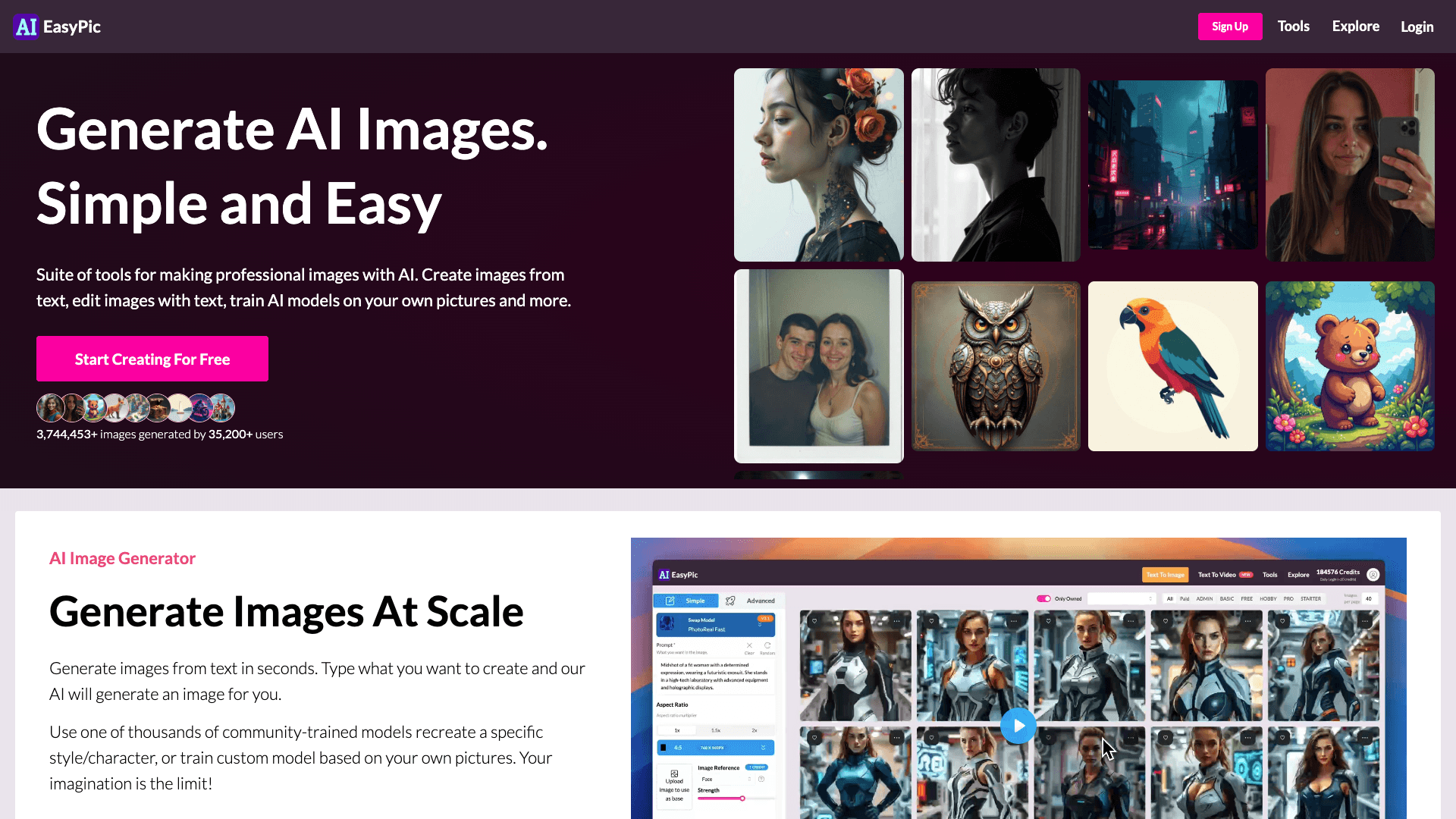
AIEasyPic is a web-based AI art generator built around one idea: making image creation simple enough for anyone to pick up. The homepage claims a combined 3,744,453+ images generated by 35,200+ users, and the toolset has grown well past basic text to image.
The core appeal is range. You get a text to image generator, a train-your-own-model option, a face swap tool, professional headshots, text to video, and background removal in one place. That means fewer subscriptions and less jumping between apps when you just want a finished picture.
Its main limit is how the credit system works. Every generation burns credits, and heavier features eat more than one per image. Credits don't roll over at the end of the month either, so unused ones simply vanish. If you generate in bursts, plan your month around that. That catches people out.
Getting Started
- Open aieasypic.com in any modern browser and sign up for a free account.
- Pick a tool from the menu, such as Text to Image, Face Swap, or Train Model.
- Type a prompt describing what you want, or upload a reference photo if the tool calls for one.
- Adjust options like aspect ratio or style, then hit generate and review the result.
- Upgrade to a paid plan when you need commercial rights, more credits, or faster queued generations.
Product Information
A quick look at Aieasypic's pricing, supported platforms, and performance.
Best for
The users, tasks, and scenarios where this tool fits best.
Users
- Hobbyists and casual creators
- Content creators on social media
- People who want a personal AI model
Tasks
- Generating art from a description
- Making professional headshots
- Swapping faces between images
- Creating short text to video clips
Scenarios
- Filling out a content calendar on a tight deadline
- Experimenting with a new art style
- Building a personal avatar set
Key features
Text to Image Generation
Type a prompt and AIEasyPic returns an image within seconds. You can lean on one of thousands of community-trained models to lock in a specific style or character, or start from scratch. It's the entry point most users stay on. Simple as that.
Train Custom Models
You can train your own AI model on personal photos, which is what separates AIEasyPic from basic prompt tools. Once trained, the model can place you in new scenes, outfits, or art styles. This is the feature that makes a personal AI photo generator feel genuinely yours, and it's the one most people discover only after they've already paid for a month.
Face Swap
The face swap tool lets you place one person's face onto another image. It's built for playful edits and character mockups rather than forensic accuracy. Expect the best results when both source photos have clear, well-lit faces. Blurry shots rarely work.
Professional Headshots
The headshots tool generates business-ready portraits from a photo you upload. It saves a studio visit when you need a clean LinkedIn or resume picture. Output quality depends on how sharp and evenly lit your starting photo is. Garbage in, garbage out.
Text to Video
Beyond stills, AIEasyPic includes a text to video option for making short clips from a written prompt. It's a light tool aimed at social content, not full video production. Treat it as a fast way to add motion to otherwise static posts. Don't expect a film studio.
Background Removal
The background remover cuts subjects out of images so you can drop them into new scenes or product mockups. It pairs well with the generator when you want a clean cutout after creating an image, especially if you plan to place the subject on a solid color or a custom background you supply yourself later.
High-Resolution Upgrades
Paid plans add hi-res generations and Pro upscaling. That matters when an image is headed for print or a large display, where a low-res result would fall apart. It also fits the pricing tiers, since heavier features read as premium.
Pros and cons
Pros
- Combines several AI tools in one subscription, so you don't need separate apps for generation, face swap, and headshots, which keeps both the monthly cost and the learning curve lower than stacking dedicated tools.
- Free plan lets you test the workflow before paying anything.
- Custom model training turns a generic image generator into something personal.
- Credit system is straightforward: one credit per generated image, with clear exceptions for expensive features.
Cons
- Credits don't roll over to the next month, so unused ones are lost, which hurts occasional users.
- Commercial rights require a paid plan, so free-tier images can't be used for client work.
- Heavier features cost more than one credit per image, so heavy users burn through plan quotas faster than the headline number suggests.
Frequently asked questions
AIEasyPic is an AI image generator for creating artwork, photos, and short videos from text prompts. It also handles face swaps, custom model training, and background removal, so it covers most everyday image tasks in one place.
Related content
Explore related tools, skills, and articles for Aieasypic.
Aieasypic Alternatives

X Ray Interpreter
X-ray Interpreter · ImageX Ray Interpreter is a web-based AI radiology tool that turns X-rays, CT scans, MRI, ultrasound, and PET images into plain-language reports. You upload a scan, get a preliminary X-ray interpretation in moments, then ask follow-up questions if something needs explaining. It works as a second opinion and a learning aid, not as a medical diagnosis.

Chargen
Chargen · ImageChargen is an AI character generator and worldbuilding toolkit built for Dungeons & Dragons and other tabletop RPGs. It turns a one-line idea into a painted character portrait, spins up NPCs, monsters, maps and encounters from the same session, and keeps every creature's details close at hand. The tabletop RPG art side runs on a credit system called Gold, while the text generators stay free for everyone.

On Model
On Model · Image · MarketingOn Model is an AI fashion model tool that places your clothing on virtual models so online stores can get on-model product photos without booking a photoshoot. It runs as a Shopify app, letting you swap the model in an existing image, change backgrounds, and generate faces for cropped or headless shots. The goal is simple: match your product photos to your customers and stand out from competitors using the same supplier images.