

AIFlowChart.io
AIFlowChart.io · Image · Productivity
AIFlowChart turns a typed description, a paper sketch or a PDF into an editable flowchart or system design board. It covers 17 diagram types and exports to Mermaid and drawio files.
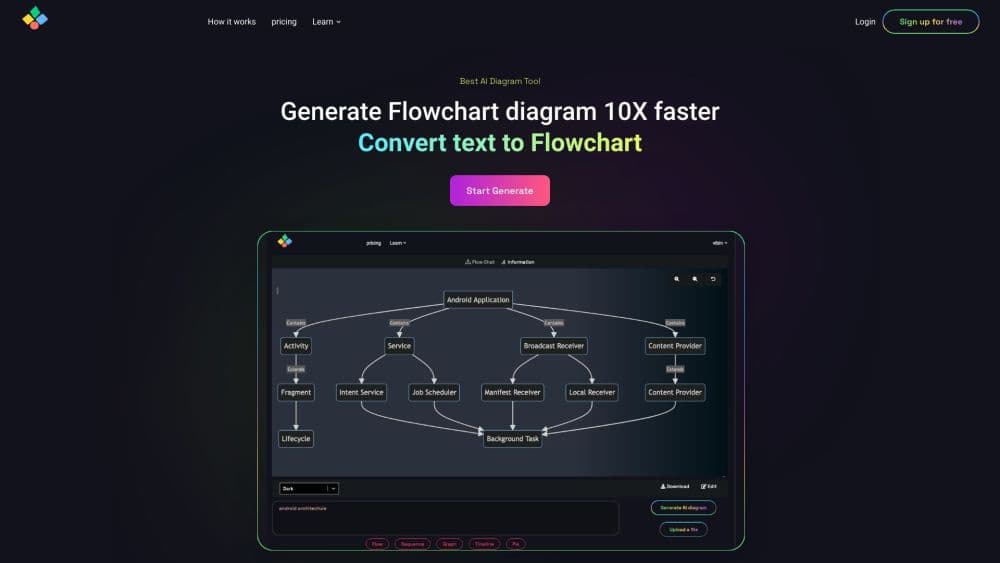
About AIFlowChart.io
What Is AIFlowChart
AIFlowChart is a browser based AI flowchart generator, and the AI does the arranging. An AI diagram generator that behaves the same way sits behind every other chart type here too. You describe a process in plain words, snap a photo of a whiteboard sketch, or drop in a PDF, and the app decides the steps, the connections and the layout before drawing a board you can still push around by hand.
Most flowchart makers ask you to do the thinking and the pixel pushing. This one takes the pixel pushing. Layout comes out straight, arrows line up, and edits happen on real nodes rather than on a flat picture.
The scope runs wider than process diagrams. The same app builds sequence diagrams, ER diagrams, UML class and use case charts, Gantt charts, swimlanes, org charts and animated system design posters. Interview practice and a final year project kit sit on top of that.
Two limits matter. AI generation burns credits, so heavy users end up on Pro at $4.99 per month. And it's web only. There's a VS Code extension for code maps, but nothing installs on a phone.
Getting Started
- Open aiflowchart.io and hit the app. Browsing templates and drawing by hand works without an account.
- Create a free account to collect AI credits, save boards and get share links.
- Type a prompt like "online food order with payment retry", or upload a sketch, a PDF or a Word file instead.
- Adjust the generated board in the editor, then pick an export format: PNG, PDF, PowerPoint, Mermaid or a drawio file.
Product Information
A quick look at AIFlowChart.io's pricing, supported platforms, and performance.
Best for
The users, tasks, and scenarios where this tool fits best.
Users
- Developers and architects
- Computer science students
- Product managers and analysts
- Job candidates prepping for system design rounds
Tasks
- Turning a written process into a flowchart
- Cleaning up a whiteboard photo
- Building a database schema diagram
- Drawing a diagram from a PDF or Word spec
- Exporting charts into documentation
Scenarios
- A system design interview next week
- A final year report due at the end of term
- A sprint where requirements keep changing
- A team explainer or class presentation
Key features
Text to Diagram Generation
Describe the process and the model works out which steps belong in it and how they connect. A prompt like "user signs up, verifies email, retries payment twice" becomes a board with decision branches already in place. You still get the final say, since every node stays editable.
Sketch and Document to Diagram
Photograph a diagram drawn on paper or a whiteboard, or upload a PDF, Word file or notes, and the app rebuilds it as a clean editable board. That covers the common case where the thinking happened offline and only a photo survived.
Seventeen Diagram Types
Flowcharts, mind maps, sequence diagrams, ER and database diagrams, UML class, use case, state and activity diagrams, Gantt charts, timelines, system design architectures, swimlanes, org charts and animated posters all live in one editor. Switching type doesn't mean switching apps, which matters when a project needs several kinds of chart.
Export to Mermaid and drawio
Charts leave as PNG, SVG, PDF, PowerPoint with an editable slide, Mermaid code or a drawio file. Animated boards export as MP4 or GIF. The code exports are the ones developers care about, since a Mermaid block lives in version control alongside the README it illustrates.
System Design Interview Prep
Twelve practice problems, from a rate limiter to a payment system, each with a reference architecture and requirement notes. You draw your own attempt in the same editor, then an AI interviewer asks follow ups and scores the design. Mistakes become a list instead of a guess.
Final Year Project Kit
Give it a project title and it generates level 0 and level 1 data flow diagrams, an ER diagram with keys, and UML use case, class, activity and sequence diagrams. Each comes with an explanation you can lift into the report, plus ten viva questions with answers, all downloadable as a PDF.
MCP Server and VS Code Extension
The MCP server exposes diagram creation to Claude Code, Cursor, VS Code and Windsurf over a streamable HTTP connection, so an assistant can turn a codebase or a description into a board in your account. The VS Code extension adds clickable architecture maps with request traces and dependency views for JS, TS and Python, scanned locally.
Pros and cons
Pros
- The editor covers a wide spread of diagram types, so one subscription replaces a flowchart app, a UML tool and an ER designer.
- Exports to Mermaid and drawio keep diagrams inside a repo or wiki rather than trapped in a proprietary file.
- Free tier lets you draw by hand and download PNG or PDF without paying, which is enough to judge the editor.
- The MCP server and VS Code extension put diagram creation inside the tools developers already run.
- Pro at $4.99 per month, or $19.99 a year, is cheap next to most diagramming subscriptions.
Cons
- AI generation runs on credits, so the free account throttles once you hit the allowance and heavier use needs Pro.
- No mobile app and no desktop client. You work in a browser tab, so offline drafting isn't possible.
- Prompts with unusual domain logic can come back with nodes in the wrong order, and fixing them means dragging nodes around by hand.
- The interview scoring and project kit are aimed at students and candidates, which leaves professional teams paying for features they'll ignore.
- Documentation for the API is thin. The MCP server is documented, but a REST integration path isn't spelled out on the site.
Frequently asked questions
It builds diagrams from text, sketches and documents. You describe a process or upload a picture of one, and the app produces an editable flowchart, sequence diagram, ER diagram or system design board rather than a static image.
Related content
Explore related tools, skills, and articles for AIFlowChart.io.
AIFlowChart.io Alternatives

Google EmbeddingGemma 2
Google DeepMind · Writing · Image · CodingGoogle EmbeddingGemma 2 is a 740M-parameter open model that turns text, code, images, audio, and video frames into vectors in one 768-dimension space, running on phones and laptops.

Tractionwave
TractionWave · Image · MarketingTractionWave is an AI attention heatmap tool for static ads. Upload a PNG or JPG and it returns predicted attention, ranked hotspots, and fixes before you spend budget.

Imejis.io
Imejis.io · Image · MarketingImejis.io is an AI design studio for agents and marketing teams. Describe an image in plain words, and it writes the copy, builds the layout, reflows it to every size, then exports a finished file.