

Ai.Genie
Xlabs7 LLC · Productivity
Ai.Genie is a suite of AI apps from Xlabs7 that turns lecture notes into private study podcasts, explains stock setups in plain English, and pulls action items out of calls. Most of it is free.
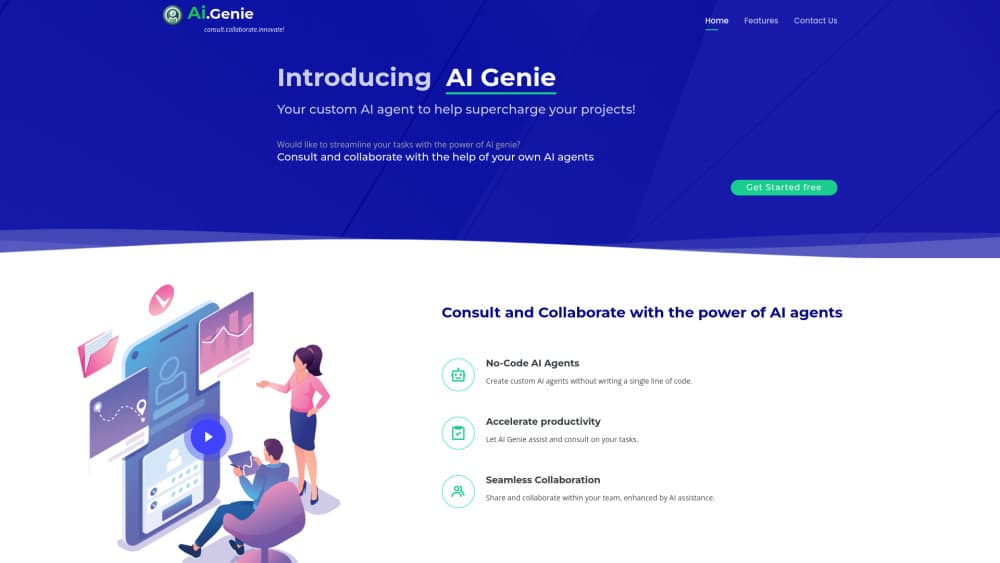
About Ai.Genie
What Is Ai.Genie
Ai.Genie, styled AIGenie on its own site, is a set of small AI products that share one platform and one login. People who compare AIGenie apps usually come for one product and stay for the shared account. The lineup covers three daily jobs. PodcastGenie builds a two-host audio briefing from your notes and PDFs. StockGenie answers market questions in plain language and pushes entry and exit alerts. Convoke records a call and turns the conversation into action items.
The scope is narrower than a general chatbot. Each app takes one repetitive task and runs it from start to finish, with your own source files kept in the loop. Xlabs7 LLC, the company behind the suite, says sensitive flows route through private language models instead of public cloud endpoints. That promise matters most for students uploading course material and teams recording client calls.
The catch is maturity. Several products are still in beta, the tutor app is listed as coming soon, and there's no public API documentation. You're adopting a young suite, not a finished one.
Getting Started
- Open goaigenie.com and pick the app that matches your task.
- Create an account, or join a free beta where the app offers one.
- Add your material: lecture notes, PDFs, a watchlist, or a call PIN.
- Run the job and check the output: an audio briefing, a stock analysis, or a list of action items.
- Change the inputs and run it again when the result misses context.
Product Information
A quick look at Ai.Genie's pricing, supported platforms, and performance.
Best for
The users, tasks, and scenarios where this tool fits best.
Users
- Students
- Self-directed investors
- Small teams and solo founders
- People who learn by ear
Tasks
- Turning a folder of lecture notes into an audio study session before an exam.
- Checking a stock thesis in the morning without opening five finance sites.
- Pulling decisions and owners out of a client call.
- Comparing two tickers in one question instead of building a spreadsheet.
Scenarios
- Exam revision during a commute, when reading on a phone is awkward.
- Pre-market prep on a phone, five minutes before the open.
- Follow-up after an intro call, when the details blur by the next day.
Key features
Notes to Podcast in Minutes
PodcastGenie accepts lecture notes, PDFs, and readings, then produces a two-host study briefing grounded in those files. The result sounds like a short podcast episode rather than a text-to-speech readout. It's aimed at the commute, so you can review material with your eyes off a screen, which is why students treat it as an AI study tool first.
Live Voice Chat With the Hosts
After the episode, you can ask the hosts follow-up questions out loud. Answers stay tied to your uploaded sources, which makes the tool useful for checking a definition you missed instead of getting a generic reply from a chatbot. This is the feature that separates it from a plain AI podcast generator.
Plain-English Stock Research
StockGenie handles AI stock research from a single question, so "compare AAPL vs MSFT" returns a view that mixes fundamentals with chart context. You don't need to know indicator names to read it. The app also keeps a running watchlist, so repeat checks take seconds rather than a fresh research session.
ProMode Trade Alerts
ProMode runs a day-trading strategy in the background and sends AI trading alerts with a stop, target, and confidence figure. You pick a style, a few symbols, and the hours you want alerts. Trades stay manual: the app tells you what it sees, and you place the order in your own broker.
Calls That Turn Into Action Items
Convoke works with a six-digit PIN or a QR code. Guests join without an account, and the call gets transcribed so action items and contacts come out the other side as AI meeting notes. For a small team, that replaces a note taker on every intro call.
One Login Across the Suite
The apps sit on a shared platform, so an account, billing, and privacy settings carry across PodcastGenie, StockGenie, and Convoke. Teams that adopt more than one product avoid a separate setup for each, and the same private model routing applies suite wide.
Pros and cons
Pros
- Free tiers and open betas let you test PodcastGenie and StockGenie before paying.
- PodcastGenie accepts your own files, so the audio reflects your course material instead of a generic summary.
- Live questions to the podcast hosts add a study loop that most audio tools skip.
- Convoke lets guests join with a PIN, so clients don't need to install anything.
- StockGenie writes in plain language, which helps newer investors read a setup without jargon.
Cons
- The lineup is early: tutor is not live, and several apps carry beta labels, so features can change under you.
- There's no published API, which blocks teams that want to wire Ai.Genie into their own tools.
- StockGenie alerts are signals only. You still place every trade yourself, and losing days are part of the published record.
- Pricing beyond the free tiers isn't documented on the site, so budgeting for a team means asking sales.
Frequently asked questions
Ai.Genie covers three tasks: turning study material into audio, researching stocks and receiving trade alerts, and turning calls into action items. Each job has its own app under one account.
Related content
Explore related tools, skills, and articles for Ai.Genie.
Ai.Genie Alternatives

Base Code
Base44 (Wix) · Coding · ProductivityBase Code is a shared cloud development environment from Base44. Teammates describe changes to an existing GitHub codebase in chat, preview them live and send them back as pull requests.

Knocket
Knocket (Tencent RTC team) · Productivity · Business · ChatbotKnocket is a free live chat and contact page tool that lets visitors message you from your website, app, or a shareable link, with every reply handled from Telegram or one inbox.

FloorGen
Vinit Kumar (FloorGen) · Productivity · China AIFloorGen is a browser-based floor plan maker that turns a sentence or a sketch into an editable 2D plan and a 3D walkthrough. Export to PDF, DXF or video, and draw without an account.