
Aike AI
Aike AI Inc. · Image
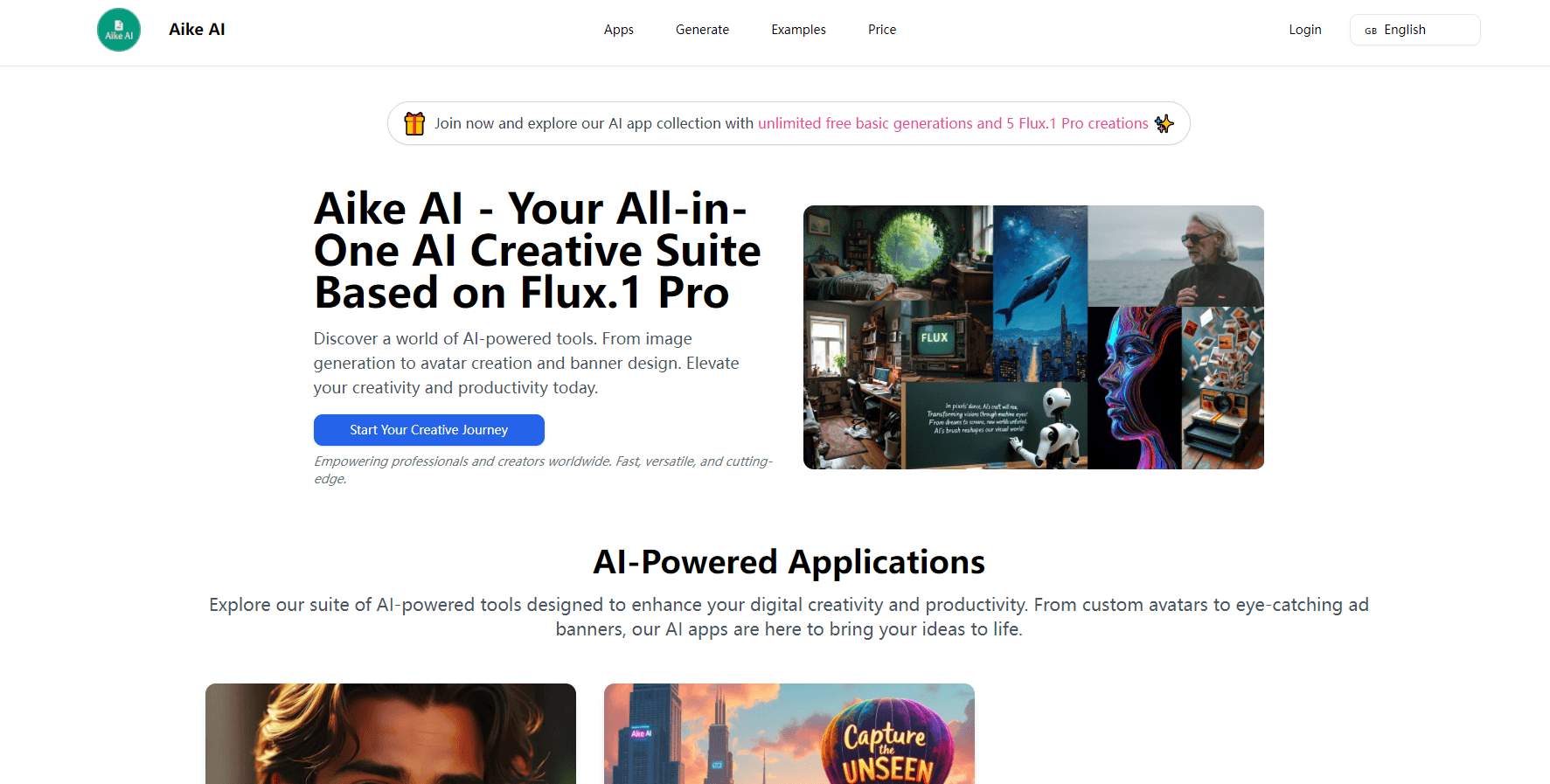
Aike AI is a free AI image generator suite built on Flux.1 Pro, with avatar and banner tools in the same browser tab. Type a prompt, pick a ratio, get visuals in seconds.
About Aike AI
What Is Aike AI
Aike AI is a free AI image generator site from Aike AI Inc. that puts several image tools behind one login. The core is Flux.1 Pro, the 12 billion parameter model from Black Forest Labs, and the rest of the suite reuses that engine for narrower jobs like avatars and ad banners.
The pitch is speed over control. You don't get layers, masks, or a canvas to paint on. You get a prompt box, a few style buttons, and a result you can download. That suits people who need a usable image in five minutes, not a designer chasing a precise composition.
The limits follow from that. There's no mobile app, no team workspace, and no public API for the site itself. Everything runs in the browser, which means no offline work and no local batch runs.
Getting Started
- Open flux1app.com and sign in with a Google account or an email address. A new account comes with unlimited basic generations and 5 Flux.1 Pro images.
- Pick a tool: the main generator, the AI avatar generator, the AI banner generator, or the prompt helper.
- Write a prompt, or use the prompt generator to draft one. Choose an aspect ratio and switch between the Free and Pro model versions.
- Hit Run and wait a few seconds. Download the image you want and regenerate if a detail comes out wrong.
Product Information
A quick look at Aike AI's pricing, supported platforms, and performance.
Best for
The users, tasks, and scenarios where this tool fits best.
Users
- Social media managers
- Indie developers and small studios
- Hobbyists testing AI art
Tasks
- Turning a written brief into a first image draft
- Profile pictures and channel art
- Banner concepts for a campaign
Scenarios
- A launch week with no designer on hand
- Testing a visual direction before committing budget
- A one-off illustration for a blog post
Key features
Flux.1 Pro text to image generation
The main generator runs prompts through Flux.1 Pro and returns an image in seconds. Flux is known for readable text inside images and for following long, specific prompts, which cuts down on the usual round of rerolls when a prompt asks for a sign, a label, or a title.
Free and Pro model switch
Every tool has a Free and Pro toggle sitting next to the generate button. The free version handles high volume without a credit count, and Pro draws on the same Flux.1 Pro engine for sharper detail and tighter prompt adherence. You decide per image which one is worth spending on.
AI avatar generator with style presets
The avatar tool takes a description plus a style choice: cartoon, realistic, anime, live portrait, pixel art, or 3D. It covers the profile picture case well, and the live portrait preset is the one to try when a realistic headshot is the goal rather than a stylized one.
AI banner generator with idea drafts
You enter a banner type, a brand name, a product or service description, and a style. The tool returns written banner ideas first, then renders the one you pick. Ten styles are available, from minimalist to neon cyberpunk, and banner types cover social media, web headers, email headers, digital ads, and blog headers.
Six aspect ratios and 2.0 megapixel output
Portrait 2:3 and 4:5, square 1:1, and wide 16:9, 3:2, and 5:4 are all one click away. Output scales to about 2.0 megapixels, enough for social feeds and web headers but short of print resolution.
Prompt helper for people who freeze at the blank box
A separate prompt generator turns a rough idea into a fuller Flux style prompt with subject, lighting, and style cues. It's the fastest way in if you've never written an image prompt and don't know why your first attempts look flat.
Pros and cons
Pros
- One login covers image generation, avatars, and banners, so you're not juggling three subscriptions for one campaign.
- The free allowance is real: unlimited basic generations plus 5 Pro images with no card required.
- Flux.1 Pro handles text inside images better than most models at this price point, which matters for banners with a headline.
- Six aspect ratios and preset styles remove most of the setup work before a first render.
Cons
- No editing tools after generation. If a hand is wrong or a logo sits off center, your only fix is another prompt and another roll.
- No mobile app and no API, so anything automated or on the phone is out of reach.
- Pricing for extra Pro credits sits behind the login wall, which makes it hard to compare cost per image before signing up.
Frequently asked questions
Yes, up to a point. A free account gets unlimited generations on the basic model plus 5 Flux.1 Pro images. After those run out you stay on the free model or buy more Pro credits.
Related content
Explore related tools, skills, and articles for Aike AI.
Aike AI Alternatives

Google EmbeddingGemma 2
Google DeepMind · Writing · Image · CodingGoogle EmbeddingGemma 2 is a 740M-parameter open model that turns text, code, images, audio, and video frames into vectors in one 768-dimension space, running on phones and laptops.

Tractionwave
TractionWave · Image · MarketingTractionWave is an AI attention heatmap tool for static ads. Upload a PNG or JPG and it returns predicted attention, ranked hotspots, and fixes before you spend budget.

Imejis.io
Imejis.io · Image · MarketingImejis.io is an AI design studio for agents and marketing teams. Describe an image in plain words, and it writes the copy, builds the layout, reflows it to every size, then exports a finished file.