

Aimlabs
Statespace (State Space Labs) · Leaning
Aimlabs is an AI-powered aim trainer that builds personalized FPS drills, tracks your accuracy in real time, and tailors routines for hundreds of games.
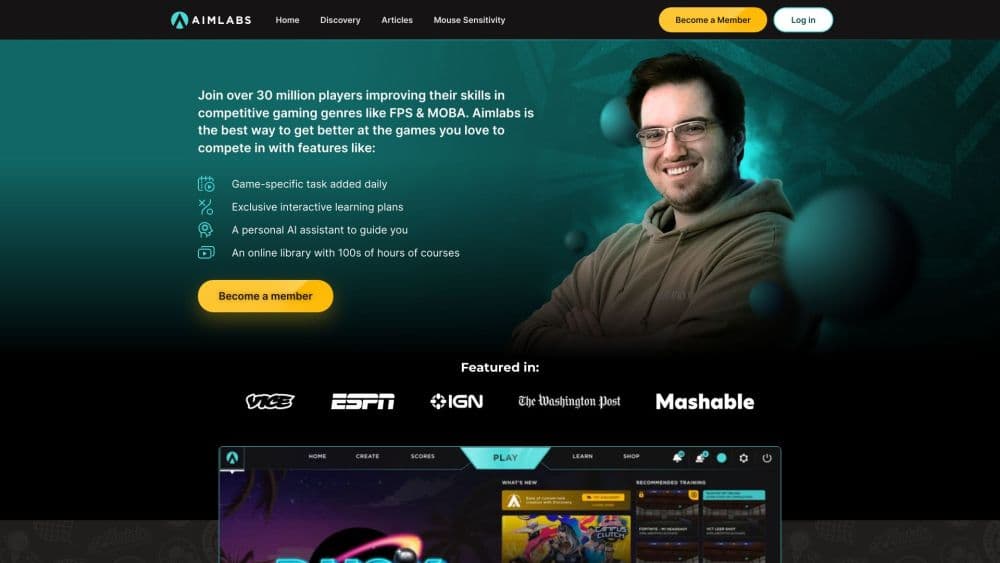
About Aimlabs
What Is Aimlabs
Aimlabs is a training platform for first-person shooter players who want to improve their aim between matches through FPS aim training. It runs on your PC or console and gives you a library of aim scenarios that target specific skills like tracking and flicking drills, plus target switching. The idea is simple: instead of grinding ranked games to get better, you rehearse the mechanics under controlled conditions and measure the results.
What separates it from a basic practice range is the coaching layer. A combination of cognitive and sensory assessments feeds an AI model that spots where you are weakest, then hands you tasks built around that gap, a form of aim coaching that runs on your own data. You get real-time feedback after every run, so progress is visible instead of a feeling. The company behind it, Statespace, leans on published research from neuroscientists and computer vision specialists rather than marketing claims.
The catch is what training does not do for you. Aimlabs sharpens mechanics in isolation, but it does not teach game sense, positioning, or team play, and its scenarios cannot fully copy the unpredictability of a live match. It is also not a game you play for fun, so the routine only pays off if you put in the reps consistently.
Getting Started
- Download Aimlabs from Steam, the Epic Store, Xbox, or PlayStation, or use the web version for a quick session. The core trainer is free.
- Run the initial calibration. Aimlabs walks you through a few scenarios to estimate your baseline aim and recommends a starting sensitivity.
- Pick a training goal or a game profile. Choose Valorant, Rainbow Six Siege, or one of the many other supported titles, and Aimlabs loads routines and sensitivity settings built for it.
- Play the tasks on a schedule. The AI coach suggests daily drills, and Training Programs string them into a guided plan matched to your skill level.
- Review your analytics. Heatmaps, trends, and aiming insights show what improved and what still needs work, and you adjust the next session from there.
Product Information
A quick look at Aimlabs's pricing, supported platforms, and performance.
Best for
The users, tasks, and scenarios where this tool fits best.
Users
- Competitive FPS players
- Beginners learning the fundamentals
- Esports hopefuls and coaches
- Players stuck on a plateau
Tasks
- Building aim consistency
- Finding the right sensitivity
- Warming up before ranked
- Training for a specific game
- Reviewing where shots land
Scenarios
- A 20-minute warmup before a ranked session
- Off-season practice between competitive seasons
- A new player learning a mouse and keyboard setup
- A coach building a team routine
Key features
AI Coach and Personalized Training
The AI coach studies your run data and points to the skills dragging your aim down. Instead of a fixed curriculum, it suggests tasks that target your specific gaps, so a weak tracker spends time tracking and a shaky flicker works on flicks. You see tailored tips next to the numbers, and the suggestions change as your baseline shifts. This is the part that turns a generic practice range into something closer to a personal coach.
Game-Specific Training Profiles
Aimlabs supports profiles for hundreds of FPS titles, letting you import your in-game sensitivity and train with routines built for that game's pace. If Valorant and Rainbow Six Siege are your games, the Valorant Training Center and Siege profiles put you on maps and scenarios that mimic real engagements. Matching sensitivity across the trainer and the game matters, because raw aim skill does not transfer if the feel is different. It also counts two of the biggest shooters as official partners.
Sensitivity Finder and Flick Optimizer
Sensitivity is the setting players argue about the most, and Aimlabs turns it into a test rather than a guess. The Sensitivity Finder runs you through calibrated scenarios to find the value that fits your style, and the Flick Optimizer drills the microflicks and big swings that sensitivity change is meant to fix. The company reports that members who use it improve about 49 percent faster, a claim based on its own user data.
Training Programs and Adaptive Difficulty
Training Programs package daily missions into a guided plan matched to your skill, so you do not have to design your own routine from scratch. Adaptive difficulty adjusts as you go, keeping tasks hard enough to matter without pushing you into frustration. For someone who wants structure, this removes the guesswork of what to practice on a given day.
Aim Insights and Performance Analytics
Every run feeds into analytics that show where your shots actually land, how you are trending, and which skills are improving. Heatmaps reveal placement habits, trends show progress over weeks, and advanced stats break performance down by task type. You get concrete evidence of what is working, which is the whole reason to train instead of just playing more games.
Multiplayer Modes and Social Profiles
Multiplayer adds co-op, 1v1 duels, and free-for-all modes, so you can train with friends or against a matchmade opponent. Public profiles let you compare stats with other players and show your own progress, and leaderboards rank players globally. Turning practice into something social gives the routine a reason to stay consistent beyond personal motivation.
Creator Studio and Playlist Editor
Creator Studio lets you build your own scenarios or recreate situations from real matches, then run them on repeat until the motion is automatic. The Playlist Editor lets you assemble custom playlists or remix existing ones into a warmup or training block. Together they hand control to players and coaches who want practice built around a specific problem rather than a general drill.
Pros and cons
Pros
- A free core trainer covers the essential scenarios, so you can see real improvement without paying.
- The AI coach and analytics point to specific weaknesses, which removes the guesswork from what to practice.
- Game-specific profiles with matched sensitivity make the skills transfer into the shooters you actually play.
- Multiplayer modes and leaderboards add a competitive pull that keeps a training routine from going stale.
- Peer-reviewed research backs the training approach, which is more than most aim trainers can claim.
Cons
- The most useful tools, like the full Sensitivity Finder and Training Programs, sit behind the membership, so the free tier feels limited once you want structure.
- Training improves raw mechanics only, and no amount of scenario reps teaches game sense, positioning, or teamwork.
- Progress depends on consistency, so a casual player who trains once a week will see little over a spread-out effort.
- Scenario performance does not perfectly copy a live match, where lag, positioning, and unpredictable opponents all change the fight.
Frequently asked questions
Aimlabs is used to improve FPS aim through structured training. It gives you practice scenarios for tracking, flicking, and target switching, then tracks your results so you can tell whether your aim is actually getting better between matches.
Related content
Explore related tools, skills, and articles for Aimlabs.
Aimlabs Alternatives

HireKey
HireKey · Voice & Language · Productivity · LeaningHireKey is an AI job search copilot built by a former tech recruiter. It checks role fit, tailors resumes, runs interview practice and tracks every application.

Lune
Retrograde Labs · Productivity · LeaningLune is a research search engine for scientific AI agents. It runs as an MCP server that lets Claude, ChatGPT and Cursor search peer-reviewed computer science papers and cite them.
Coddy
Coddy · Coding · LeaningCoddy is a gamified platform to learn to code through short interactive lessons in 20+ languages, with a browser editor, an AI tutor and free certificates.