

AIPose
AiPose · Image
AiPose is an all-in-one AI image and video generator that turns a photo or a line of text into finished visuals. You can convert a selfie into cartoon art, build a professional headshot, or turn a written prompt into a short video clip. The platform bundles 14+ editing tools, so background removal, face swaps, and hairstyle changes live in the same place as generation. It runs in the browser on any device, which keeps the setup light.
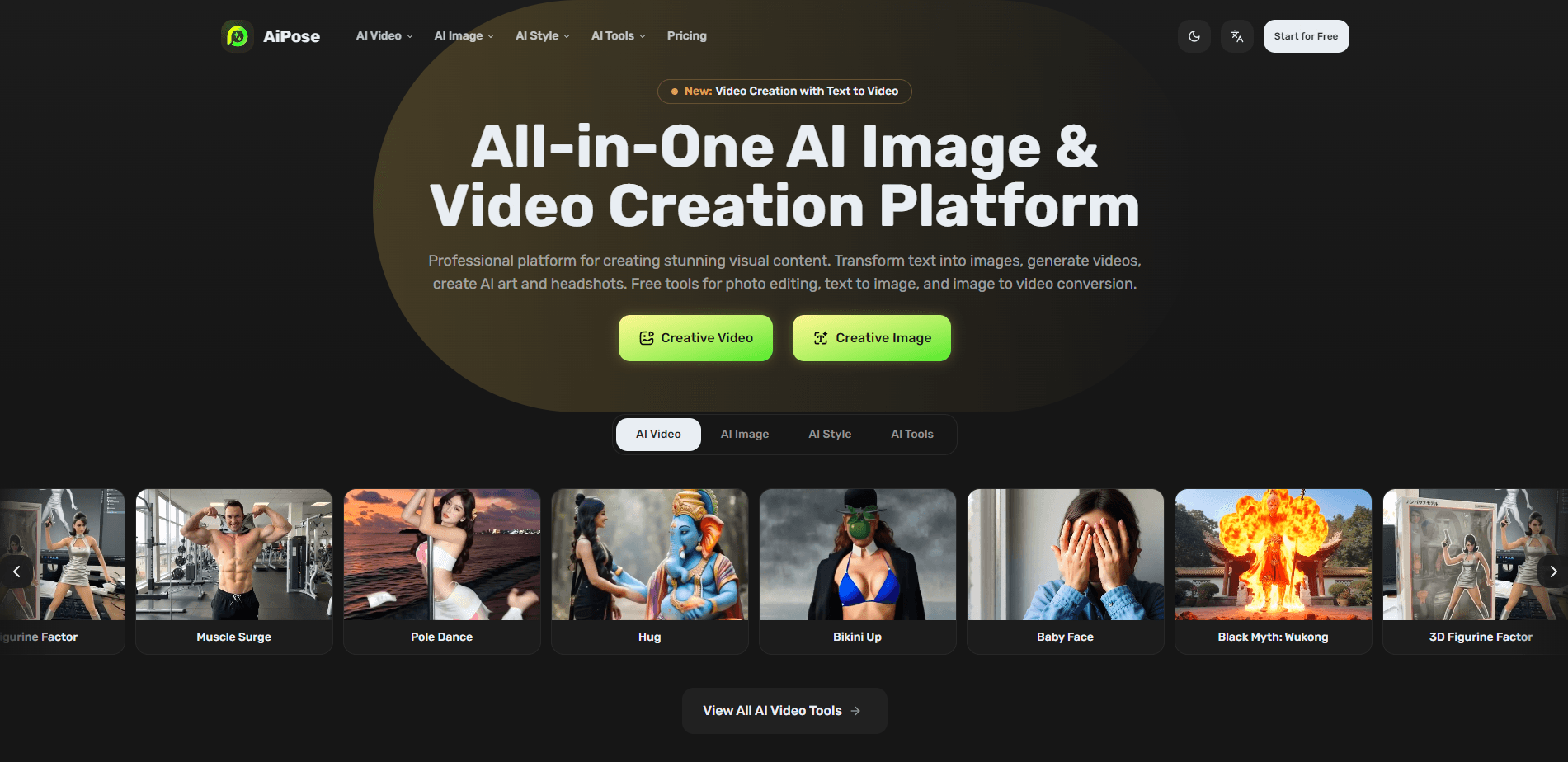
About AIPose
What Is AiPose
AiPose is a web-based AI creation platform. It takes text prompts and uploaded photos as inputs and returns images, cartoon art, and short videos. If you've ever wanted a LinkedIn-worthy headshot without booking a photographer, or a cartoon version of a family photo, this is the kind of tool built for that.
The main problem it solves is tool sprawl. Instead of paying for a generator, a background remover, and a style-transfer app separately, you get them in one dashboard. That matters most for people who make visuals often but don't have a design background and would rather learn one interface than juggle three.
The biggest limit is control. AI output varies between runs, so a prompt that nails it once might not repeat exactly. You'll spend time rerunning generations. Heavy video use burns credits faster than stills.
Getting Started
- Create a free account on the AiPose website, or sign in with Google if that's easier.
- Pick a tool from the dashboard, such as AI Image Generator, Text to Video, or Photo to Cartoon.
- Upload a photo or type your prompt, then adjust style, aspect ratio, and any advanced settings like a negative prompt.
- Generate the result and review the options, then download the version you like best.
- Come back and refine with the editing tools if you want a cleaner background or a tweaked expression.
Product Information
A quick look at AIPose's pricing, supported platforms, and performance.
Best for
The users, tasks, and scenarios where this tool fits best.
Users
- Content creators
- Small business owners
- Social media managers
- Hobbyists and artists
Tasks
- Turning a selfie into cartoon or Pixar-style art
- Generating professional headshots
- Creating short videos from text
- Editing photos without design skills
- Building product or promo visuals
Scenarios
- Preparing a week of social posts in one sitting
- Updating a team page or resume photo
- Exploring a creative idea before paying for a shoot
- DIY marketing for a small shop
Key features
Text to Image Generation
You type a description and AiPose returns artwork built from it. The controls cover aspect ratio, quantity, and advanced options like a negative prompt and seed, so you can steer the output and reuse a seed when you want the same composition to come back on a later run. This is the entry point most people start with, and it's flexible enough for both quick drafts and finished pieces.
Photo to Cartoon and Style Transfer
Upload a photo and AiPose restyles it while keeping your facial features recognizable. The platform advertises 437+ artistic styles, from classic painting looks like Van Gogh through to modern digital art like Pixar 3D. Want a cartoon avatar or a painted portrait of a real photo? This does it in a couple of clicks. No manual masking involved.
Text to Video and Image to Video
The video tools work two ways. You can describe a scene in text and get a clip back, or upload a reference image and let AiPose animate it in a chosen style. There's also a text-to-image-to-video path where you generate several frames first, pick your favorite, and build the clip from that. Video costs more. Expect it to drain credits faster than a still image does.
AI Headshot Generator
AiPose can turn everyday photos into professional headshots. That's useful when you need a business portrait quickly and haven't booked a photographer. No studio, no scheduling. The output aims for clean lighting and a polished look, which suits LinkedIn profiles, team pages, and resumes.
14+ Photo Editing Tools
Beyond generation, there's a set of one-click AI photo editor tools covering background removal, photo enhancement, hairstyle changes, and face swaps. The value here is convenience. You don't leave the platform to clean up an image. You don't need to know your way around layer-based editors to get a usable result. That alone saves time.
Browser-Based Access
Everything runs in the browser, so there's nothing to install and no dependency on a specific operating system. You can start a project on a laptop and pick it up elsewhere with the same account, which keeps a half-finished draft from being stuck on one machine. That flexibility matters more than a native app would for people who move between devices.
Pros and cons
Pros
- Image and video generation plus editing tools live in one place, which cuts the number of paid subscriptions you juggle.
- Style transfer keeps facial features recognizable, a common weak spot in cheaper cartoon filters.
- Browser-based access works across devices with no installation step.
- The free tier lets you test the core tools before committing to a paid plan.
- A wide style library covers everything from painting looks to 3D digital art.
Cons
- Results vary between runs, so you'll rerun generations to get the exact output you want, which eats time and credits.
- Video generation is credit-hungry, and frequent video work pushes you toward a paid tier quickly.
- The pricing page doesn't surface plan costs in plain text, so you have to check inside the app to compare tiers.
Frequently asked questions
AiPose generates images and short videos from text or photos and includes editing tools for backgrounds, faces, and hairstyles. It covers content creation, headshots, product visuals, and quick social clips.
Related content
Explore related tools, skills, and articles for AIPose.
AIPose Alternatives

Google EmbeddingGemma 2
Google DeepMind · Writing · Image · CodingGoogle EmbeddingGemma 2 is a 740M-parameter open model that turns text, code, images, audio, and video frames into vectors in one 768-dimension space, running on phones and laptops.

Tractionwave
TractionWave · Image · MarketingTractionWave is an AI attention heatmap tool for static ads. Upload a PNG or JPG and it returns predicted attention, ranked hotspots, and fixes before you spend budget.

Imejis.io
Imejis.io · Image · MarketingImejis.io is an AI design studio for agents and marketing teams. Describe an image in plain words, and it writes the copy, builds the layout, reflows it to every size, then exports a finished file.