
AirBrush
Pixocial · Image · Video · China AI
AirBrush is an AI photo and video editor from Pixocial that retouches portraits, removes objects, and enhances images, with 60-plus tools across web, desktop, and mobile.
About AirBrush
What Is AirBrush
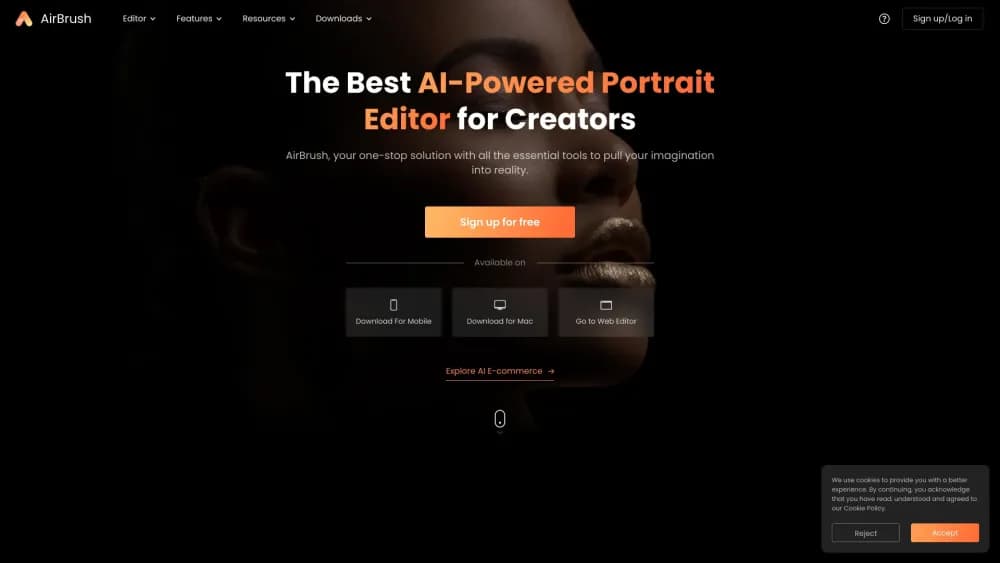
AirBrush is a photo and video editing app built around AI retouching, first released in 2015 and now run by Pixocial, a company spun out of the Chinese imaging firm Meitu. The product leans on portrait work: smooth skin, reshape a face, remove an object, swap a background, or lift a dull shot with a single tap. It ships in three shapes, a browser editor, a desktop program called AirBrush Studio, and a mobile app for iOS and Android, and the company says the tools are used by millions of people worldwide.
The pitch is speed without a learning curve. Instead of layering adjustments by hand, you pick a tool, upload a photo, and let the AI handle the reconstruction, which suits creators who need a polished post fast and professionals who want a headshot or product shot without a studio. Most of the browser tools run without an account.
The main limits sit around how far the AI can push. Retouching suits faces best, credits meter heavier jobs like AI generation and video, and premium exports require a paid plan. Free use covers the basics but caps how much you can process.
Getting Started
- Open the web editor at airbrush.com, or install the mobile app or AirBrush Studio for desktop.
- Upload a photo or video from your device, or pick a sample to try the tools first.
- Choose a tool, such as AI retouch, background remove, or an AI filter, then let it process.
- Fine-tune the result with sliders for skin, shape, or strength if the tool offers them.
- Export in the quality you need, buying credits or a plan if the job uses premium features.
Product Information
A quick look at AirBrush's pricing, supported platforms, and performance.
Best for
The users, tasks, and scenarios where this tool fits best.
Users
- Everyday phone photographers
- Content creators
- Professionals and job seekers
Tasks
- Retouching a portrait
- Removing an object or background
- Enhancing a photo or video
Scenarios
- Prepping a profile or headshot
- Polishing posts before publishing
- Restyling a batch of photos
Key features
AI Retouching
The core tool smooths skin, evens tone, and refines features while trying to keep the result natural. It works as a portrait retouching app in its own right, since the model is tuned around faces. You can dial the strength up or down instead of accepting a fixed look, which matters for portraits where over-smoothing reads as fake. It's the feature most people open the app for.
Background Removal and Swap
The built-in AI background remover finds the subject and lifts it off the background in one step, so you can drop in a clean color, a studio backdrop, or a new scene. For product shots and profile photos, this replaces a slow manual mask. Edges around hair and fine detail are the usual weak spot, so check them before exporting.
Object and Eraser Tools
The eraser removes unwanted people, logos, or distractions and fills the gap with what the AI expects to be there. It's the everyday clean-up tool for casual shots. The fill is a guess rather than a true reconstruction, so busy backgrounds can leave a visible patch.
AI Video Enhancer
Beyond stills, AirBrush offers a photo enhancer for images and improves short clips by sharpening and cleaning up footage. Video work costs more credits than photos, since a one-minute clip runs two credits and longer clips add more. It's a fit for creators who shoot on a phone and want footage to look sharper before posting.
AirBrush Studio for Desktop
A desktop program turns advanced retouching into one-click actions for photos, aimed at creators who want pro-level results without a steep learning curve. It runs on Windows and macOS and focuses on photos rather than video. The mobile app is the recommended path when you need to edit clips.
AI Filters and Creative Styles
A library of AI filters reimagines a photo with style transfers and playful looks, giving casual users a reason to edit beyond clean-up. They sit alongside the retouching tools rather than replacing them. Treat them as creative extras, since the core product is portrait repair.
Pros and cons
Pros
- Handles portrait retouching fast, with one-tap tools that need no editing background.
- Runs across web, desktop, and mobile, so you can start a job on one device and finish on another.
- A free tier and browser tools let you try the editor before paying for credits or premium exports.
- Covers more than stills, with AI video enhancement and a large set of creative filters.
Cons
- Credits meter intensive jobs, and a one-minute video costs more than a photo, so heavy use adds up.
- Premium exports and unlimited feature use sit behind a subscription, which limits free use.
- The AI favors faces, so landscapes and text-heavy images improve less.
- Generated edits are estimates, so object removal or heavy retouching can invent detail that wasn't in the original.
Frequently asked questions
AirBrush is an AI photo and video editor focused on portrait retouching. It smooths skin, removes objects and backgrounds, enhances images and clips, and applies creative filters, with most tools usable in a browser.
Related content
Explore related tools, skills, and articles for AirBrush.
AirBrush Alternatives

Google EmbeddingGemma 2
Google DeepMind · Writing · Image · CodingGoogle EmbeddingGemma 2 is a 740M-parameter open model that turns text, code, images, audio, and video frames into vectors in one 768-dimension space, running on phones and laptops.

Tractionwave
TractionWave · Image · MarketingTractionWave is an AI attention heatmap tool for static ads. Upload a PNG or JPG and it returns predicted attention, ranked hotspots, and fixes before you spend budget.

Imejis.io
Imejis.io · Image · MarketingImejis.io is an AI design studio for agents and marketing teams. Describe an image in plain words, and it writes the copy, builds the layout, reflows it to every size, then exports a finished file.