

AIThumbnail.so
AIThumbnail.so · Image · Video
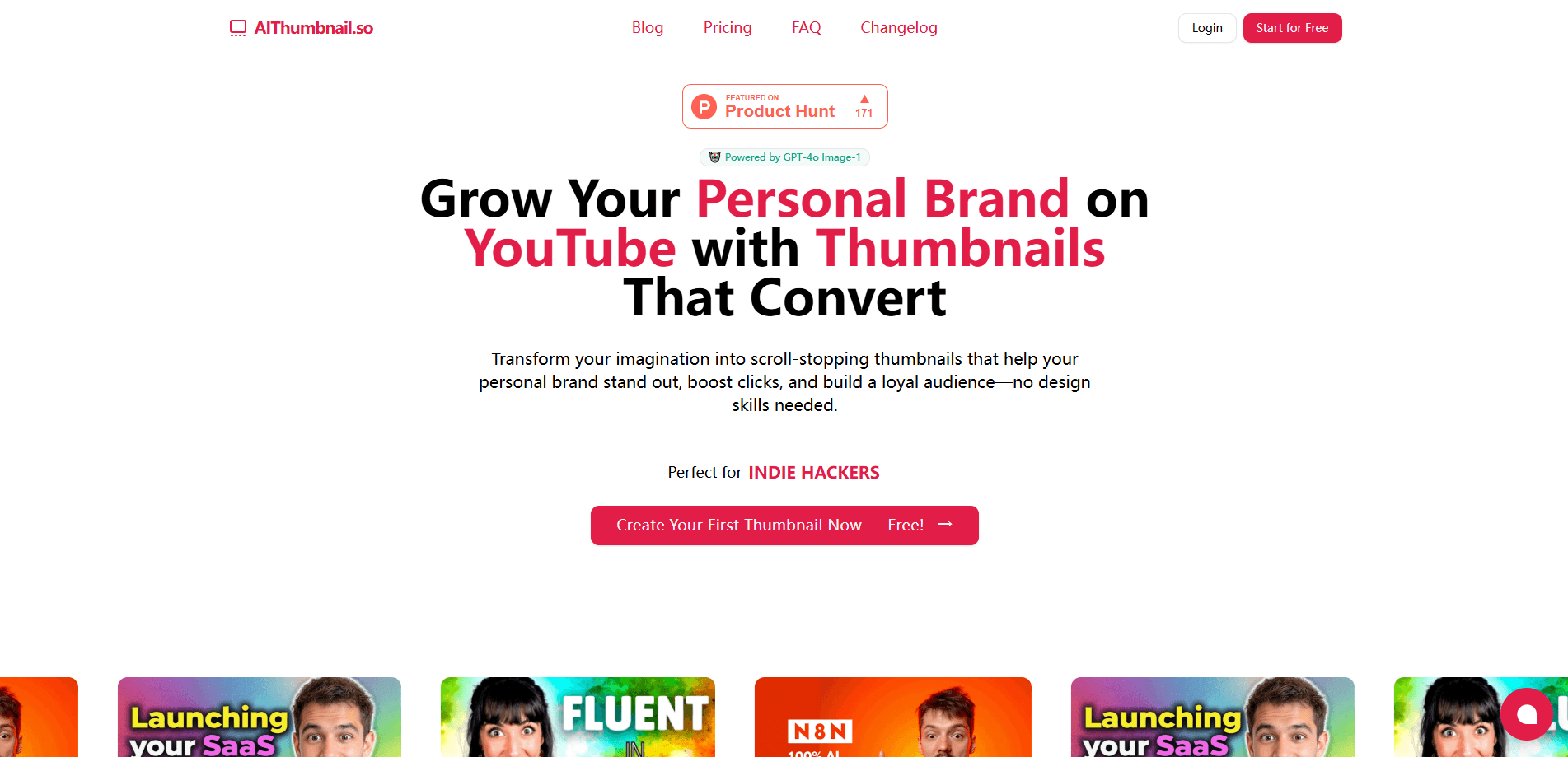
AIThumbnail.so is an AI thumbnail maker for YouTube. It turns a video idea into a click-worthy thumbnail in seconds, and it can copy the style of any thumbnail you upload.
About AIThumbnail.so
What Is AIThumbnail.so
AIThumbnail.so is a web tool that generates YouTube thumbnails from a short text idea. You describe the video, pick a style, and the AI builds a finished image sized for YouTube. There's no design software to learn, and the company says most thumbnails come out in under 30 seconds.
The pitch targets creators who lose clicks to weak cover images. As a YouTube thumbnail generator, it aims at the same job a YouTube thumbnail maker does by hand, but without the manual work. Thumbnails do a lot of the deciding on YouTube, and a boring one quietly caps how many people ever reach a video. AIThumbnail.so attacks that with three ideas: generate from a prompt like a general AI thumbnail generator, copy a thumbnail style that already works, and drop your own face into the result. The company reports creators seeing 30% to 40% more views after switching. Those figures come from its own user data and won't hold for every channel.
Two limits matter before you pay. Results swing with how well you describe the video, so a vague prompt gets a generic image. And the free path is thin, since the product runs on a short $1 trial rather than a standing free tier.
Getting Started
- Sign up and start the 3-day trial for $1
- Type your video idea, or upload a thumbnail you want to copy the style from
- Add a photo of yourself if you want your face in the shot, then adjust the text and colors
- Generate the image, review the variations, and download the version you want
Product Information
A quick look at AIThumbnail.so's pricing, supported platforms, and performance.
Best for
The users, tasks, and scenarios where this tool fits best.
Users
- New YouTubers
- Small business owners
- Growing creators
- Solo creators without a design team
Tasks
- Making a thumbnail from a text idea
- Replicating a winning style
- Adding your face to a thumbnail
- Testing several thumbnail directions
- Batching covers for a backlog
Scenarios
- Launching a new channel
- A video underperforming on clicks
- Riding a trend
- Running a small business channel
- A tired thumbnail on an old video
Key features
Replica Mode for Style Copying
Replica Mode takes a thumbnail you like and copies its visual style onto your own content. You upload the reference image, the AI reads its layout, colors and treatment, then rebuilds that look around your video. The idea is to skip the blank canvas and start from a design that already draws clicks, which is the part most creators struggle with in a thumbnail design tool when they design alone.
Add Yourself with One Photo
You can drop your own face into a thumbnail by uploading a single photo, with no training step or model to set up. The AI places you into the scene and matches the lighting and framing so it doesn't look pasted on. Faces drive recognition, and a familiar face on a thumbnail tends to earn more clicks than a stock image nobody connects to.
AI Smart Suggestions
Once you enter your video idea, the tool suggests what the thumbnail still needs, covering context, colors, text and extra elements. It's a guardrail against the half-finished thumbnail that a first-time creator ships without noticing. You still make the final call, but the suggestions close the gaps that drag a design down.
Text and Layout Controls
You can edit the text, adjust the colors and fine-tune the composition before you download. The controls stay light, which suits the product's aim of speed over deep manual design. If you want to move a word or change the mood of the image, you can do that without restarting from scratch.
Credit-Based Generation
Both paid plans run on credits, and one credit covers one image generated or modified. Starter comes with 80 credits a month and Pro with 160, so the higher tier suits channels that iterate a lot on each thumbnail. Credits reset monthly, which keeps heavy months from eating into the next cycle.
Watermark-Free Private Output
Paid plans remove the watermark and keep your thumbnails private. That matters for creators who don't want their working drafts or final art sitting in a public gallery. You get a clean image ready to upload straight to YouTube at the platform's expected size.
Pros and cons
Pros
- Thumbnails come out in under 30 seconds, so the design step stops holding up an upload
- Designed to increase YouTube CTR, since a stronger cover image is the lever the whole tool is built around
- Replica Mode lets you start from a proven style instead of a blank canvas
- Adding your face takes one photo and no setup or training
- The $1 trial for 3 days keeps the cost of trying it low
- Paid plans drop the watermark and keep thumbnails private
Cons
- No standing free plan, so you can't keep using it free after the trial ends
- Output quality tracks your prompt, and a vague idea returns a generic image
- 80 credits on Starter works out to about two to three thumbnails a day, which runs short for daily uploaders
- It only makes thumbnails, so you'll still need another tool for banners and other channel art
- The view and CTR gains come from the company's own user data and won't apply to every channel
Frequently asked questions
AIThumbnail.so is a web tool that builds YouTube thumbnails with AI. You describe your video idea, and it generates a finished thumbnail image. Two features set it apart: Replica Mode, which copies the style of a thumbnail you upload, and one-photo face insertion, which puts you into the design.
Related content
Explore related tools, skills, and articles for AIThumbnail.so.
AIThumbnail.so Alternatives

Google EmbeddingGemma 2
Google DeepMind · Writing · Image · CodingGoogle EmbeddingGemma 2 is a 740M-parameter open model that turns text, code, images, audio, and video frames into vectors in one 768-dimension space, running on phones and laptops.

Tractionwave
TractionWave · Image · MarketingTractionWave is an AI attention heatmap tool for static ads. Upload a PNG or JPG and it returns predicted attention, ranked hotspots, and fixes before you spend budget.

Imejis.io
Imejis.io · Image · MarketingImejis.io is an AI design studio for agents and marketing teams. Describe an image in plain words, and it writes the copy, builds the layout, reflows it to every size, then exports a finished file.