
AI Wallpapers
Rachit Pradhan · Image
AI Wallpapers, published as AiWallz, is a free iOS and Android app that streams AI-generated 4K and HD wallpapers. Swipe right to save one, swipe left for the next.
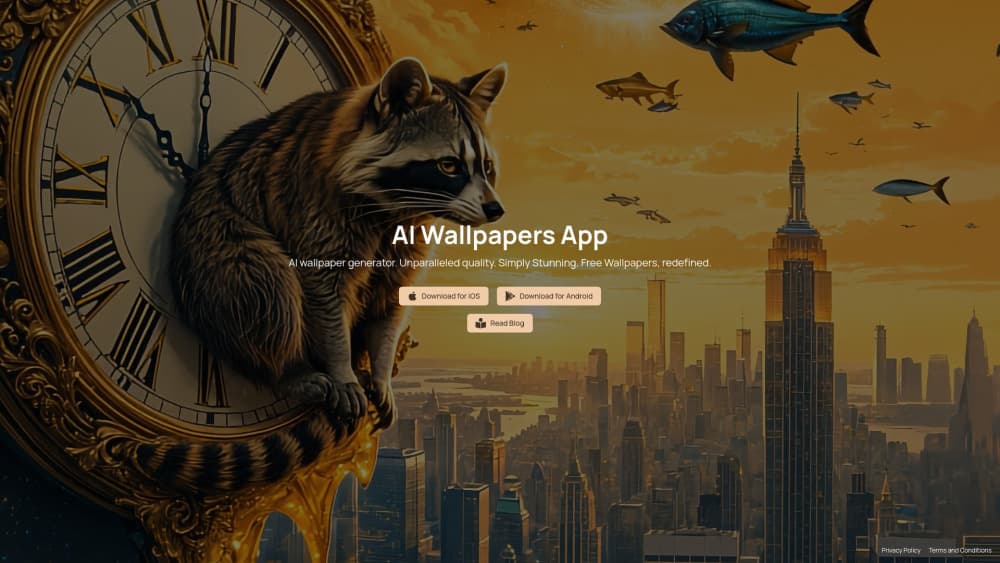
About AI Wallpapers
What Is AI Wallpapers
AI Wallpapers is a mobile wallpaper app built on generated images instead of a stock library. There are no folders to dig through. You get a feed of AI art wallpapers, one screen at a time, and you swipe: right saves the image, left pulls up a new one.
The app comes from Rachit Pradhan, who built it with Jenny Zhang. Both also work on HueWheel, and the pair wrote up the project as an experiment in how a generative app should hand control to the user. The short version: the interface leads, and you react.
That design choice explains a lot. The AI wallpaper generator runs on the team's side, through what the site calls smart AI art generator agents, so you never type a prompt. The trade is clear. You get speed and surprise, and you give up the ability to ask for a specific scene.
Three collections anchor the catalog right now: general wallpapers, a raccoon set, and AI textures. That's narrow next to apps with thousands of categories, and it's the main thing to weigh before installing.
Getting Started
- Install the app from the App Store or Google Play. Both listings are free, and the Android wallpaper app has no paid tier published.
- Open it. There's nothing to configure before the first image shows up.
- Swipe right on a wallpaper you want, left on one you don't. Saved images land in your photo library.
- Set it from Photos or your device's wallpaper settings, which keeps the original resolution intact.
Product Information
A quick look at AI Wallpapers's pricing, supported platforms, and performance.
Best for
The users, tasks, and scenarios where this tool fits best.
Users
- iPhone owners who swap wallpapers every week
- Android users bored of stock galleries
- Designers sourcing AI textures
Tasks
- Finding a new lock screen in under a minute
- Collecting abstract backgrounds for decks
- Seeing what current image models produce without learning prompt syntax
Scenarios
- Killing five minutes on a commute
- Refreshing a home screen before a trip
- Setting up a new phone
Key features
Swipe to Save, Swipe to Skip
The whole app is one gesture. A right swipe writes the image to your photo library, a left swipe loads the next generation. It's faster than any gallery grid, and it removes the usual decision paralysis that comes with 40 thumbnails on one screen.
AI Agents Behind the Feed
Wallpapers arrive from what the team describes as smart AI art generator agents, which assemble prompts and produce images server side. You see the result, not the prompt. That keeps the AI wallpaper app usable for people who have never touched an image model, and it also means you can't steer style beyond what the agents already cover.
4K and HD Output
The App Store listing promises 4K and HD wallpapers, and saved files keep their native resolution rather than being re-compressed on export. On a phone the difference between 4K and HD is subtle. On a tablet or a desktop-sized crop, it shows.
Themed Collections, Including Raccoons
The catalog splits into general wallpapers, raccoons, and AI textures. The raccoon set is a strange, specific choice, and it hints at how the team curates: one theme at a time, taken seriously. For a wallpaper app that's a feature. For a design workflow it's a limit.
Free, With No Subscription Listed
The App Store page shows a free download, and the site advertises free wallpapers with no upsell. No subscription price appears on either store listing at the time of writing. If the team adds a paid tier later, older installs may keep working, but check the listing before you rely on it.
One App, Two Stores, Same Catalog
This wallpaper app for iPhone and the Android build share the same generated collection, so a wallpaper you save on one device can be found again on the other. There's no account, so no sync history. You re-find images by browsing, not by logging in.
Pros and cons
Pros
- Zero friction: no account, no onboarding, no prompt box. The first wallpaper is one tap away.
- Genuinely free: no ads reported on the store listings and no subscription tier published.
- Output quality holds up: 4K and HD files look clean on modern phone and tablet screens.
- The swipe model works: it's the rare AI product where the interface does the thinking, and the pace keeps browsing light.
- Texture sets are the sleeper feature: abstract AI textures are harder to find for free than yet another mountain photo.
Cons
- No prompt control: if you want a specific subject, this isn't the tool. You wait for the feed to produce it, or you don't get it.
- Thin catalog: three collections means repeats show up quickly for anyone who browses daily.
- Stale build: the iOS version sits at 1.0.1 from June 2024, so newer image models may never reach the app.
- No public API and no web gallery: developers and desktop users have nothing to plug into.
Frequently asked questions
AI Wallpapers, branded AiWallz, is a free mobile app that shows AI-generated wallpapers one at a time and saves the ones you swipe right on. It runs on iOS, iPadOS, and Android.
Related content
Explore related tools, skills, and articles for AI Wallpapers.
AI Wallpapers Alternatives

Google EmbeddingGemma 2
Google DeepMind · Writing · Image · CodingGoogle EmbeddingGemma 2 is a 740M-parameter open model that turns text, code, images, audio, and video frames into vectors in one 768-dimension space, running on phones and laptops.

Tractionwave
TractionWave · Image · MarketingTractionWave is an AI attention heatmap tool for static ads. Upload a PNG or JPG and it returns predicted attention, ranked hotspots, and fixes before you spend budget.

Imejis.io
Imejis.io · Image · MarketingImejis.io is an AI design studio for agents and marketing teams. Describe an image in plain words, and it writes the copy, builds the layout, reflows it to every size, then exports a finished file.