

AlgoFly AI
AlgoFly AI · Image
AlgoFly AI is an all-in-one computer vision platform for teams that want to turn raw visual data into working machine vision systems. It works as an image annotation tool, a vision model fine-tuning workspace, and an MLOps platform for deployment, all in one place. Then it hands the whole pipeline to developers through a Python SDK and CLI. Teams in healthcare, retail, smart cities, agriculture, and manufacturing use it to run detection and segmentation models without building the infrastructure themselves.
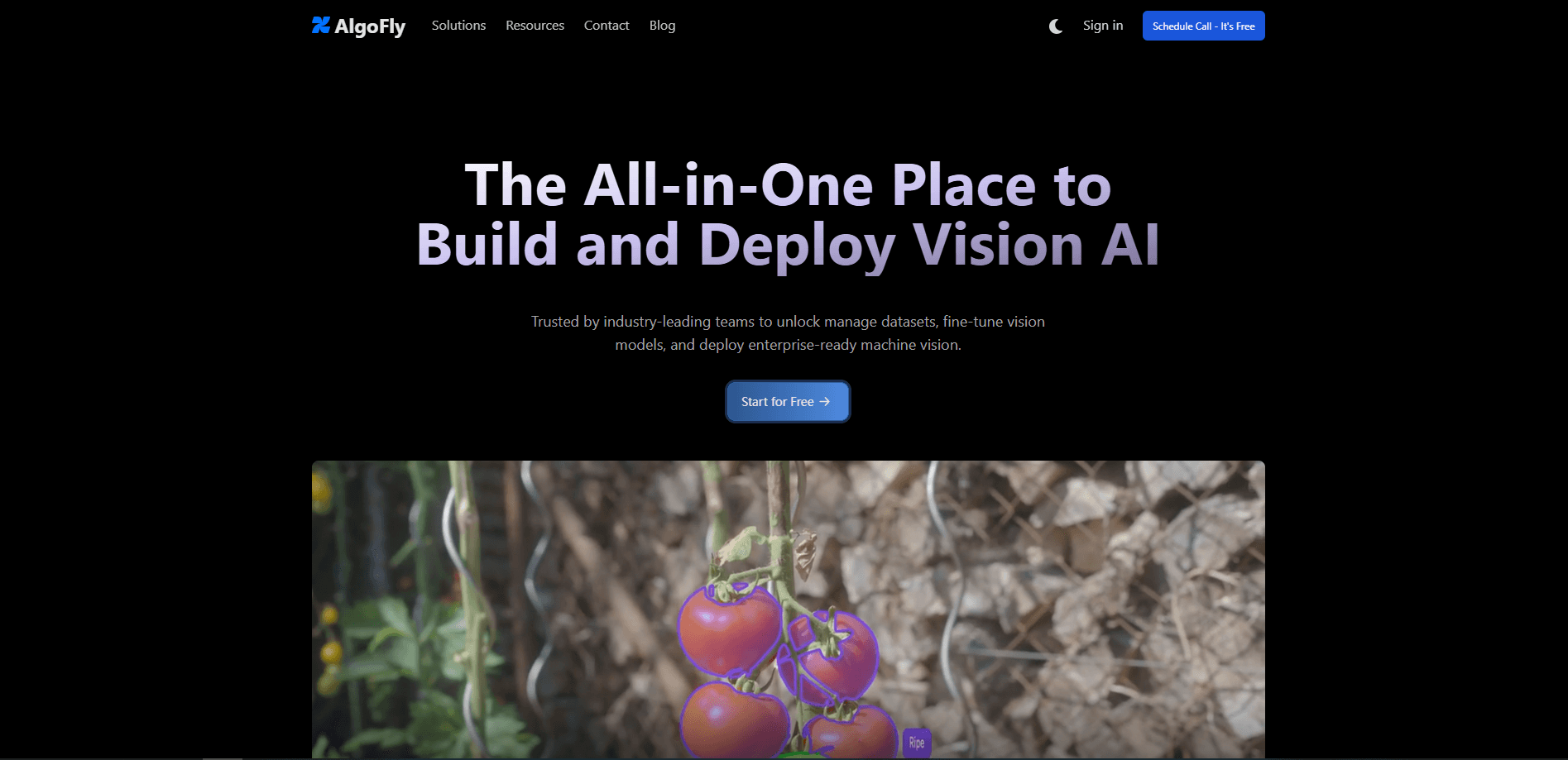
About AlgoFly AI
What Is AlgoFly AI
AlgoFly AI is a Vision AI platform and consulting offering aimed at organizations that already have images or video and want models running on them. It bundles three jobs that usually live in separate tools: cleaning and annotating datasets, fine-tuning vision models, and deploying those models into production workflows where they have to keep working long after the demo ends.
The pitch is breadth. Instead of stitching together an annotation vendor, a training pipeline, and a serving stack, you work inside one interface and one Python library. That's the whole idea. One tool, one pipeline, one place to debug when a model misbehaves on a rainy Tuesday in a warehouse. The vendor lists healthcare imaging, retail checkout, traffic monitoring, crop and livestock tracking, and factory quality checks among its target uses, so the models are meant to generalize across domains rather than fit a single niche. Does that breadth hold up in practice? Hard to say without a trial.
The main limits are worth knowing up front. Pricing? Not published. You'll need to talk to the team before you can estimate costs. The SDK is Python-first, which is fine for ML engineers and awkward for anyone expecting a drag-and-drop no-code builder. And this is a platform, not a finished product. You still need labeled data and someone who understands what a good detection result looks like.
Getting Started
- Visit algofly.ai and book a demo or contact the team, since there's no public self-serve signup or price list.
- Bring your visual data in and organize it into a dataset, then annotate images with classes, boxes, or segmentation masks depending on the task.
- Pick a starting model and fine-tune it on your labeled data, or begin with the platform's zero-shot detection and prompt-guided segmentation options.
- Install the Python SDK or CLI in your environment and connect it to your project to fetch models and push predictions.
- Deploy the model into your application, then monitor results and iterate as new data arrives.
Product Information
A quick look at AlgoFly AI's pricing, supported platforms, and performance.
Best for
The users, tasks, and scenarios where this tool fits best.
Users
- Machine learning engineers building computer vision pipelines
- Data and annotation teams
- Applied AI teams in regulated industries
Tasks
- Object detection on camera feeds
- Image segmentation
- Fine-tuning vision models on private data
Scenarios
- Retail shelf and checkout monitoring
- Smart city traffic analysis
- Agricultural monitoring
Key features
All-in-One Dataset and Annotation Workspace
AlgoFly AI keeps your images, labels, and model versions in a single workspace, so the annotation work feeds directly into training instead of moving through spreadsheets or export scripts. For teams that burn time syncing tools, that's the practical draw. Less copying. Less drift.
Vision Model Fine-Tuning
You can fine-tune vision models on your own labeled data, which matters when a general detector confuses your products, your equipment, or your patients. The platform handles the training loop so your team focuses on data quality rather than infrastructure. Data in, model out.
Zero-Shot Object Detection and Prompt-Guided Segmentation
Two features let you skip training entirely at the start. Zero-shot object detection finds objects from a description, while prompt-guided segmentation returns masks from a text or point prompt. It's a fast way to test whether a use case is viable before you invest in labeling. No labels needed.
Python SDK and CLI
The Python SDK and CLI let you wire models into your own applications and workflows with a few lines of code, typically inside a Jupyter notebook or a script. This is the feature that separates AlgoFly from tools that lock you into a web dashboard. No dashboard required.
Enterprise-Scale Deployment
The platform is built for deploying machine vision at scale, with an emphasis on security that the vendor highlights for enterprise buyers. That framing targets teams moving from a prototype to something running across sites. Scale is the hard part.
Cross-Industry Solutions
AlgoFly ships solution tracks for healthcare, retail, smart cities, utilities, agriculture, and manufacturing. Each one bundles the kind of visual task that industry tends to need, from scan analysis to asset inspection. If you want an object detection API tuned for a vertical, this is where you'd start.
Consulting and Support Access
Beyond software, AlgoFly offers consulting from its team of experts and support from its engineers through Discord and email. For a market this new, having humans to ask questions is worth more than another dashboard. That counts for a lot.
Pros and cons
Pros
- Combines annotation, fine-tuning, and deployment in one platform instead of three separate tools.
- Python SDK and CLI fit existing developer workflows and notebooks.
- Zero-shot detection and prompt-guided segmentation let you test ideas without labeling data first, which shortens the path from idea to a working demo on your own images.
- Solution tracks span many industries, from healthcare to agriculture.
Cons
- No public pricing, so you can't estimate cost without contacting sales.
- Python-first tooling raises the barrier for users who want a no-code builder.
- The platform still needs quality labeled data and ML know-how to deliver results.
- Details on accuracy, model catalog, and data policies are thin on the public site. Ask early.
Frequently asked questions
It's a platform for building and deploying computer vision models. Teams use it to annotate images, fine-tune vision models on their own data, and run detection or segmentation in production applications. Some also use it as a lightweight MLOps platform for keeping model versions and datasets in sync.
Related content
Explore related tools, skills, and articles for AlgoFly AI.
AlgoFly AI Alternatives

Google EmbeddingGemma 2
Google DeepMind · Writing · Image · CodingGoogle EmbeddingGemma 2 is a 740M-parameter open model that turns text, code, images, audio, and video frames into vectors in one 768-dimension space, running on phones and laptops.

Tractionwave
TractionWave · Image · MarketingTractionWave is an AI attention heatmap tool for static ads. Upload a PNG or JPG and it returns predicted attention, ranked hotspots, and fixes before you spend budget.

Imejis.io
Imejis.io · Image · MarketingImejis.io is an AI design studio for agents and marketing teams. Describe an image in plain words, and it writes the copy, builds the layout, reflows it to every size, then exports a finished file.