

Alivemoment
AliveMoment · Image · Video
AliveMoment is an AI photo animation tool that turns still photos into short moving videos and restores old or damaged images, using simple animation styles instead of manual editing.
About Alivemoment
What Is AliveMoment
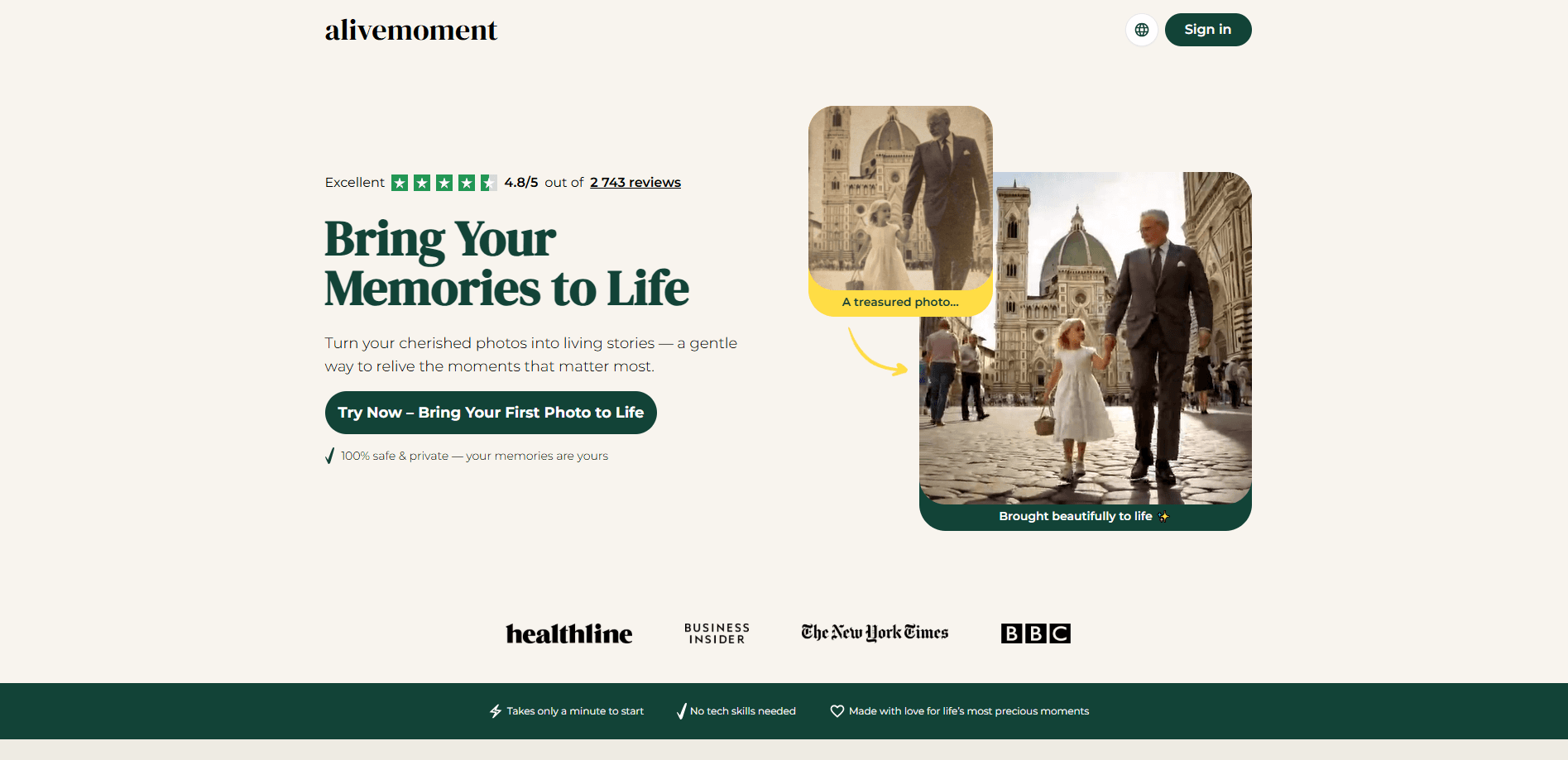
AliveMoment is an AI photo animation tool that takes a single still image and turns it into a short moving video. You upload a photo, pick an animation style like a wave, hug, or gentle walk, and the tool generates a few seconds of motion that keeps the original look of the picture. The same photo animation app also handles AI photo restoration, cleaning up scratches, fading, and blur in old family shots before animating them.
The idea targets a very specific feeling. Most people have a box of old photos or a favorite snapshot they'd love to see move again, but the usual tools for that are built for editors, not for someone who just wants a keepsake. AliveMoment strips the process down to an upload, a style choice, and a download, so you can bring photos to life without touching a timeline or a mask.
The limits are worth knowing up front. AliveMoment is a subscription product, so most of the useful work sits behind a paid plan after a short trial. It runs as a web tool and as a mobile app for iPhone, iPad, and Android, and there's no sign of a public API for developers. It's built for personal photos and emotional keepsakes, not for professional video production.
Getting Started
- Create an account with an email address on the website or in the app.
- Upload a photo, ideally one with a clear face and decent lighting.
- Choose an animation style that fits the mood, such as a wave, hug, kiss, or natural walk.
- Let the tool process the image, then download the finished video or share it directly.
Product Information
A quick look at Alivemoment's pricing, supported platforms, and performance.
Best for
The users, tasks, and scenarios where this tool fits best.
Users
- Families with old photos
- People who want a sentimental gift
- Non-technical users
Tasks
- Turning a still portrait into a short video
- Restoring a damaged photo
- Creating holiday greetings
- Making keepsakes for milestones
Scenarios
- Bringing a late relative's photo back into motion as a private family keepsake.
- Restoring a box of scanned old photos and animating the ones that matter most.
- Building a themed greeting card in minutes when a birthday or holiday sneaks up.
Key features
Photo to Video Animation
AliveMoment's core job is turning a still image into a short moving video. You upload one photo and the AI adds natural movement, with the selected animation style adapting to what's in the picture rather than applying a fixed template.
Multiple Animation Styles
The tool offers a range of animation styles, from a friendly wave and a warm hug to a sweet kiss and a natural walk. Each style sets a different mood, so you can match the motion to the memory instead of settling for one generic effect.
AI Photo Restoration
Beyond animation, AliveMoment restores old photos. It repairs damage, sharpens details, and can colorize black-and-white images, so a worn family photo comes back clearer before it ever starts to move.
Themed Greeting Cards
Themed effects turn photos into holiday and occasion cards, covering Christmas, Easter, and Valentine's themes along with milestone events like weddings and birthdays. It's a fast way to make something shareable without a design tool.
Creative Photo Transformations
The app doubles as an AI photo editor that reimagines photos rather than only animating them, with styles for portraits, seasonal scenes, and playful makeovers. That gives you a second use for the same upload when a plain animation isn't what you're after.
Memory Dashboard and Sharing
A dashboard keeps your animated memories and edits in one place, with download and sharing built in. Free storage and access mean your keepsakes stay available, not stranded on the device you made them on.
Pros and cons
Pros
- Turns a single photo into a short moving video with no editing skills.
- Handles AI photo restoration and colorization alongside animation.
- Offers a range of animation styles instead of one fixed effect.
- Themed effects cover holidays, birthdays, and anniversaries.
- Works on the web and as an app for iPhone, iPad, and Android.
Cons
- It's subscription-based, so the useful work sits behind a paid plan after a short trial.
- Results depend on the source photo, and blurry or unclear images animate poorly.
- There's no public API, so developers can't wire it into their own projects.
- The focus is personal keepsakes, not professional video production.
Frequently asked questions
AliveMoment animates still photos into short moving videos and restores old or damaged images. You upload a picture, choose an animation style, and download the result.
Related content
Explore related tools, skills, and articles for Alivemoment.
Alivemoment Alternatives

Google EmbeddingGemma 2
Google DeepMind · Writing · Image · CodingGoogle EmbeddingGemma 2 is a 740M-parameter open model that turns text, code, images, audio, and video frames into vectors in one 768-dimension space, running on phones and laptops.

Tractionwave
TractionWave · Image · MarketingTractionWave is an AI attention heatmap tool for static ads. Upload a PNG or JPG and it returns predicted attention, ranked hotspots, and fixes before you spend budget.

Imejis.io
Imejis.io · Image · MarketingImejis.io is an AI design studio for agents and marketing teams. Describe an image in plain words, and it writes the copy, builds the layout, reflows it to every size, then exports a finished file.