

Alpha3D
Alpha3D · Image
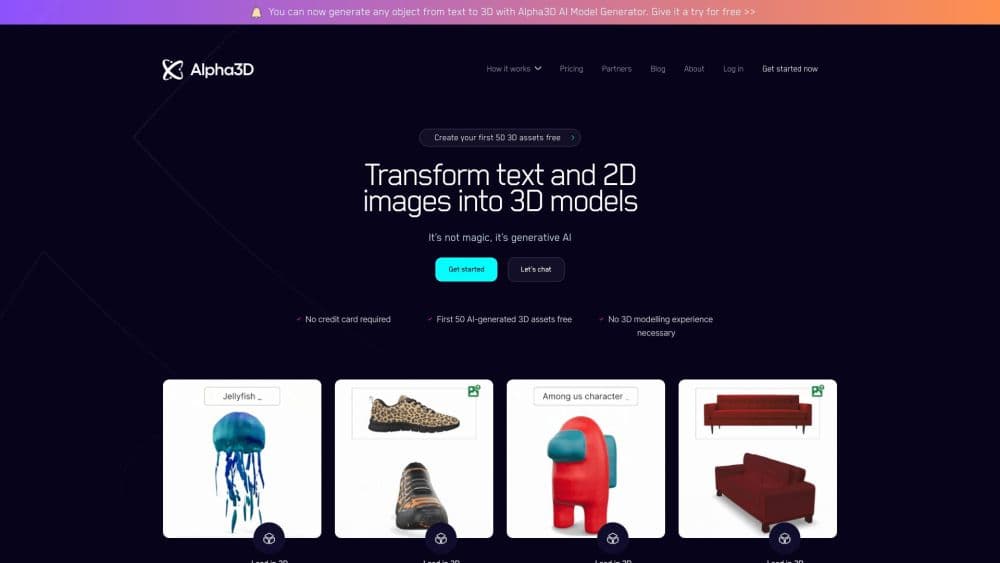
Alpha3D is an AI 3D model generator that turns text prompts or product photos into game-ready 3D models, then handles retopology, UV unwrapping, and texturing in one browser tab. Plans start at €5/mo.
About Alpha3D
What Is Alpha3D
Alpha3D is a web-based platform built by an Estonian team that automates the parts of 3D production most studios still do by hand. Instead of modeling a prop from a blank scene, you describe it in words or upload a photo, and the system returns a textured mesh you can drop into a real-time engine.
The company targets a familiar bottleneck. Games, AR, e-commerce, and simulation projects need hundreds or thousands of assets, but traditional modeling software was built for scarcity. Alpha3D narrows that gap by generating a first pass in minutes and then cleaning it up automatically.
The catch is that raw AI output is rarely production-ready on its own. Faces need fewer polygons, surfaces need clean UVs, and materials need to look right under game lighting. Alpha3D's pitch is that it handles those steps too, rather than leaving you to fix the mesh elsewhere.
Getting Started
- Create an account on the Alpha3D site and pick a plan; the free tier covers your first few models.
- Choose text to 3D or image to 3D, then describe your object or upload a clear photo with the subject fully in frame.
- Let the generator produce a first mesh, then open the model in the editor.
- Run retopology to cut the polygon count, unwrap UVs, and apply textures in the same workspace.
- Export the finished asset as GLB or another supported format and import it into Unity, Unreal, or your 3D tool of choice.
Product Information
A quick look at Alpha3D's pricing, supported platforms, and performance.
Best for
The users, tasks, and scenarios where this tool fits best.
Users
- Game developers
- Indie designers and small studios
- E-commerce teams
- Beginners
Tasks
- Text to 3D generation
- Image to 3D reconstruction
- Retopology
- UV unwrapping and texturing
- Format conversion
Scenarios
- Populating a game level with background props
- Building an AR or WebXR catalog
- Sketching concept assets early in a project
- Preparing product visualization for a store
Key features
Text to 3D generation
You type a description such as a sci-fi crate with metallic panels, and Alpha3D builds a semantic reference image first, then reconstructs the mesh from it. That intermediate step reduces guesswork and keeps shape, style, and proportions closer to what you asked for.
Image to 3D reconstruction
Upload one clear photo, a sketch, or a concept image and the platform infers depth, silhouette, and surface cues to rebuild the object in 3D. Single-view input makes this the fastest route when you already have a reference on hand.
Smart retopology
Raw generated meshes are dense and uneven, which chokes real-time engines. Alpha3D rebuilds the surface with cleaner, lower-polygon topology that preserves the shape and is easier to animate. This is the step that separates a demo render from a usable game asset.
Automatic UV unwrapping
Overlapping or messy UVs are one of the main reasons AI meshes fail in production. The platform unwraps the surface and places seams so textures map predictably, which keeps you from redoing the work in another program.
AI texturing
The system applies physically based textures to the cleaned mesh so the material look tracks the geometry. You get a model that holds up under game lighting rather than flat, placeholder color.
REST API for pipelines
Alpha3D exposes a REST API that runs the same generate-and-refine jobs programmatically, with async jobs and webhooks. A team can wire 3D generation into its own tooling instead of clicking through the browser.
Pros and cons
Pros
- Fast first pass: a textured, game-ready-style mesh in minutes rather than hours.
- Retopology, UV unwrapping, and texturing live in one place, so you are not stitching tools together.
- Low entry price at €5/mo, with a free tier to test the output before paying.
- REST API and webhooks let studios batch assets and fold 3D into existing pipelines.
- Exports to GLB, FBX, and OBJ for the common engines.
Cons
- Image to 3D leans on a single view, so reconstruction quality drops for objects with hidden or ambiguous geometry.
- Hero characters and anything rigged usually still need a human pass; the tool is strongest on props and background assets.
- Browser-only workflow, so artists who live inside Blender or Maya will export before doing final polish.
- Credit-based pricing means heavy batch generation can climb quickly on higher tiers.
Frequently asked questions
No. You describe an object or upload a photo and the platform handles the geometry. Knowing basic 3D terms helps you judge the output, but you do not need to model from scratch.
Related content
Explore related tools, skills, and articles for Alpha3D.
Alpha3D Alternatives

Google EmbeddingGemma 2
Google DeepMind · Writing · Image · CodingGoogle EmbeddingGemma 2 is a 740M-parameter open model that turns text, code, images, audio, and video frames into vectors in one 768-dimension space, running on phones and laptops.

Tractionwave
TractionWave · Image · MarketingTractionWave is an AI attention heatmap tool for static ads. Upload a PNG or JPG and it returns predicted attention, ranked hotspots, and fixes before you spend budget.

Imejis.io
Imejis.io · Image · MarketingImejis.io is an AI design studio for agents and marketing teams. Describe an image in plain words, and it writes the copy, builds the layout, reflows it to every size, then exports a finished file.