
Alpine
Work Technologies Inc. · Productivity
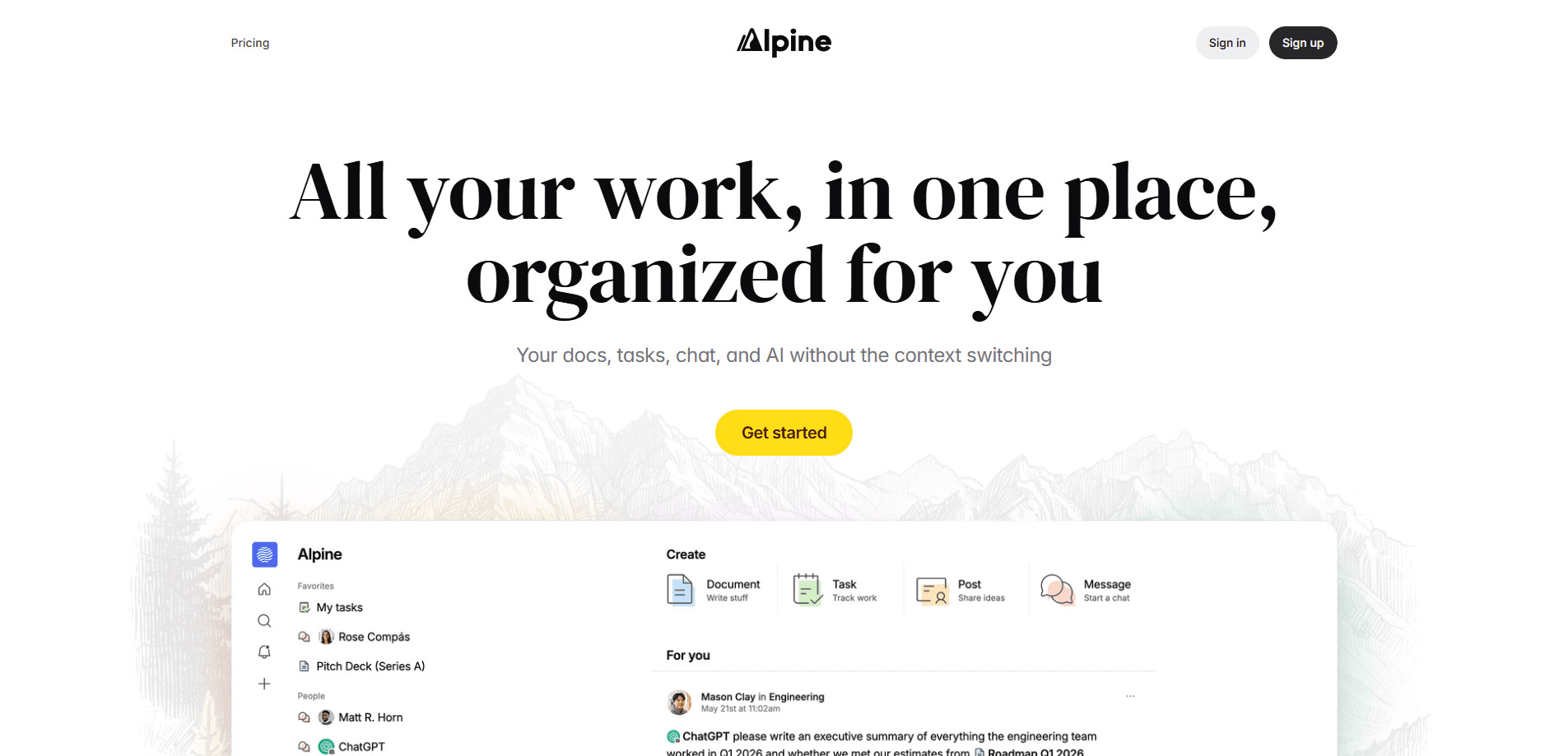
Alpine is an all-in-one workspace that folds docs, tasks, a forum, chat, and AI coworkers into a single app. Instead of jumping between a note tool, a task tracker, and a messaging app, you keep everything in one place that organizes itself around your work. A personalized feed surfaces updates from the people and projects you care about, search ranks results with LLMs, and an inbox only pings you when you're actually needed. Think of it as a team collaboration tool and a personal one at the same time. It's built for small teams and solo builders who want to cut context switching without ripping out the tools they already use.
About Alpine
What Is Alpine
Alpine is a work platform from Work Technologies Inc. that combines documents, tasks, forum-style discussions, chat, and AI assistance in one workspace. The pitch is simple. Most teams lose time moving between productivity apps, so Alpine puts the whole suite under one roof and lets the software keep things sorted. You don't have to migrate everything either. Alpine is designed so each part works on its own.
The product treats AI as a first-class feature, not a bolt-on. You get "AI coworkers" placed where the work happens, and they carry context from across your docs, tasks, and conversations. Search uses LLMs to rank results by relevance and recency, not just keywords. What does that buy you? Fewer dead ends when you're hunting for an old task or a note you half-remember. That's the core draw for teams tired of jumping between a half-dozen tabs.
There are limits worth knowing. Alpine is web-first, so there's no dedicated mobile app, and SOC 2 compliance is listed as "coming soon" rather than done. Pricing is in flux, too. It's free while the team gathers feedback, with a one-time lifetime plan as the hedge.
Getting Started
- Go to alpine.inc and create an account with an email address.
- Set up your workspace and invite teammates if you're working as a group.
- Start a doc for notes or a project brief, then add tasks right inside it.
- Use the feed and search to pull in the people and projects you follow.
- Bring AI into the flow by asking an AI coworker to draft, summarize, or find something with your workspace context.
Product Information
A quick look at Alpine's pricing, supported platforms, and performance.
Best for
The users, tasks, and scenarios where this tool fits best.
Users
- Small teams that live in docs and tasks and are tired of syncing three apps by hand.
- Solo builders who want a personal task tracker that can grow into team use later.
- Startups already running on Slack or Google Workspace that want to add docs, tasks, and AI without a full migration.
Tasks
- Writing and sharing project docs with embedded galleries and presentation slides.
- Capturing and organizing tasks quickly, then slicing them with filters and sorts.
- Asynchronous discussion where every forum post is a complete thread instead of a chat fragment.
- Asking AI to draft text, summarize a discussion, or find a file using full workspace context.
Scenarios
- Running a startup's internal knowledge base and task list in one place.
- Keeping a team's project updates in a feed instead of scattered channels.
- Drafting a document and asking AI to tighten it before sharing with your team.
- Replacing a patchwork of note, task, and chat tools with a single suite that works alongside what you already have.
Key features
Docs That Build Themselves
Alpine's documents are meant to look good without fiddling. Drop in a set of photos and they turn into an image gallery, and presentations skip the usual box-dragging so you can focus on the content of each slide. Generated cover art gives every doc a distinct look. That helps when you're scanning a long list of pages. The appeal is speed: you write, and the formatting mostly takes care of itself.
A Task Tracker That Scales
Tasks in Alpine start personal and grow into team workflows. You add one by pressing enter, turn it into a subtask with tab, or paste a whole list to get moving. New tasks are private by default. That suits early ideas and anything sensitive, and you share them when you're ready. The team says the backend handles a million-plus tasks, and filters and sorts let you build custom views or fall back on the opinionated "My tasks" view.
AI Coworkers With Full Context
The AI features aren't a separate chatbot bolted onto the side. Alpine places AI coworkers inside your workspace so they can work with the context of your docs, tasks, and conversations. Ask one to draft a section, summarize a thread, or track down a file, and you get answers grounded in your actual work rather than generic output. For a team tool, that context is the whole point. Nothing more, nothing less.
Search That Ranks With LLMs
Alpine's search goes past keyword matching. Results are ranked by relevance, recency, and language models, so the thing you need tends to land near the top instead of buried under exact-match noise. When your workspace holds months of docs and tasks, that ranking is what keeps search useful. It's a small feature on paper. Day to day, it's a big one.
A Feed and Inbox That Cut the Noise
Rather than joining every channel to stay informed, Alpine gives you a "for you" feed that pulls updates from the people and projects you follow. An inbox then sorts the signal from the noise, keeping important work on top and only pinging you when you're truly needed. New forum replies land quietly in the inbox instead of interrupting you. If notifications are your main source of stress at work, test this one first.
Forum-Style Asynchronous Discussion
Alpine's forum replaces channel sprawl with threads. Every post is a complete conversation, so you don't have to ask people to "move this to a thread." Relevant posts find you through the feed. That means you don't have to subscribe to every channel to keep up. It's a familiar async pattern dressed in friendlier clothes, and it cuts down the constant pinging that plagues chat-first tools.
Chat Without the Reply Clutter
Chat lives right where the work happens, next to your docs and tasks. Alpine handles replies differently. Instead of quoting an entire paragraph to answer one sentence, you select the specific text you want to respond to. That keeps long threads readable and reduces the copy-paste sprawl that makes chat hard to follow. Combined with docs and AI in the same window, it's aimed squarely at context switching.
Use as Much or as Little as You Need
Alpine is built so each product is useful on its own. You can keep Google for email and calendar and use Alpine for everything else, or keep Slack for chat and lean on Alpine for docs and tasks. There's no forced migration. That lowers the cost of trying it. For teams that like their current stack but want a better home for docs and tasks, that flexibility is the deciding factor.
Pros and cons
Pros
- Consolidates docs, tasks, chat, and AI in one workspace, which cuts the tab-hopping that eats into focused work.
- Individual pieces work standalone, so you can adopt it without ripping out your existing tools.
- LLM-ranked search and a personalized feed make large workspaces easier to navigate.
- Fast, thoughtfully designed interface; the team claims p99 backend requests under 500ms.
- Free to use right now while the team collects feedback.
Cons
- Web-only for now, so there's no native mobile app for capture on the go.
- SOC 2 compliance is listed as "coming soon," which may block teams with strict security reviews.
- Free access won't last, and the future subscription price for the lifetime plan ($250 one-time) is still evolving.
Frequently asked questions
Alpine is a workspace that combines documents, tasks, forum discussions, chat, and AI in one app. Teams use it to keep projects, notes, and conversations in a single place instead of spread across several productivity tools.
Related content
Explore related tools, skills, and articles for Alpine.
Alpine Alternatives

Base Code
Base44 (Wix) · Coding · ProductivityBase Code is a shared cloud development environment from Base44. Teammates describe changes to an existing GitHub codebase in chat, preview them live and send them back as pull requests.

Knocket
Knocket (Tencent RTC team) · Productivity · Business · ChatbotKnocket is a free live chat and contact page tool that lets visitors message you from your website, app, or a shareable link, with every reply handled from Telegram or one inbox.

FloorGen
Vinit Kumar (FloorGen) · Productivity · China AIFloorGen is a browser-based floor plan maker that turns a sentence or a sketch into an editable 2D plan and a 3D walkthrough. Export to PDF, DXF or video, and draw without an account.