

Amazon Alexa Tablets
Amazon · AI Assistant · Chatbot · China AI
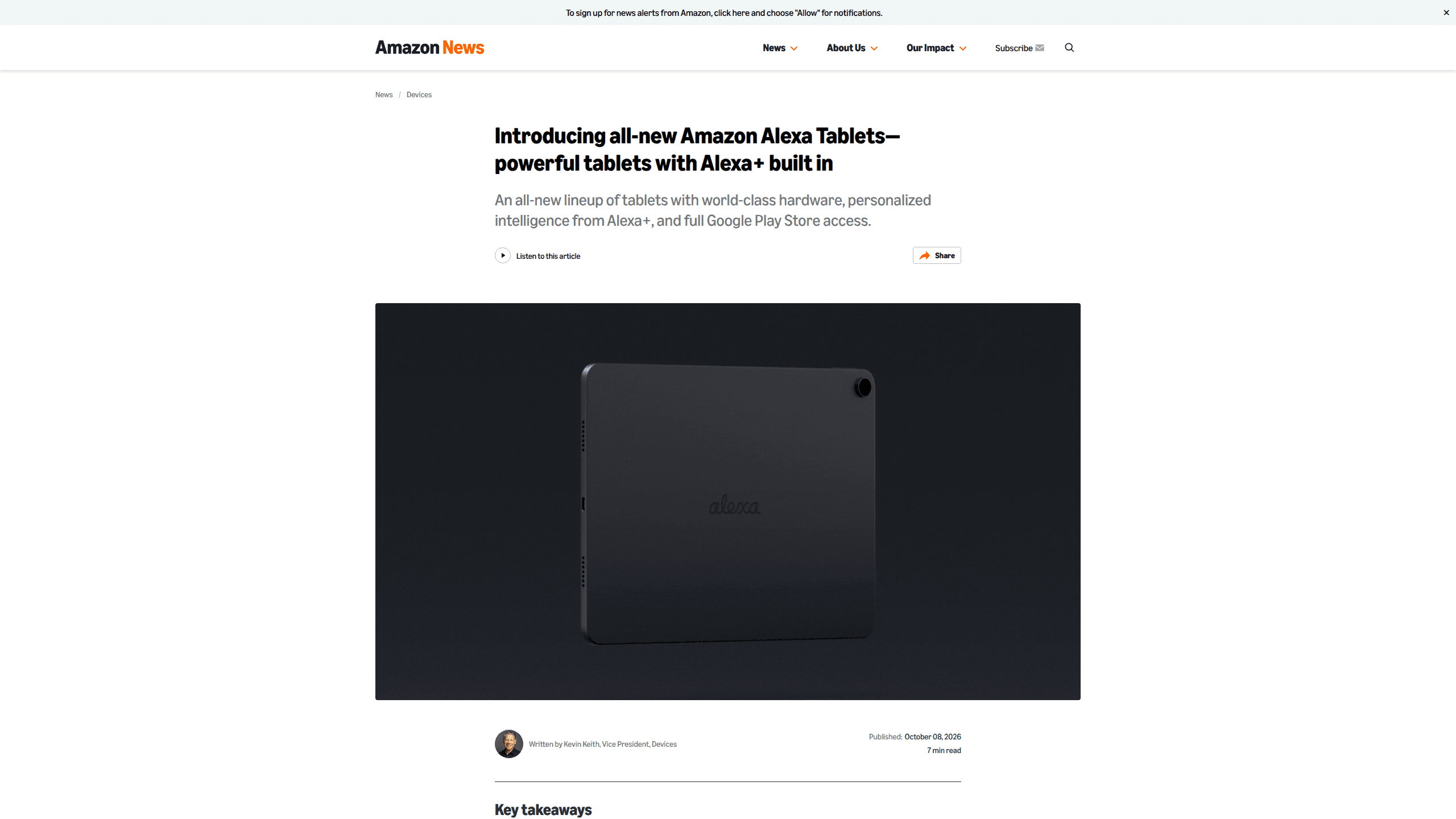
Amazon Alexa Tablets are Android tablets in 8.7, 11, and 12-inch sizes with Alexa+ built in, full Google Play access, and a Kindle reading mode. Prices start at $229.99.
About Amazon Alexa Tablets
What Is Amazon Alexa Tablets
Amazon Alexa Tablets is the name Amazon gave its tablet line on October 8, 2026, when it dropped the Fire tablet branding for new hardware. Three models ship under it: the Alexa Tablet 8, the Alexa Tablet 11, and the Alexa Tablet 12 Pro. All three run Android with the full Google Play Store, so YouTube, Netflix, Gmail, and Google Docs install the same way they would on any other Android tablet.
That is the real break from the past. Fire tablets pushed Amazon's own app store and left buyers hunting for sideloaded APKs whenever an app was missing. The Alexa tablets keep Amazon's apps, including Prime Video, Kindle, Audible, Amazon Music, and Luna, and add Google's store on top.
Alexa+ sits at the center of the software, which is why Amazon sells the lineup as an AI tablet rather than a media player. It answers from a wake word or an on-screen button, and the home screen builds a For You feed and a Dynamic Tab around what you watched, read, or played last. Alexa+ is a Prime benefit, so the assistant costs members nothing extra. Buyers without Prime still get a working Android tablet, just without most of the assistant features that make this lineup different.
Getting Started
- Confirm your Amazon Prime membership. Alexa+ comes with Prime, and the tablet asks for an Amazon account during setup.
- Pick a size. The 8 starts at $229.99 with 4GB of RAM, the 11 at $329.99 with 8GB, and the 12 Pro at $499.99 with 8GB and 128GB of storage.
- Sign in with your Amazon account, then add a Google account the first time you open the Play Store.
- Set up Alexa by saying the wake word and following the prompts. On-Screen Intelligence stays off until you enable it in Settings.
- Install your apps, then open the Kindle app to see the reading mode switch on by itself.
Product Information
A quick look at Amazon Alexa Tablets's pricing, supported platforms, and performance.
Best for
The users, tasks, and scenarios where this tool fits best.
Users
- Readers who want one device for books and apps
- Households already on Prime
- Students who live in Google Workspace
- Travelers who read more than they type
Tasks
- Reading and annotating books
- Streaming video
- Working in split windows
- Controlling lights, locks, and thermostats
Scenarios
- A shared living room tablet that also works as a smart display.
- A commute or a long flight where you want a book and a browser in one device.
- A desk setup where the 12 Pro covers writing, email, and video calls without a laptop.
Key features
Alexa+ on the home screen
Alexa+ is not a separate app you open and close. On an Alexa+ tablet, say the wake word or tap Ask Alexa and the assistant appears over whatever is running, answers a question, and disappears without losing your place. The home screen also uses your activity to fill a For You feed and a Dynamic Tab with the book, show, or game you left unfinished.
On-Screen Intelligence and live sessions
On-Screen Intelligence lets Alexa read the current screen and answer questions about it. Pull up a hiking list and ask which trail suits you, or open a game schedule and tell her to add every date to your calendar; she works from the page and flags conflicts. A live session keeps the conversation open after the first question, with no wake word between turns. Both features are opt-in, and a visual indicator stays on while Alexa can see the screen.
Full Google Play Store
This is the change Fire tablet owners asked for. The Play Store brings millions of Android apps, including the ones Amazon's own store never carried or carried late. Google Docs, Chrome, Slack, and mobile games install normally. Amazon's apps come preinstalled, so the tablet opens with Prime Video, Kindle, Audible, Amazon Music, and Luna already in place.
Kindle reading mode
Open a book in the Kindle app and the tablet turns into an e-reader. Notifications go silent, blue light drops, and battery life stretches to about 20 hours. Three display themes set the tone, from a warm color page to a soft paper tone to plain grayscale. On the 12 Pro, the Pro Pen handles highlights, underlines, and margin notes, and those annotations sync across Kindle apps on supported devices.
Three sizes, one aluminum body
The lineup covers a $229.99 reader and a $499.99 work tablet without changing the basic design. The 12 Pro has a 12-inch, 280 PPI screen at 120Hz with a 3:2 shape that leaves more room for documents. The 11 uses a 2.5K panel at 276 PPI with a 90Hz refresh rate and a 16:10 frame built for video. The 8.7-inch model weighs 329g at 7.95mm thick and runs up to 14 hours of video on a charge.
Nanomatte display on the 12 Pro
The $549.99 Nanomatte version of the 12 Pro etches an anti-glare texture into the glass at the pixel level instead of sandblasting the surface. Text stays sharp, colors hold up in bright rooms, and reflections drop enough to read outdoors. The finish also gives the Pro Pen some friction, so writing feels closer to paper than glass.
Pro Pen and Pro Keyboard
The 12 Pro is the only model with accessory support, and both add-ons cost extra. The Pro Pen is a USI 2.0 stylus with 4,096 pressure levels, tilt detection, magnetic charging, and a $89.99 price. The Pro Keyboard attaches through pogo pins with no Bluetooth pairing and turns the tablet into a small laptop with a trackpad for $149.99.
Pros and cons
Pros
- Full Google Play access closes the app gap that made Fire tablets frustrating for years.
- Alexa+ costs Prime members nothing extra and works on top of other apps instead of replacing them.
- The 12 Pro matches premium Android tablets on screen and memory, with 16GB of RAM on its top configuration.
- Kindle reading mode turns the tablet into an e-reader, so a second device stays at home.
- Three sizes cover a $229.99 reading tablet and a $499.99 machine for work.
Cons
- The entry price is more than double the Fire HD 8, which sold for $99.99.
- Alexa+ depends on Prime, and the launch covers only a handful of countries at first.
- The keyboard and pen together add $239.98 to a 12 Pro purchase.
- The 8 and 11 start with 64GB of storage and have no pen support.
Frequently asked questions
Yes. All three models ship with the full Google Play Store, so apps like YouTube, Netflix, Gmail, Chrome, and Google Docs install and update like they do on any Android tablet. Amazon's own apps come preinstalled alongside them.
Related content
Explore related tools, skills, and articles for Amazon Alexa Tablets.
Amazon Alexa Tablets Alternatives
Agibot
Agibot · Productivity · AI Assistant · ChatbotAgibot is a personal AI agent for Mac that keeps running after you close the window, runs routines on a schedule, and works from Telegram or Slack with your own API keys.

Foley
Hanamori Labs, LLC · Voice & Language · Productivity · AI AssistantFoley is a voice to-do list that turns a spoken sentence into a filed task, complete with project, date and time, then helps you plan the day around what is already there.

Ghost Core
Ghost · Productivity · AI AssistantGhost Core is a $3,499 screenless personal AI computer that runs local AI models on its own hardware, builds context from your apps and devices, and acts without waiting for a prompt.