

Amigo AI
Tirupati Balan · Business
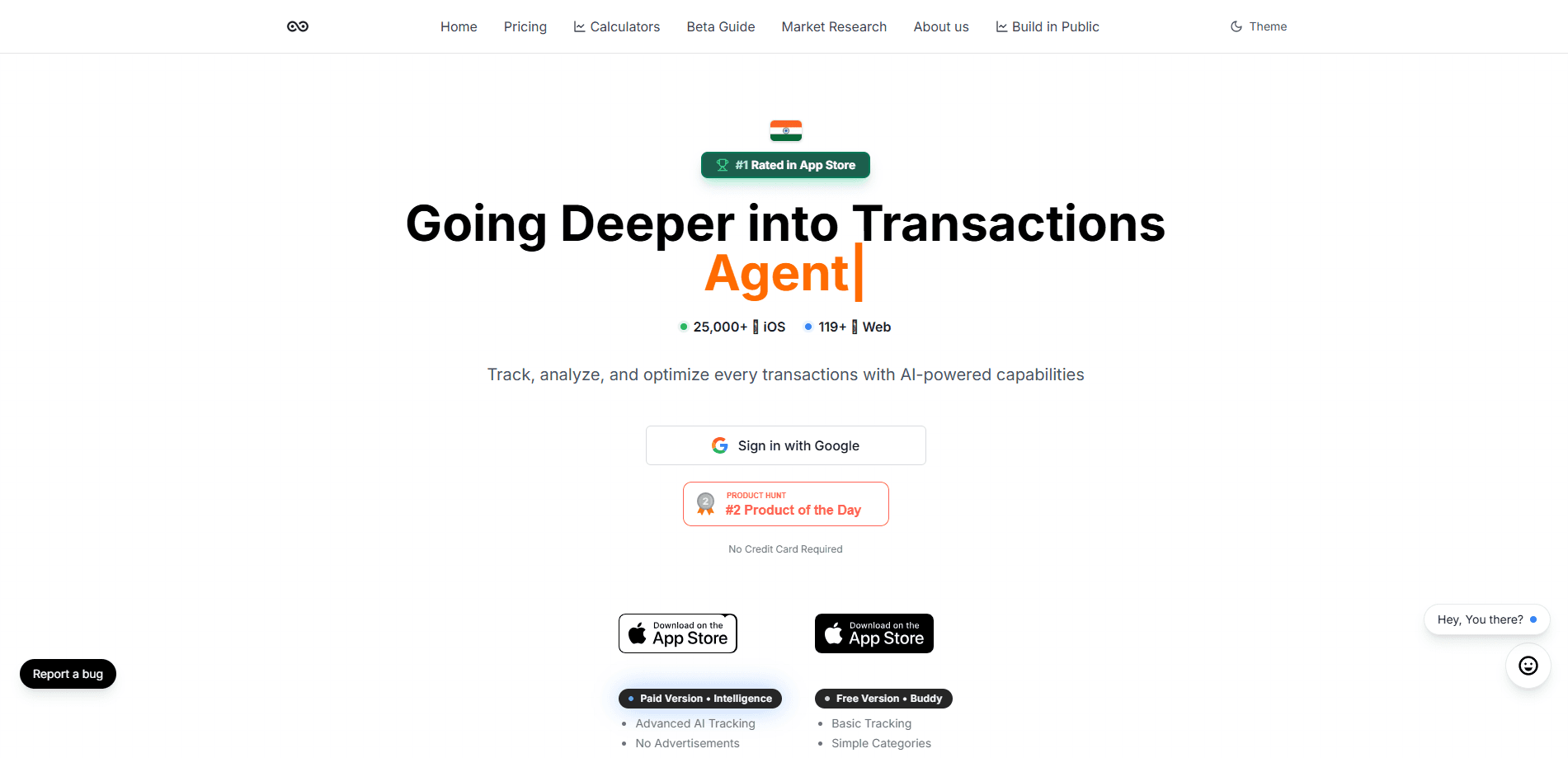
Amigo AI is a personal finance app for iPhone, iPad, and Apple Watch that reads your bank statements, sorts every transaction, and turns the mess into a budget you can actually follow. It runs your spending data through Gemini 1.5 Pro, GPT-4o, and Claude 3.5 Sonnet, so the advice you get back is specific to your habits rather than generic tips. It's built for people who want the tracking done for them, and it's free to try with in-app purchases for the deeper planning tools.
About Amigo AI
What Is Amigo AI
Amigo AI is an AI money manager built around one idea: you shouldn't have to do the bookkeeping. Instead of logging every coffee by hand, you import a bank statement and let the app categorize and analyze your income and expenses automatically. The dashboard then shows where your money went, and the AI layer suggests what to change. That matters if you've tried a spreadsheet or a manual expense tracker and quit after two weeks. Most people do. It also carries a real limit worth knowing up front: everything lives inside Apple's world, so there's no Android version, and adding transactions still depends on importing statements rather than syncing live with your bank.
Amigo AI runs on several large language models at once, which is unusual for a budgeting app. It uses Gemini 1.5 Pro for chatting and day-to-day advice, with GPT-4o and Claude 3.5 Sonnet behind the analysis. So what does that get you? You can ask questions about your money and get answers based on your own transactions, not a canned article about saving.
Security is a stated priority. The app says it keeps financial data protected, and because it's iPhone-first you get the usual Apple privacy controls layered on top. I haven't found a detailed public breakdown of exactly where your data is processed. So read the app's own privacy policy before importing anything sensitive. Fair warning.
Getting Started
- Download Amigo AI from the App Store on your iPhone, iPad, or Apple Watch.
- Create your account and open the app, then import a bank statement or financial document to seed your data.
- Let the app auto-categorize your income and expenses, then review the interactive dashboard to see your financial health.
- Ask the AI for insights or a budget plan based on what it found in your transactions.
- Adjust categories and spending targets as you go, and check back weekly to track progress.
Product Information
A quick look at Amigo AI's pricing, supported platforms, and performance.
Best for
The users, tasks, and scenarios where this tool fits best.
Users
- iPhone and iPad owners who want budgeting handled automatically instead of entered by hand
- People who've bounced off spreadsheets and manual expense trackers and want the sorting done for them
- Freelancers and side-hustlers juggling income from several sources who need statement imports to keep everything in one view
Tasks
- Categorizing a month of transactions from an imported bank statement without tagging each one yourself
- Getting a personalized budget built from your actual spending rather than a template
- Asking plain questions like where your money went this month and getting answers pulled from your own data
- Splitting shared costs and tracking debts when you're managing money with a partner or housemates
Scenarios
- Month-end review, when you import a statement and want the picture in minutes instead of an evening
- Getting a second opinion before a big purchase, using AI advice grounded in your real budget
- Keeping an eye on a side income stream without opening a separate app for it
- Checking your finances from your wrist during the day with the Apple Watch companion
Key features
Statement Import and Auto-Categorization
The core of Amigo AI is importing bank statements and financial documents, then letting the app sort every line into income and expense categories on its own. This is what separates it from manual trackers: you do the upload, not the data entry. The payoff is simple. A full month gets organized in one pass instead of an hour of tapping.
AI-Driven Analysis Across Three Models
Amigo AI routes your data through Gemini 1.5 Pro, GPT-4o, and Claude 3.5 Sonnet rather than relying on a single model. Gemini handles much of the conversational advice, while the other two back up the deeper analysis. Three models, one app. For you, the practical result is that questions about your spending come back with answers tied to your actual numbers, not a generic article about budgeting.
Interactive Dashboard
The dashboard visualizes your financial health in an interactive, customizable layout. The headline numbers are right there the moment you open the app. You can shape what it shows to match how you think about money. It's the section you'll check most often, which is why the layout stays adjustable rather than fixed.
Personalized Financial Insights
Beyond charts, Amigo AI gives advice tailored to your transaction history. Tell it your goals and it leans on your real spending to suggest what to change. The difference here is context. A tip about cutting subscriptions lands harder when the app can point to your actual subscriptions.
Budget Planning and Forecasting
The app helps you build budgets and plan ahead based on what you've already spent. It's aimed at forward-looking decisions, like whether a purchase fits this month, rather than just a rearview mirror of last month. That planning angle is where the "advisor" framing comes from. It's a useful shift.
Apple-Only Coverage
Amigo AI runs across iPhone, iPad, Apple Watch, and iMessage, so you can check in without pulling out your phone. Already living in Apple's world? Then there's no second app to babysit. It's also the reason there's nothing here for Android users.
Pros and cons
Pros
- Statement import cuts out manual data entry, which is where most budgeting apps lose people
- Three AI models working together give more grounded answers than a single-model app
- Free to start, with the paid tier reserved for the deeper planning features
- Broad Apple coverage, including Apple Watch and iMessage
- Personalized advice based on your own transactions rather than generic tips
Cons
- iOS only, so Android users are out entirely
- It leans on imported statements rather than live bank sync, which means your picture is only as fresh as your last upload
- Paid plans open up the more useful planning tools, so the free tier is limited
- Public detail on exactly how your financial data is processed is thin, which may matter if you're cautious about sharing statements
Frequently asked questions
It's a personal finance app that imports your bank statements, categorizes your income and expenses automatically, and uses AI to give you insights and budget advice based on your own spending. Think of it as a money manager that does the sorting for you.
Related content
Explore related tools, skills, and articles for Amigo AI.
Amigo AI Alternatives
Liveplan
Palo Alto Software · BusinessLivePlan is business plan software that helps founders and small business owners turn an idea into a funder-ready plan. It combines AI-assisted writing, market research with cited sources, and connected financial forecasting so your income statement, cash flow, and balance sheet move together when you change one number. Over 1.5 million businesses have used it to plan, forecast, and track performance against real accounting data. That's a lot of founders. It's also a signal the tooling survived contact with real lenders.

Swms
Swms AI · Writing · Productivity · BusinessSwms is an AI safety compliance tool that turns a plain description of a job into ready-to-use safety documents. Describe your project, trade, and known hazards, and it writes a safe work method statement, job hazard analysis, safe work procedure, RAMS, or safety data sheet in seconds. It also ships with Oscar, a chat assistant that answers workplace safety questions in any language. Teams in construction, mining, transport, and warehousing use it to cut the paperwork that usually eats into a workday.

Rows
Rows (Superhuman) · Productivity · BusinessRows is an AI spreadsheet and data analysis tool that imports live data from more than 50 sources, then lets you work with it using plain language instead of SQL queries or nested formulas. You can pull numbers out of PDFs, connect ad platforms, databases, and bank accounts, and ask the AI to build reports, merge datasets, or set up models that recalculate themselves. It runs in the browser, works like a spreadsheet, and now sits under the Superhuman umbrella.