

Anifusion
Anifusion · Image
Anifusion is a browser-based AI manga generator that turns plain text prompts into editable comic pages for writers and artists without drawing skills.
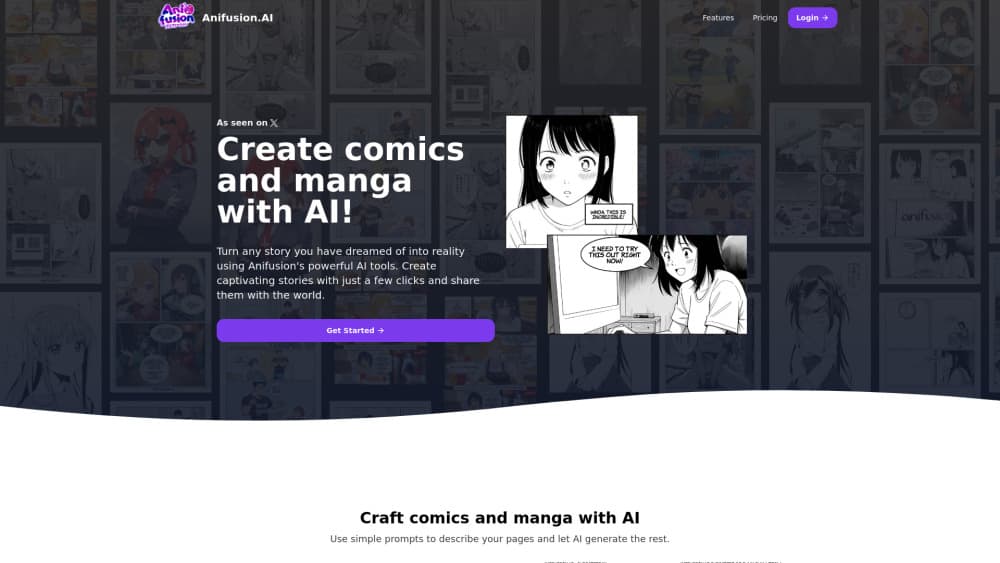
About Anifusion
What Is Anifusion
Anifusion is an online studio for making manga, comics, and webtoons with AI. You describe a scene in plain language, pick a page layout, and the tool drafts the artwork panel by panel, and then you polish those pages inside a built-in canvas editor instead of jumping between separate apps.
The appeal is access. Traditional manga takes years of pen control to look right, and Anifusion skips that gate entirely. It draws on models like AnimagineXL and FLUX to cover colored manga, black-and-white pages, superhero comics, and shounen action, so the visual style follows the story you're telling.
The main limit is control. AI output drifts, and keeping a character looking the same across many pages takes real work even with the character sheets and LoRAs built for exactly that job, which is where beginners tend to lose patience first. Complex layouts can also fight you, and credits burn faster than beginners expect. From what I've seen of the community, patience with retries matters more than talent here.
Getting Started
- Create a free account on the Anifusion site. You get 100 credits to test the tools.
- Open the comic creator and choose a page layout from the presets, or build a custom grid with the split and duplicate tools.
- Describe each panel in plain language, pick a model and style, then generate the art.
- Refine the pages in the canvas editor: adjust panels, add speech bubbles, and set vertical or horizontal text with manga fonts.
- Export at high resolution, or publish the finished comic to the community gallery.
Product Information
A quick look at Anifusion's pricing, supported platforms, and performance.
Best for
The users, tasks, and scenarios where this tool fits best.
Users
- Writers with no art skills
- Hobbyist manga fans
- Webcomic and webtoon creators
- Small studios and indie teams
Tasks
- Text to manga conversion
- Character reference building
- Panel layout design
- Lettering and speech bubbles
Scenarios
- Adapting a short story or fan script into a finished comic page for a first draft.
- Producing a weekly webtoon episode without a drawing tablet.
- Pitching a comic concept with sample pages before committing to full art.
- Learning comic pacing by experimenting with layouts and reading direction at low cost.
Key features
Text to Manga
Type a scene in everyday language and Anifusion, working as an AI comic creator, generates the art for each panel. You can work right to left for traditional tankobon pages or left to right for webcomics, which matters because reading direction changes how you place your whole story and how readers move through each page.
Flexible Panel Layouts
The layout creator works as a comic panel generator, shipping with panel presets plus a set of manual tools: horizontal and vertical splits, panel duplication, and removal. Bigger panels draw the eye, so you can size a dramatic reveal large and keep quick dialogue beats small. Custom grids suit creators who already publish and want a house style.
Built-in Canvas Editor
Everything happens in one browser tab. You paint, inpaint, and iterate on an infinite canvas, move panels around, and fix details without exporting to another program. It removes the file-shuffling that slows down a multi-tool workflow.
Manga Lettering and Fonts
Anifusion handles vertical text and a range of popular manga fonts, with different text styles and effects. That's the part most AI art tools skip, and it's often what makes a page read like an actual manga instead of a gallery of images.
Character Sheets
The tool generates reusable character references, including six-view sheets. These cut visual drift, the problem where your hero's face changes between pages. You still need to review each page, but it gives you a fixed target to compare against.
Multiple AI Models and Styles
You can generate with models like AnimagineXL and FLUX, across colored manga, black-and-white pages, superhero, and shounen looks. A handful of LoRAs add more control, and comparing model results lets you settle on a direction before you burn credits. It doubles as a solid anime art generator when you just want character or scene art rather than a full page.
AI Webtoon Creator
A separate webtoon mode builds vertical scroll comics with full-color panels and mobile-ready layouts. It targets the fastest-growing comic format, so creators aiming at phone readers don't have to crop horizontal pages by hand.
Video and Animation
Beyond static pages, this manga maker includes a video generator for animating your artwork, plus sketching tools. It's a bonus rather than the core job, but it saves a trip to another app if you want motion.
Pros and cons
Pros
- Runs entirely in a browser, so you don't need a drawing tablet or installed software, and you can pick up a draft on any machine you're signed into.
- Manga-specific tools like panel presets, vertical text, and character sheets beat generic image generators for comic work.
- Free tier with 100 credits lets you judge the output before paying.
- Unused credits never expire on paid plans, so a slow month doesn't waste your money.
- Commercial use is included on paid plans, subject to the rights you hold in your inputs.
Cons
- Output is inconsistent. Characters and details drift between panels, so expect to regenerate often.
- Credits run out fast. A single image costs 5-100 credits depending on the model, which can surprise heavy users.
- No public API, so you can't plug Anifusion into an automated publishing pipeline.
Frequently asked questions
It's an AI manga generator for turning written scenes into illustrated comic pages, then editing them in the browser. It also covers webtoons, anime art, and short animations, and it's aimed at people who want finished-looking pages without learning to draw.
Related content
Explore related tools, skills, and articles for Anifusion.
Anifusion Alternatives

Google EmbeddingGemma 2
Google DeepMind · Writing · Image · CodingGoogle EmbeddingGemma 2 is a 740M-parameter open model that turns text, code, images, audio, and video frames into vectors in one 768-dimension space, running on phones and laptops.

Tractionwave
TractionWave · Image · MarketingTractionWave is an AI attention heatmap tool for static ads. Upload a PNG or JPG and it returns predicted attention, ranked hotspots, and fixes before you spend budget.

Imejis.io
Imejis.io · Image · MarketingImejis.io is an AI design studio for agents and marketing teams. Describe an image in plain words, and it writes the copy, builds the layout, reflows it to every size, then exports a finished file.