

AnimeGen
AnimeGen · Image
AnimeGen is a free AI anime image generator that turns text prompts or photos into anime art for hobbyists and creators.
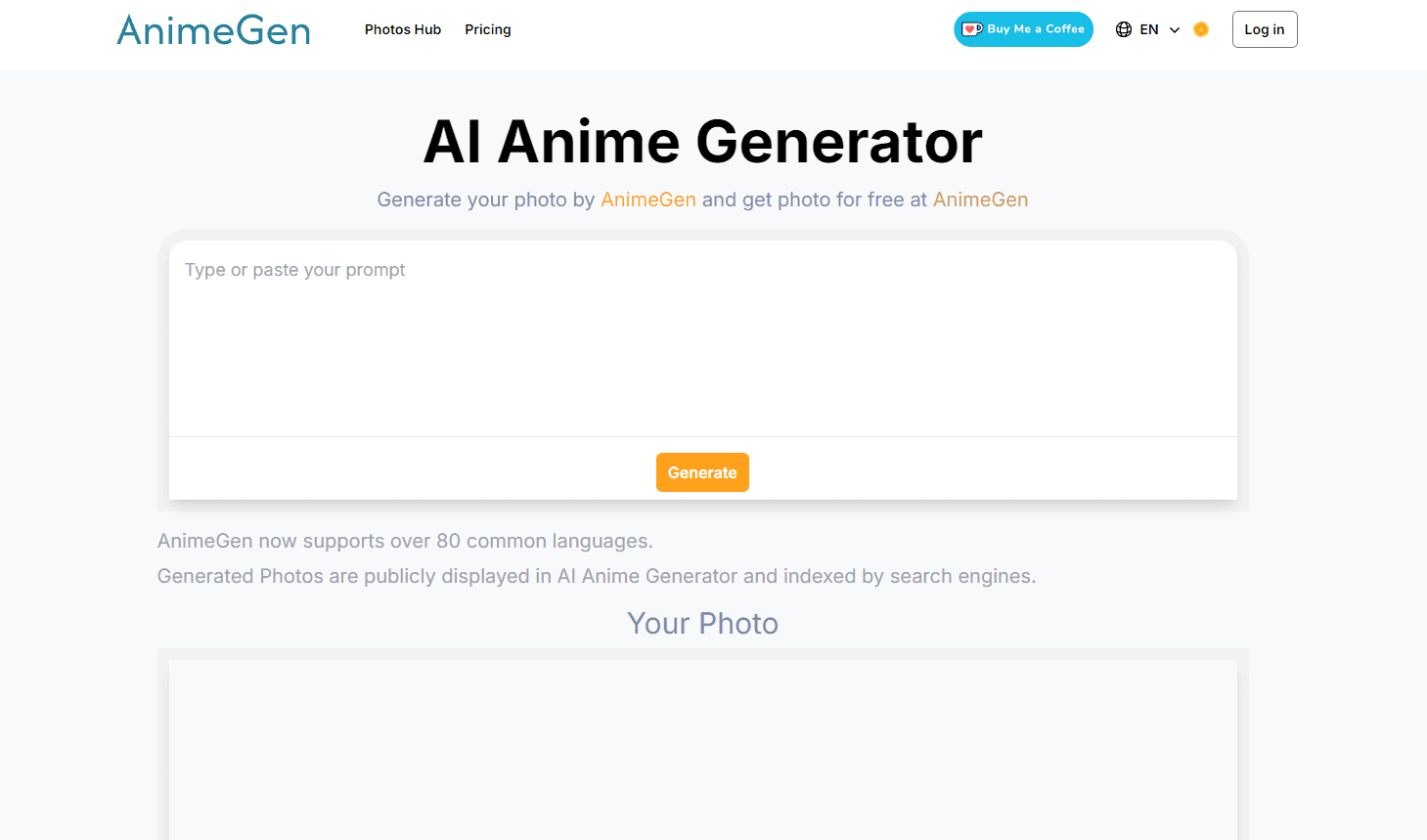
About AnimeGen
What Is AnimeGen
AnimeGen is a browser-based AI anime generator that converts written descriptions into anime-style images. You type a prompt, pick a model and an aspect ratio, and the service returns a finished picture in seconds. The same site also hosts a photo to anime converter, so you can redraw an existing photo instead of starting from text.
The tool targets casual creators who want anime art without drawing skills. Character design, avatars, wallpapers, and short anime videos all run through dedicated pages under the same account and credit pool. One subscription covers everything, not just the core generator.
The main limits are credits and content rules. Free users get 10 credits at signup, and every generation costs credits that vary by model, so heavy use pushes you into a paid plan fast. The service also blocks NSFW and rights-infringing content, and generated files are auto-deleted within 24 hours. Download anything you want to keep, or it's gone.
Getting Started
- Sign up or log in at aianimegen.org to claim 10 free credits.
- Open the AI anime generator page and write a prompt that combines subject, style, lighting, and environment.
- Choose a model and an aspect ratio such as 1:1, 2:3, 9:16, or 16:9.
- Generate the image and check the credit cost shown in the menu before you confirm.
- Download the result within 24 hours, then upgrade to a paid plan if you need more credits.
Product Information
A quick look at AnimeGen's pricing, supported platforms, and performance.
Best for
The users, tasks, and scenarios where this tool fits best.
Users
- Hobbyist artists
- Social media creators
- Game and story designers
Tasks
- Turning a photo into anime art
- Writing prompts for consistent characters
- Making wallpapers
Scenarios
- Last-minute profile pictures
- First-draft character concepting
- Quick promo visuals
Key features
Text to Anime Generation
You describe a scene in plain words and AnimeGen draws it in anime style. Strong prompts mix subject, style, lighting, and environment, and those tend to come out more consistent. Planning beats one-word inputs here. It's the difference between a usable draft and a reroll.
Photo to Anime Converter
Upload a photo and the converter redraws it as anime art while keeping the subject and pose. It works best on clear faces with good lighting and simple backgrounds, and it handles the whole conversion in seconds once the upload finishes. Group shots often fall flat, and heavy filters don't help either.
Multiple Models and Aspect Ratios
Different models trade speed, quality, and credit cost, and you pick one before you generate. Aspect ratios include 1:1, 2:3, 3:2, 4:5, 9:16, and 16:9. That covers icons, portraits, and widescreen scenes, so you can frame a square avatar and a wide banner without leaving the same prompt box or learning a second tool for each format.
Dedicated Anime Tools
Beyond the core generator, AnimeGen bundles an anime character generator, avatar maker, wallpaper tool, cartoon generator, and a text to anime video feature. Each runs its own tuned workflow, so you don't have to fight a single generic engine for every job. Pick the tool, not the model.
Commercial Use Rights
Images you generate can be used commercially as long as your use follows the terms and local law. You keep rights to your generated files, which matters if you sell prints or use the art in client work. Read the terms first.
Credit-Based Pricing
Every account runs on credits, and each model shows its cost before you generate. Paid tiers start at 400 credits a month on Starter and climb to 3,000 on Ultra, so a casual user and a heavy user both land on a tier that roughly matches how much art they actually make each month. Scale the spend to the output you need. Nothing hidden.
Pros and cons
Pros
- Free 10 credits at signup let you test models and styles before paying.
- One credit pool covers the generator, avatars, wallpapers, and video.
- Commercial use is allowed for generated images under the terms.
- Flexible aspect ratios support icons, portraits, and widescreen scenes.
Cons
- Only 10 free credits, so real testing pushes you to a paid plan quickly, and a single afternoon of experimenting with several models can burn through the whole allowance before you've settled on a favorite style.
- Generated files are deleted within 24 hours, so you must download them fast or lose them.
- Model and content restrictions block NSFW and rights-infringing prompts, which limits some creative directions.
Frequently asked questions
AnimeGen turns text prompts or uploaded photos into anime-style images. It also hosts avatar, wallpaper, character, cartoon, and short anime video tools, all under the same account and the same credit pool, so there's no separate signup when you switch between them.
Related content
Explore related tools, skills, and articles for AnimeGen.
AnimeGen Alternatives

Google EmbeddingGemma 2
Google DeepMind · Writing · Image · CodingGoogle EmbeddingGemma 2 is a 740M-parameter open model that turns text, code, images, audio, and video frames into vectors in one 768-dimension space, running on phones and laptops.

Tractionwave
TractionWave · Image · MarketingTractionWave is an AI attention heatmap tool for static ads. Upload a PNG or JPG and it returns predicted attention, ranked hotspots, and fixes before you spend budget.

Imejis.io
Imejis.io · Image · MarketingImejis.io is an AI design studio for agents and marketing teams. Describe an image in plain words, and it writes the copy, builds the layout, reflows it to every size, then exports a finished file.