
AnimeGenius - Anime AI Generator
Live3D · Image · Other
AnimeGenius is a browser based AI anime art generator from Live3D that turns prompts, photos and sketches into anime images and short videos. It offers 800+ models and free daily credits.
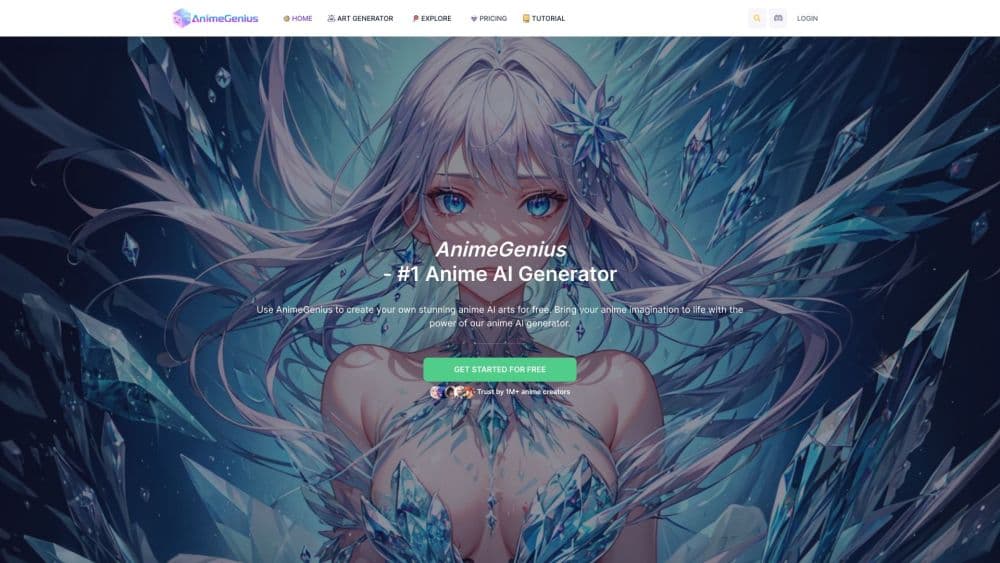
About AnimeGenius - Anime AI Generator
What Is AnimeGenius
AnimeGenius is Live3D's web app for making anime style pictures without drawing skills. You describe the scene, pick a model, and the site returns a finished illustration in seconds. The same account also handles photo conversion, sketch coloring and short animation clips, so one workspace covers most fan art jobs.
The library leans on community trained models and LoRAs. That's why output can follow a specific show's line work or a painterly look instead of one house style. For most users, that range matters more than raw resolution.
Credits decide everything here. Every job pulls from a shared balance, video work costs far more than stills, and the model you pick changes both price and result. New users tend to burn their first allowance testing models rather than making art.
Getting Started
- Open animegenius.live3d.io and sign in with an email account or Google.
- Pick a generator from the menu: text to image, image to image, pose to image, or one of the video tools.
- Choose a model or LoRA, then write a prompt that covers subject, outfit, framing, lighting.
- Set the resolution and aspect ratio, then generate. Free accounts wait in a slower queue.
- Save the result to your gallery, upscale it with the AI anime upscaler, or send it to the video tool.
Product Information
A quick look at AnimeGenius - Anime AI Generator's pricing, supported platforms, and performance.
Best for
The users, tasks, and scenarios where this tool fits best.
Users
- Anime fans with no drawing experience
- Fan artists testing a direction
- Hobbyist character designers
- Small creators on a budget
Tasks
- Character concept art
- Photo to anime portraits
- Sketch cleanup and coloring
- Short looping animations
Scenarios
- Planning a cosplay
- Filling a fan wiki or Discord server with original art
- Quick visual mockups for a tabletop campaign
Key features
800+ Models and LoRAs
The model list is the core of the product. It mixes general anime checkpoints with narrow LoRAs for uniforms, pixel art, tattoo flash and specific character archetypes. Switching models changes line weight, shading, anatomy habits, which is the fastest way to find a look that matches a reference image.
Text to Image Generation
Type a prompt, choose an aspect ratio, and the anime AI generator returns four variations per batch on most models. Prompt weight and negative prompt fields are exposed for people who want to steer composition, while beginners can leave them alone and still get a usable frame.
Photo to Anime and Sketch Coloring
Upload a photo and the image to image mode redraws it in an anime style. The same tool colors rough sketches, converts anime art back toward realism, and applies pose transfer from a reference figure. Results hold up best when the source photo has one clear subject and even lighting.
Pose to Image
Pose to image lets you set a skeleton or upload a reference figure, then generate a character in that stance. It's the feature that solves the stiff standing pose problem common in prompt only workflows. Character sheets and action shots become practical without hand editing.
Anime Video Tools
Four video modes cover image to video, text to video, reference to video and video to video. Clips run a few seconds and work best when the prompt describes one simple movement, such as hair moving in wind or a slow camera push. Longer sequences need stitching in an editor.
Realtime Painter and AI Upscaler
Realtime Painter converts doodles into anime art as you draw, which makes it a fast sketching surface for shape ideas. The upscaler raises a finished image to print friendly sizes and sharpens line work. Both tools run on the same credit balance as generation.
Pros and cons
Pros
- The model library is unusually deep for a browser tool, and most styles cost the same to try.
- A free tier with daily credits lets you judge output quality before spending money.
- Photo, sketch, pose and video tools sit in one account, so you don't juggle separate subscriptions.
- The interface stays close to Stable Diffusion conventions, which helps anyone who has used similar tools.
- Paid plans start at $9 per month, low enough for hobby use.
Cons
- Credit costs shift with model, resolution and video length, so estimating a project budget takes trial and error.
- Free users sit in a slower queue, and peak hours can mean long waits for a single batch.
- Video generation drains credits quickly, which makes the $9 plan impractical for animation work.
- There's no native mobile app, so phone users depend on the mobile browser layout.
Frequently asked questions
Yes. A free account gets 50 credits per day, refreshed at 00:00 UTC, and access to the full model library. The tradeoff is a slower generation queue and no monthly credit pool.
Related content
Explore related tools, skills, and articles for AnimeGenius - Anime AI Generator.
AnimeGenius - Anime AI Generator Alternatives

Google EmbeddingGemma 2
Google DeepMind · Writing · Image · CodingGoogle EmbeddingGemma 2 is a 740M-parameter open model that turns text, code, images, audio, and video frames into vectors in one 768-dimension space, running on phones and laptops.

Tractionwave
TractionWave · Image · MarketingTractionWave is an AI attention heatmap tool for static ads. Upload a PNG or JPG and it returns predicted attention, ranked hotspots, and fixes before you spend budget.

Imejis.io
Imejis.io · Image · MarketingImejis.io is an AI design studio for agents and marketing teams. Describe an image in plain words, and it writes the copy, builds the layout, reflows it to every size, then exports a finished file.