

Anki Decks
AnkiDecks · Productivity
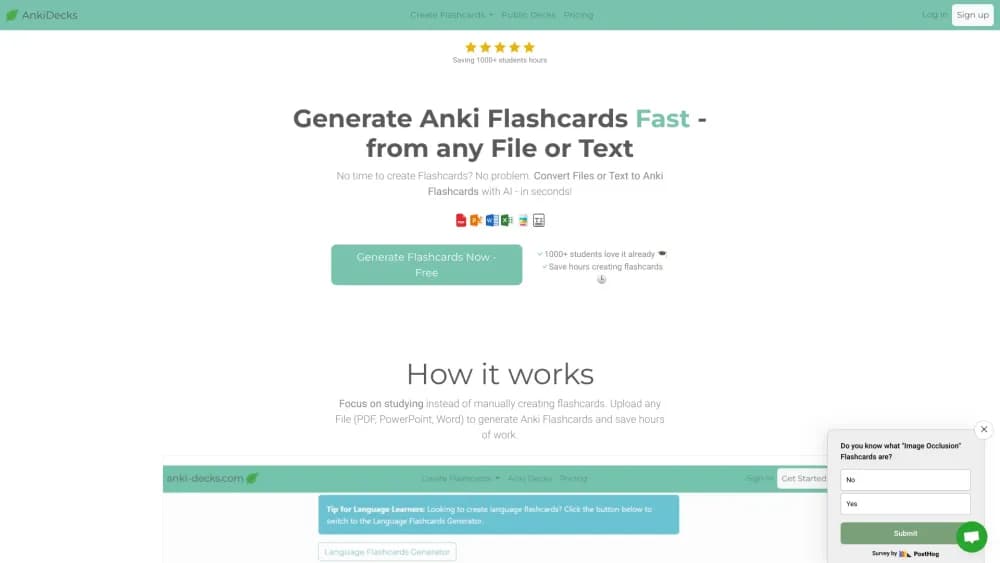
AnkiDecks is an AI flashcard generator that turns PDFs, notes, and YouTube links into Anki decks. Study them in the browser with FSRS or export .apkg files.
About Anki Decks
What Is Anki Decks
AnkiDecks is a web app that builds flashcards from material you already have. You upload a lecture PDF, drop in a Word file, paste a YouTube URL, or type a topic, and the tool pulls out the key facts and writes question-answer, cloze, or multiple choice cards. The output is a deck you can study on the site or send to Anki as a standard .apkg file. PDF to Anki flashcards is the workflow most people come for, with YouTube links and plain text as the other two entries.
The problem it targets is the boring half of spaced repetition. Making cards by hand takes hours, and most students quit before the deck is finished. AnkiDecks shortens that step to a few minutes, which leaves the actual studying as the hard part.
Two limits matter. The AI reads structure well and nuance less well, so decks from dense or image-heavy material need a review pass before you trust them. And the free tier caps you at four deck generations a month, which is enough to test the output but not to run a semester.
Getting Started
- Create a free account at anki-decks.com. No credit card is needed for the free tier.
- Add your source. Upload a file, paste text, drop in a YouTube link, or type a subject you want cards for.
- Pick card types and a language under Options, then start generation. A short document finishes in under a minute.
- Edit anything the AI got wrong, delete weak cards, and rename the deck.
- Study in the browser with the built-in scheduler, or export the deck as .apkg and open it in Anki desktop or mobile.
Product Information
A quick look at Anki Decks's pricing, supported platforms, and performance.
Best for
The users, tasks, and scenarios where this tool fits best.
Users
- Medical and law students
- Language learners
- Students who already live in Anki
- Study groups and tutors
Tasks
- Turning a lecture PDF into Anki flashcards
- Making image occlusion cards for anatomy
- Building cloze flashcards from textbook chapters
- Generating a quiz before an exam
Scenarios
- The week before finals, when notes are complete but cards are not
- Following a recorded course
- Sharing a deck with a study partner
Key features
File In, Deck Out
AnkiDecks accepts PDF, PowerPoint, Word, Excel, EPUB, images, and audio or video files, with a 100MB ceiling per file on Pro. It reads tables and diagrams along with body text, so slide decks and textbook chapters both survive the trip. Handwritten notes work if the scan is legible.
Four Card Types
Question-answer, cloze deletion, multiple choice, and image occlusion all come out of the same generation run. You choose the type under Options before you start, or generate a mixed deck. Most competitors stop at basic question and answer, which is why the image occlusion support gets mentioned in student reviews.
Image Occlusion Cards
Upload a diagram, map, or labeled photo and AnkiDecks finds the labels and hides them, producing occlusion cards you reveal one at a time. This is the feature medical students ask about most, since drawing occlusion masks by hand in Anki is slow and fiddly. It handles roughly 250 images a month on Pro.
YouTube to Flashcards
Paste a public YouTube URL and the app transcribes it, picks out the main concepts, and writes cards with timestamped references back to the video. Lectures, documentaries, and language lessons all work. Videos run up to 20 minutes on Pro and 60 minutes on Ultimate.
Built-In FSRS Study Mode
You don't need Anki installed to review. The site runs its own spaced repetition study app on the FSRS algorithm, the same scheduler Anki now ships, and tracks due cards, retention, and daily progress. Quizzes are unlimited on every plan, including Free.
One-Click Anki Deck Export
Every deck exports as a .apkg file that opens in Anki desktop, AnkiDroid, and AnkiMobile. The free plan keeps export, so nothing you build is locked to the platform. Decks also stay in your library if you downgrade, which softens the risk of starting on a paid tier.
Shared Deck Library
More than 100,000 public decks sit in the library, covering anatomy, pharmacology, law, languages, and history. You can save one to your account, clone it, or export it. You can also publish your own decks as public, private, or link-only.
Pros and cons
Pros
- Card generation from a real file takes a minute or two, which is the difference between finishing a deck and abandoning it.
- Image occlusion is automated, so anatomy and map decks don't need manual mask drawing.
- Export to .apkg works on the free plan, so you can test the output before paying.
- The built-in FSRS scheduler means no second app if you just want to review in a browser.
- More than 50 output languages, including Chinese, Japanese, Arabic, and Russian.
Cons
- The free plan allows 4 deck generations a month and 10-page documents, so most real coursework needs a paid tier within days.
- Generated cards need editing. Slide titles and headers sometimes become questions, and the fix is manual.
- Card order can shuffle on export to Anki, so you may need to sort by creation date in the card browser.
- There's no native App Store or Google Play app. On mobile you install it as a PWA from the browser, which some users find awkward.
Frequently asked questions
Yes. The free tier covers 4 deck generations a month, documents up to 10 pages, 50 AI image occlusions, and unlimited studying and quizzes. Pro costs $7.99 a month or $5 a month billed yearly, and Ultimate is $20 a month or $12 a month billed yearly.
Related content
Explore related tools, skills, and articles for Anki Decks.
Anki Decks Alternatives

Udon
Udon · Coding · ProductivityUdon turns an Apple Silicon Mac into a home server you run from a browser, with container controls, file shares, and an optional AI sysadmin.

offstage
offstage cloud · Coding · Productivityoffstage gives AI coding agents and CI jobs a real Mac: a fresh macOS account on Apple silicon, driven over an API and billed by the second.

BotBus
Chengdu Tuyang Tusen Technology Co., Ltd. · Coding · ProductivityBotBus lets you control AI coding agents from your phone and watch: approve commands, start tasks and read results while the code stays on your desktop.