

Anyoneswap
Anyoneswap · Image · Video
Anyoneswap is a browser-based AI face swap tool that puts one face onto photos, videos, and GIFs. Upload a file, pick the face to swap, and download the result. Free credits cover a couple of swaps.
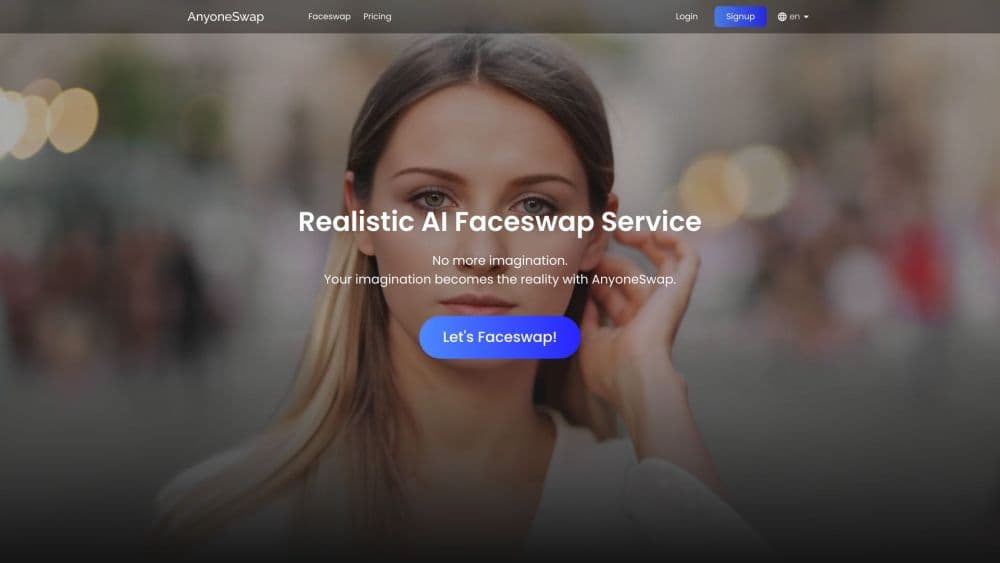
About Anyoneswap
What Is Anyoneswap
Anyoneswap replaces a face in a file you already have with a face you choose. As a face swap online tool, it works on photos, short videos, and GIFs, and it runs in a browser tab, so there's nothing to install. The company positions it as a low-cost alternative to other face swap services, and the pricing page backs that up: a monthly plan costs less than most competitors charge for a week of access.
The appeal is the shortcut. Manual retouching takes an afternoon and a fair bit of skill. Anyoneswap hands the whole swap to a model and returns a finished file in about a minute.
Two limits shape the experience. Length and size caps are strict: video up to 500MB and 100 seconds, images up to 50MB, GIFs up to 100MB and 10 seconds. And every swap burns credits, with 2 free credits to start and paid credit packs on top. Uploads and results also disappear from your account after 7 days, so save anything you want to keep.
The service bans NSFW output outright, and its terms restrict accounts to users 18 and older. That matters if you plan to put deepfake content into marketing, since the site pitches virtual models and promo images as core uses.
Getting Started
- Go to anyoneswap.com and sign up with an email address or a Google account. New accounts get 2 free credits.
- Open the Faceswap page and upload your file. Photos, videos, and GIFs are accepted up to the size and length caps listed on the upload screen.
- Choose the face. The tool detects faces in the upload, and you either pick one from the detected faces or add your own face image.
- Run the swap and wait. Processing takes about a minute, and the result lands in your My Results tab.
- Save the file before it expires. Downloads are available for 7 days, after which the asset is removed from your account.
Product Information
A quick look at Anyoneswap's pricing, supported platforms, and performance.
Best for
The users, tasks, and scenarios where this tool fits best.
Users
- Social media creators
- People making private jokes and edits
- Marketing teams building a virtual model
Tasks
- Swapping a face into a short video
- Replacing a face in a group photo
- Making a face swap GIF
- Testing an idea before paying
Scenarios
- Quick content for a weekend post
- Building a steady stream of promo images
- Swapping faces on a phone during a shoot
Key features
Photo, Video, and GIF Face Swap
One editor handles all three formats. You upload a JPG or PNG, an MP4, or a GIF, and the same pick-and-confirm flow runs each time. Video is the interesting part: the model tracks the face across frames so expression and head motion stay in sync. Expect the best results from clips where the subject faces the camera. Profiles, heavy motion blur, and hands covering the face are where swaps start to look off.
Multiple Face Swap in Group Shots
On a group photo, the tool detects every face it can find and lets you map new faces onto each one. That's useful for family portraits, team photos, or any shot where you want to recast several people at once. Assigning faces still takes clicks: you match each detected face to a source image yourself rather than letting the AI guess.
Built-In Face Detection and Face Library
You don't crop or align anything by hand. Anyoneswap finds the faces in your upload and shows them as selectable thumbnails. You can add your own face image to be reused across projects, which is handy for anyone building a consistent character. Saved faces sit in My Assets, next to the uploads you're working with.
Credit-Based Pricing
Credits are the unit of everything. Free accounts get 2, enough to see whether the output suits you. After that you buy credit packs, and with Anyoneswap pricing, the per-credit cost drops as packs get bigger. A monthly subscription bundles 80 credits at $9.99 for the first month, which works out cheaper than buying small packs one at a time.
Browser-Only Workflow
There's no desktop download and no mobile app. The whole tool lives in a web page that adjusts to phone screens, which means you can start a swap on a laptop and pick the result up on a phone. Nothing runs locally, so a slow connection is the main thing that gets in the way.
Pros and cons
Pros
- Handles photos, videos, and GIFs in one tool, so you don't need separate apps for each format.
- Runs in any browser with no install, which makes a quick swap on a phone realistic.
- The first month of the subscription is half price, and credit packs scale down in cost per credit as they grow.
- Multiple face swap covers group shots, a feature several competitors charge extra for.
- Upload limits are generous for social clips: 500MB and 100 seconds cover most short-form video.
Cons
- Files and results are deleted after 7 days, so anything you want long-term needs downloading right away.
- There's no API, which rules it out for anyone automating swaps inside their own product.
- Video length and file size caps are firm, and longer videos have to be cut into chunks by hand.
- Quality depends on the source footage: profiles, motion blur, and covered faces produce weak results, and retries cost credits.
Frequently asked questions
Anyoneswap puts a face you choose onto a photo, video, or GIF you upload. It detects the faces in the file, you pick which one to replace, and the AI produces the edited version. People use it for social clips, group photo edits, and synthetic model images for marketing.
Related content
Explore related tools, skills, and articles for Anyoneswap.
Anyoneswap Alternatives

Google EmbeddingGemma 2
Google DeepMind · Writing · Image · CodingGoogle EmbeddingGemma 2 is a 740M-parameter open model that turns text, code, images, audio, and video frames into vectors in one 768-dimension space, running on phones and laptops.

Tractionwave
TractionWave · Image · MarketingTractionWave is an AI attention heatmap tool for static ads. Upload a PNG or JPG and it returns predicted attention, ranked hotspots, and fixes before you spend budget.

Imejis.io
Imejis.io · Image · MarketingImejis.io is an AI design studio for agents and marketing teams. Describe an image in plain words, and it writes the copy, builds the layout, reflows it to every size, then exports a finished file.