

Arc
Rethink · Productivity · AI Assistant · Chatbot
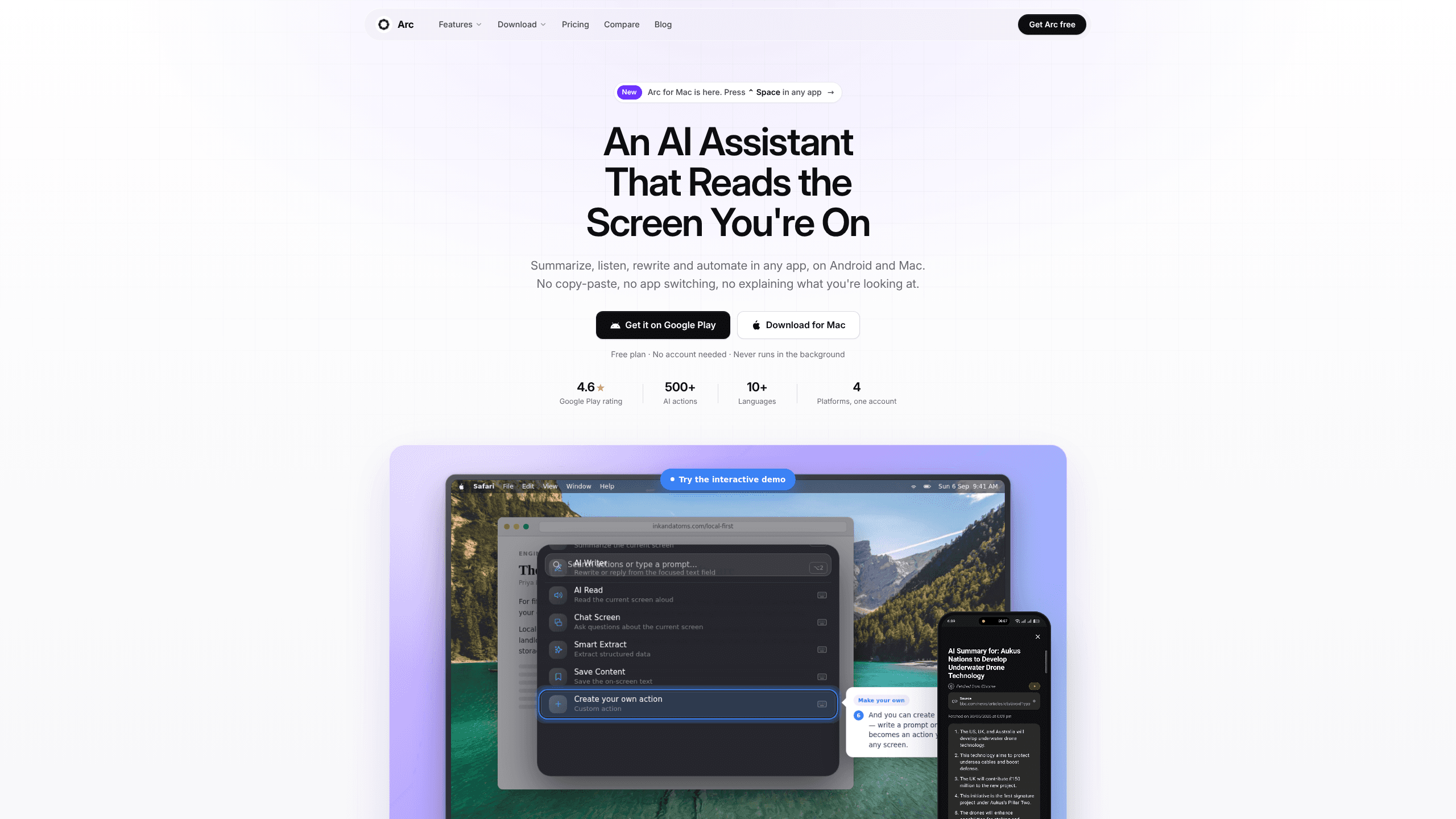
Arc is an AI screen assistant for Android, Mac and Windows that reads whatever is on your screen, then summarizes, reads aloud, rewrites or answers questions about it without copy and paste.
About Arc
What Is Arc
Arc is a screen reading assistant that works on top of other apps instead of beside them. On Android it's a floating sidebar over every app. On Mac and Windows it's a panel that opens with Control+Space (Ctrl+Space on Windows) over any window. It reads the current screen and acts on it: summarize, read aloud, rewrite, chat, extract.
Chatbots make you carry the context to them. You select text, copy it, switch apps, paste, explain what you're looking at, then copy the answer back. Arc skips that loop because the screen is already in front of it. Ask it to explain an error on a settings page and the answer refers to that page.
The limits matter too. The free plan allows 7 requests a week on the basic features, enough to test the idea and not much more. Premium lifts the cap and adds chat, text to speech and workflow automation. iPhone is still in development, so iOS users can't join yet. Arc also reads the screen only when you tap an action. If you want an assistant that pipes up on its own, this isn't that product.
Getting Started
- Install the Android AI assistant from Google Play, download the Mac DMG, or get the Windows build from the Microsoft Store. You can start as a guest with no account.
- Grant the permissions Arc asks for. On Android that means Accessibility Service, so it can read the text on your current screen, plus Overlay, so the sidebar can draw on top of other apps. On Mac, approve Accessibility; Screen Recording is requested only when an action needs a picture of the screen.
- Open something worth reading and summon Arc. Tap the floating bubble on Android, or press Control+Space on Mac and Windows.
- Pick an action such as AI summary, AI writer or read aloud, then insert the result into the field you were typing in or save it to your library.
Product Information
A quick look at Arc's pricing, supported platforms, and performance.
Best for
The users, tasks, and scenarios where this tool fits best.
Users
- Students
- People who read long documents for work
- Readers working in a second language
Tasks
- Summarizing an article, PDF or thread
- Rewriting a message before you send it
- Listening instead of reading
Scenarios
- Reading on a phone in a queue
- Replying inside Gmail, WhatsApp or Slack
- Turning a work call into notes
Key features
Screen-Aware Summaries
Tap AI summary on an article, a PDF page or a long email thread and Arc returns numbered key points with the title and source app detected. Follow-up questions stay tied to the same screen, so you don't restate what you're looking at. Explain and translate cover more than 10 languages.
Rewrite and Insert in Place
AI writer offers reply intentions and tone options, then writes the result back into the field you were typing in. That works in Gmail, WhatsApp, Slack, or any app with a text box. Grammar fixes and note-to-post drafts follow the same path. An optional Info Vault stores your role, projects and sign-off, and offers them as chips when you write.
Read Aloud with Language Detection
Text to speech runs from the sidebar with natural voices and automatic language detection. Arc summarizes the page first, then the device's own speech engine reads that summary, so the audio step sends nothing extra to a server. It suits commutes, chores, or anyone who finds long text easier to hear than to scan.
Custom Actions and Community Library
Write a prompt once with a screen text placeholder and it becomes a one-tap button, with an optional global hotkey. These custom AI actions handle the jobs you repeat, such as translating a message into a set format. A community library adds more than 500 actions other users published for work and study.
Smart Extract and Flashcards
Smart Extract pulls dates, contacts, codes and tasks off the screen, each with a button that uses it, and built-in OCR handles text inside screenshots. AI flashcards builds a reviewable deck from a page, lecture notes or a paper, with a question and answer mode. Decks and saved items live in a library that follows your account across devices.
Privacy Controls and App Exclusions
Arc reads the screen only when you start an action, with no background monitoring and no keylogging. Around 400 banking, crypto and password manager apps are excluded by default, and you can add your own. Processed screen text is discarded after the answer. Saved items stay on your device unless you switch on Google Drive backup.
Pros and cons
Pros
- No copy-paste loop. The text you want summarized or rewritten is already on screen, which makes small tasks worth doing.
- It works inside apps people already use, including Chrome, Gmail, WhatsApp, Slack, Notion and most PDF readers.
- The free plan has no ads, no trial countdown and no account requirement, so testing costs nothing but the weekly limit.
- Custom actions turn your own prompts into permanent buttons, which is more useful than retyping instructions every day.
- One subscription covers Android, Mac and Windows, and saved items sync through the same account.
Cons
- Seven requests a week on the free plan runs out in a single busy morning of reading.
- There's no iPhone app yet, so mixed device households can't use Arc everywhere.
- Accessibility permission is a hard requirement, and some users or IT departments won't grant it to a third-party app.
- Premium pricing appears only inside the app in local currency, which makes it hard to compare before installing.
Frequently asked questions
No. Arc works as a guest on Android, Mac and Windows. A Google sign-in is optional and only needed for cloud backup and community actions.
Related content
Explore related tools, skills, and articles for Arc.
Arc Alternatives

Base Code
Base44 (Wix) · Coding · ProductivityBase Code is a shared cloud development environment from Base44. Teammates describe changes to an existing GitHub codebase in chat, preview them live and send them back as pull requests.

Knocket
Knocket (Tencent RTC team) · Productivity · Business · ChatbotKnocket is a free live chat and contact page tool that lets visitors message you from your website, app, or a shareable link, with every reply handled from Telegram or one inbox.

FloorGen
Vinit Kumar (FloorGen) · Productivity · China AIFloorGen is a browser-based floor plan maker that turns a sentence or a sketch into an editable 2D plan and a 3D walkthrough. Export to PDF, DXF or video, and draw without an account.