

Arky
Arky · Productivity · Leaning
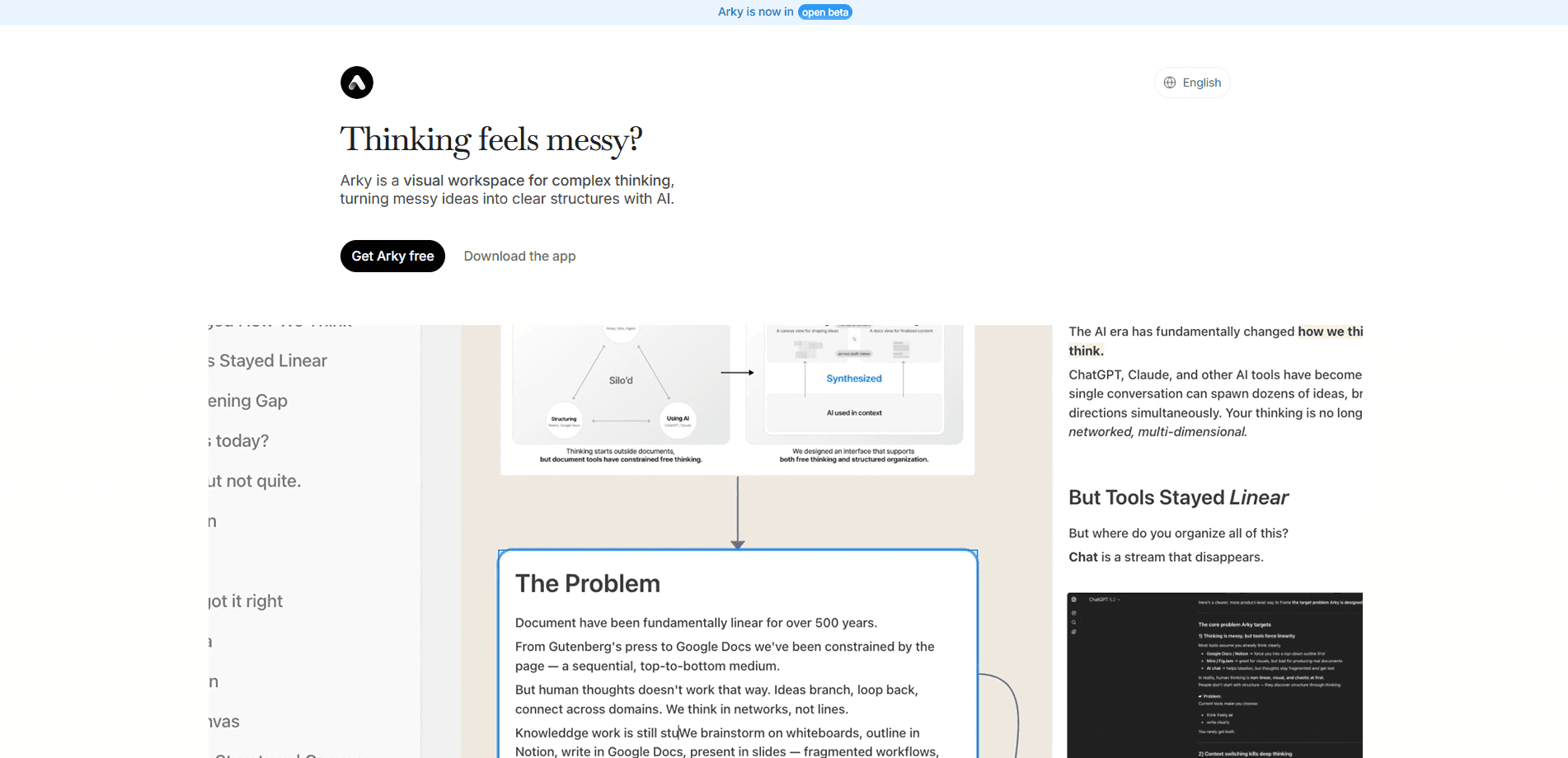
Arky is a visual workspace and canvas knowledge editor built for mapping and structuring complex ideas, and it leans on that same spatial approach to help students, researchers, and writers turn scattered fragments into something they can actually use. Instead of writing in a straight line, you spread fragments across an infinite canvas, connect them with arrows, and let AI turn the pile into diagrams, mindmaps, or a finished document. Think of it as a thinking canvas for people who work in clusters rather than outlines. It runs in the browser, with a free tier and paid plans for heavier use.
About Arky
What Is Arky
Arky is a canvas-based knowledge editor for people who think in connections, not bullet points. Most writing tools force your ideas into a single vertical line. Arky gives you open space. You dump raw fragments anywhere, then drag, group, and nest them until a structure appears. That's the whole pitch, and it holds up.
The AI layer is the part that earns its keep. Arky reads the context of what's already on your canvas, so when you ask it to build a diagram or reorganize a section, it works with your material rather than starting blank, which is the difference between a tool that helps and one that just adds another blank page. You also get a focused Doc view for fleshing out details once the bones are in place.
Two limits matter up front. Real-time collaboration is still in beta, so live teamwork may feel rough compared to a mature suite. Export to PDF and PowerPoint is listed as coming soon, which means you're limited to Markdown and Docs output for now, and that constraint is worth weighing if your workflow ends in a slide deck or a printable report. Neither is a dealbreaker, but plan around them.
Getting Started
- Create an account at arky.so. No credit card is needed on the free tier.
- Start a new canvas and dump your raw notes, links, and fragments wherever they land.
- Drag items into groups and use arrows to show how concepts relate.
- Open Doc view to turn the structure into readable prose, pulling in PDF highlights as you go.
- Ask the AI to generate a diagram or mindmap, then export as Markdown or Docs.
Product Information
A quick look at Arky's pricing, supported platforms, and performance.
Best for
The users, tasks, and scenarios where this tool fits best.
Users
- Students
- Researchers
- Writers
- Product and project leads
Tasks
- Mapping a messy research topic
- Turning reference material into diagrams
- Planning project priorities
- Drafting a report
Scenarios
- Exam prep
- Report outlining
- Early-stage brainstorming
- Team planning sessions
Key features
Spatial Canvas
Everything lives on an infinite canvas you can pan and zoom. Drop fragments wherever they make sense, then drag, group, and nest them into shape. Compared with a normal visual note taking app, it's closer to spreading papers on a table than typing into a document. That matters more than it sounds.
AI That Understands Your Context
Arky's AI works from what's already on your canvas. No re-explaining. Think of it as an AI mind map tool that already knows your material before you ask. Ask for a diagram or a restructure and it responds to your actual material. That context awareness is what separates it from bolting a chatbot onto a note app.
AI Diagram and Mindmap Generation
You can turn content into a clear diagram in seconds, or arrange a project into a mindmap for a structural overview, and both of those options save you the slow, fiddly work of drawing boxes and dragging connector lines by hand whenever the structure shifts. It works like an AI diagram generator that reads your canvas first. That speeds up revision more than it speeds up the first draft.
Doc View
When the structure is set, Doc view gives you a focused space to flesh out the details. It's the bridge between messy thinking and a shareable document. Simple idea, big difference.
PDF Workflow
Keep a PDF open, highlight what matters, and drag those highlights straight into your draft, which means the source and the sentence it supports stay in the same place instead of drifting apart across a downloads folder and three browser tabs. That's a small thing until you've lost a citation.
Real-Time Collaboration
Team members can build a work structure together on the same canvas. It's labeled beta, so expect rough edges if you rely on it for daily teamwork.
Arrows and Connections
Arrows show how concepts relate across the canvas, and while that sounds basic, it's the exact thing that turns a pile of disconnected notes into something you can read, defend in a meeting, and hand to a teammate without a verbal walkthrough attached.
Export Options
Save work as Markdown or Docs today. PDF and PowerPoint exports are on the way.
Pros and cons
Pros
- Canvas-first design fits nonlinear thinkers better than outline-only editors
- AI reads canvas context, so suggestions stay relevant to your material
- PDF highlight-to-draft flow keeps research and writing together
- Free tier with up to 50 shells and 200 monthly AI credits, no card required
Cons
- Real-time collaboration is beta, so live teamwork can be unreliable
- PDF and PowerPoint export aren't available yet, limiting how you share drafts
- AI usage is metered by credits, which heavy users may burn through quickly
- No native mobile app; it's browser-based
Frequently asked questions
Arky is a visual workspace and canvas knowledge editor for mapping and structuring complex ideas. You spread thoughts across a canvas, connect them, and use AI to turn them into diagrams, mindmaps, or documents.
Related content
Explore related tools, skills, and articles for Arky.
Arky Alternatives

Base Code
Base44 (Wix) · Coding · ProductivityBase Code is a shared cloud development environment from Base44. Teammates describe changes to an existing GitHub codebase in chat, preview them live and send them back as pull requests.

Knocket
Knocket (Tencent RTC team) · Productivity · Business · ChatbotKnocket is a free live chat and contact page tool that lets visitors message you from your website, app, or a shareable link, with every reply handled from Telegram or one inbox.

FloorGen
Vinit Kumar (FloorGen) · Productivity · China AIFloorGen is a browser-based floor plan maker that turns a sentence or a sketch into an editable 2D plan and a 3D walkthrough. Export to PDF, DXF or video, and draw without an account.