

Artguru
Cygnus Space (Hong Kong) Company Limited · Image
Artguru is an AI image enhancer and generator that sharpens photos, restores old pictures, upscales files up to 8K, and cleans up video and PDF documents in a few clicks.
About Artguru
What Is Artguru
Artguru is a web and mobile tool built by Cygnus Space (Hong Kong) Company Limited. It covers three jobs that usually need separate apps: enhancing photos, restoring old pictures, and turning text or images into new artwork. You upload a file, pick a mode, and the AI rebuilds the missing detail.
The pitch is speed over precision work. A blurry product shot, a soft wedding candid, or a scanned document with faded text all come back sharper without you retouching anything by hand. The same engine handles video frames and PDF pages, so a print shop and a student scanning books use one account.
The catch is that results depend on the source. Artguru rebuilds detail it can infer, and it cannot invent clarity that was never captured. Heavy noise or motion blur may come back cleaner but still soft. Free accounts also run on a daily credit limit and add a watermark, so serious use means a paid plan.
Getting Started
- Open artguru.ai in a browser or install the iOS, iPadOS, macOS, or Android app.
- Create an account with Google or email. Logging in gives you a small daily credit allowance.
- Upload a photo, video, or PDF and choose a tool such as photo enhancer, upscaler, or old photo restoration.
- Pick an output resolution like 4K or 8K, then run the job and wait for processing to finish.
- Download the result, or subscribe to remove the watermark and unlock full resolution.
Product Information
A quick look at Artguru's pricing, supported platforms, and performance.
Best for
The users, tasks, and scenarios where this tool fits best.
Users
- Print shop owners
- E-commerce sellers
- Photographers
- Students and researchers
Tasks
- Restoring faded family photos
- Upscaling images to 4K or 8K
- Cleaning up grainy video
- Enhancing scanned PDFs
- Generating AI art
Scenarios
- Preparing a seasonal product catalog
- Digitizing an old family album
- Reviving a company video archive
- Cleaning up a research scan
Key features
AI Photo Enhance
The core tool fixes blur, noise, and poor lighting in one pass. It sharpens faces and skin tones in group photos, headshots, and old family pictures, and it can process several images together. When you want to restore an old photo, this mode is usually the first stop. Each improved image spends 1 to 20 credits depending on the size and detail level you choose.
Image Upscaler to 8K
Artguru enlarges images without the mush that normal resizing leaves behind. It rebuilds fine detail for standard 4K, advanced 4K, and up to 8K output, which suits posters, banners, and merchandise that need 300 DPI. Processing high-resolution upscales usually finishes in seconds.
Old Photo Restoration
This mode repairs scratches, creases, and fading while keeping the original look. You can recover faces, natural colors, and textures, or switch on colorize to bring black-and-white photos to life. It is built for scanned prints, not for inventing people who were never in the frame.
Video Enhancer
The video tool sharpens frames, cuts noise, and removes compression artifacts, then raises clips to 1080p or 4K. Credits are spent by the second, so longer clips cost more. Uploads are capped at 1 GB and 20 minutes per file.
PDF and Document Enhancer
Document mode sharpens blurry text, charts, and tables and corrects warped or shadowed scans. It raises files to a higher DPI for printing or archiving, and one credit covers a single page. It pairs well with OCR, since clearer text reads better.
AI Image Generator and Editor
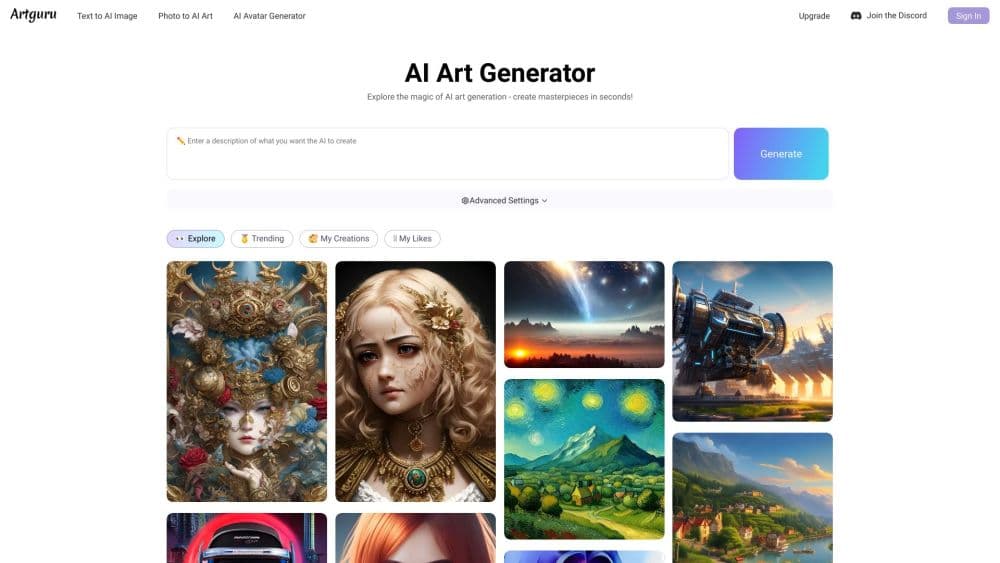
Beyond cleanup, Artguru generates images from text prompts and offers a photo to AI art mode. The editor removes backgrounds and unwanted objects, and you can keep working on a shot after improving or upscaling it without leaving the workspace.
Batch Processing and API
You can process many images in one run, which fits sellers and brand teams polishing whole catalogs. For repeated jobs, Artguru offers an Open API with endpoints for upload, enhancement, restore, and upscale, aimed at teams working at scale.
Pros and cons
Pros
- Handles photos, video, and PDFs in one place, so you skip juggling separate apps for each.
- Credit-based pricing means light users pay less, with photo enhancement starting around $0.01 per image.
- Batch mode and an API make it practical for sellers and teams with high volumes.
- Free tier and a one-off per-image option let you test results before committing to a plan.
- Restored and upscaled output can reach print-ready 300 DPI and 8K.
Cons
- Free downloads carry a watermark and only allow a few images, so anything client-facing needs a paid plan.
- Free storage lasts just 24 hours, which means you have to download results promptly or lose them.
- Credits do not roll over and expire at the end of each billing cycle, so unused balance is wasted.
- Results stay limited by the source file. Very blurry or heavily compressed images come back cleaner but rarely sharp.
Frequently asked questions
Artguru is an online AI tool that enhances and restores photos, upscales images to 4K or 8K, improves video, and cleans up PDF documents. It also generates AI art, avatars, and anime images from text or a reference photo.
Related content
Explore related tools, skills, and articles for Artguru.
Artguru Alternatives

Google EmbeddingGemma 2
Google DeepMind · Writing · Image · CodingGoogle EmbeddingGemma 2 is a 740M-parameter open model that turns text, code, images, audio, and video frames into vectors in one 768-dimension space, running on phones and laptops.

Tractionwave
TractionWave · Image · MarketingTractionWave is an AI attention heatmap tool for static ads. Upload a PNG or JPG and it returns predicted attention, ranked hotspots, and fixes before you spend budget.

Imejis.io
Imejis.io · Image · MarketingImejis.io is an AI design studio for agents and marketing teams. Describe an image in plain words, and it writes the copy, builds the layout, reflows it to every size, then exports a finished file.