

ARTSMART AI
ArtSmart AI · Image
ArtSmart AI is a browser-based AI image generator for marketers, bloggers and small teams. It covers text to image, inpainting and upscaling, plus AI avatars. It also ships with an API.
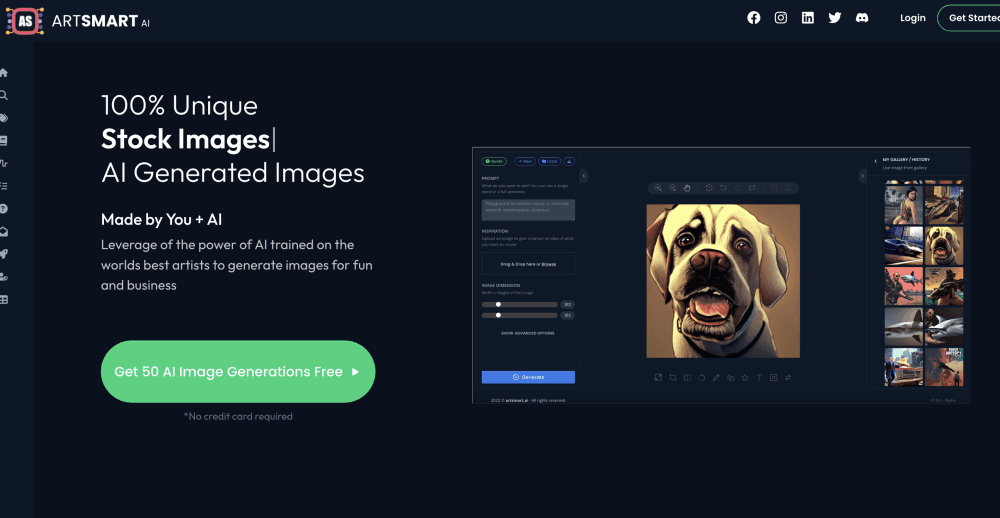
About ARTSMART AI
What Is ArtSmart AI
ArtSmart AI is an AI image generator that runs entirely in a web browser. Josh Wardini built it after years of paying designers for t-shirt art and blog visuals, and the product reflects that history: it trades deep manual control for speed, presets and a short learning curve. The image models are trained on Stable Diffusion bases, and the playground offers five generation modes, from Standard through Hyper Realistic.
The core promise is volume. A subscription starts at $19 per month for 1,000 playground credits, which covers roughly 1,000 standard 512 x 512 images. ArtSmart AI puts the cost per image at $0.00542 in its own marketing, a figure that assumes low resolution and default settings. Bloggers, print on demand sellers and SEO agencies use it to fill a month of content in an afternoon instead of waiting days for a designer.
The limits matter as much as the features. There is no free plan and no free trial, so you pay before you generate anything. Credit use climbs with resolution and step count, and a 1024 x 1024 image at high steps costs 10 credits rather than 1. Tune models, the custom avatars trained on your photos, get limited storage on the Basic plan.
Getting Started
- Create an account and pick a plan. Basic runs $19 per month, Standard $29 and Business $39, with annual billing at $192, $294 and $390.
- Open the Playground and describe the image you want. Prompt presets for camera angle, time of day, painting style and artist cut down on guesswork.
- Pick a generation mode, resolution and step count, then run the prompt. Each standard image costs 1 credit.
- Clean up the result with inpainting, outpainting, the AI upscaler or the background remover, then download the file.
Product Information
A quick look at ARTSMART AI's pricing, supported platforms, and performance.
Best for
The users, tasks, and scenarios where this tool fits best.
Users
- Bloggers and content marketers
- Small ecommerce and print on demand sellers
- Social media managers
Tasks
- Filling a content calendar with images
- Fixing a near-final image
- Turning low resolution files into usable graphics
Scenarios
- A lean marketing team with no designer on staff
- Testing ad creative quickly
- Building a personal brand page
Key features
Text to Image Playground With Prompt Presets
The playground is the center of the product. You type a prompt, pick a generation mode and a resolution, and get results in seconds. Presets for camera setup, camera angles, weather and painting style do most of the heavy lifting for people who have never written a prompt before, which is the main reason the tool feels approachable.
Inpainting and Outpainting
Inpainting lets you paint over part of an image and ask the model to replace it. That is handy for removing a logo, swapping an expression or clearing a distracting object. Outpainting extends the canvas past the original borders, so a square image can become a wide banner without visible seams. Both tools cost 1 credit per run in most cases.
AI Upscaler and Face Enhance
The AI upscaler takes a low resolution file and rebuilds it at higher detail, charging 1 to 2 credits depending on the target size. Face Enhance targets portraits specifically, sharpening eyes, skin and hair that tend to smear when an image is enlarged. For product and people photography, the pair covers most repair work.
PosePerfect and PoseCopycat
PosePerfect gives you a digital skeleton you can drag into position, so the character follows a pose you set rather than one the model invents. PoseCopycat goes the other way: upload a reference image and it extracts the pose for reuse. These two features are the clearest differentiator against generic AI art generators, since body position is usually the hardest part to control with words alone.
Tunes for AI Avatar Generation
Tunes is the AI avatar generator inside the platform. It trains a small model on photos of a person, then produces avatar sets in hundreds of predefined styles. Training uses Tune credits, and generating the images uses Tune Image credits, which are sold separately from playground credits. Storage for each Tune is limited unless you are on the Standard plan or above.
Background Remover
The background remover cuts a subject out of any image in seconds, which is the fastest path to a clean product photo or a transparent PNG for design work. It is marked beta in the official docs and costs 1 credit per image.
ArtSmart API
Every plan lists the ArtSmart API, so developers can send prompts and editing jobs from their own applications and pay with the same playground credits. The documentation covers authentication, endpoints and model selection. Teams that need generated visuals inside a CMS or a client portal can wire it in without a separate contract.
Pros and cons
Pros
- Low entry price for volume work: $19 per month buys 1,000 credits, enough for a small blog's entire image needs.
- Beginner-friendly interface: presets and five generation modes remove the prompt engineering barrier that slows down new users.
- Editing tools sit beside the generator: inpainting, outpainting, the AI upscaler and the background remover mean fewer trips to a second app.
- API access on every plan, including Basic, which is unusual at this price.
Cons
- No free plan and no free trial, so there is no way to test output quality before paying. The 30-day refund policy is the only safety net.
- Credit costs scale with resolution and steps. A high resolution, high step image can burn 10 credits, which makes the advertised per-image price misleading for print work.
- Tune storage is restricted on Basic, so avatar projects either move to a higher plan or get deleted.
- Realism depends heavily on the chosen mode, and Hyper Realistic results still need retouching for close-up commercial use.
Frequently asked questions
ArtSmart AI generates and edits images from text prompts in a browser. Typical uses are blog headers, social media graphics, product photos, ad variations and AI avatars built from personal photos.
Related content
Explore related tools, skills, and articles for ARTSMART AI.
ARTSMART AI Alternatives

Google EmbeddingGemma 2
Google DeepMind · Writing · Image · CodingGoogle EmbeddingGemma 2 is a 740M-parameter open model that turns text, code, images, audio, and video frames into vectors in one 768-dimension space, running on phones and laptops.

Tractionwave
TractionWave · Image · MarketingTractionWave is an AI attention heatmap tool for static ads. Upload a PNG or JPG and it returns predicted attention, ranked hotspots, and fixes before you spend budget.

Imejis.io
Imejis.io · Image · MarketingImejis.io is an AI design studio for agents and marketing teams. Describe an image in plain words, and it writes the copy, builds the layout, reflows it to every size, then exports a finished file.