

ArtVibe - AI Painting Master
ArtVibe Labs · Image
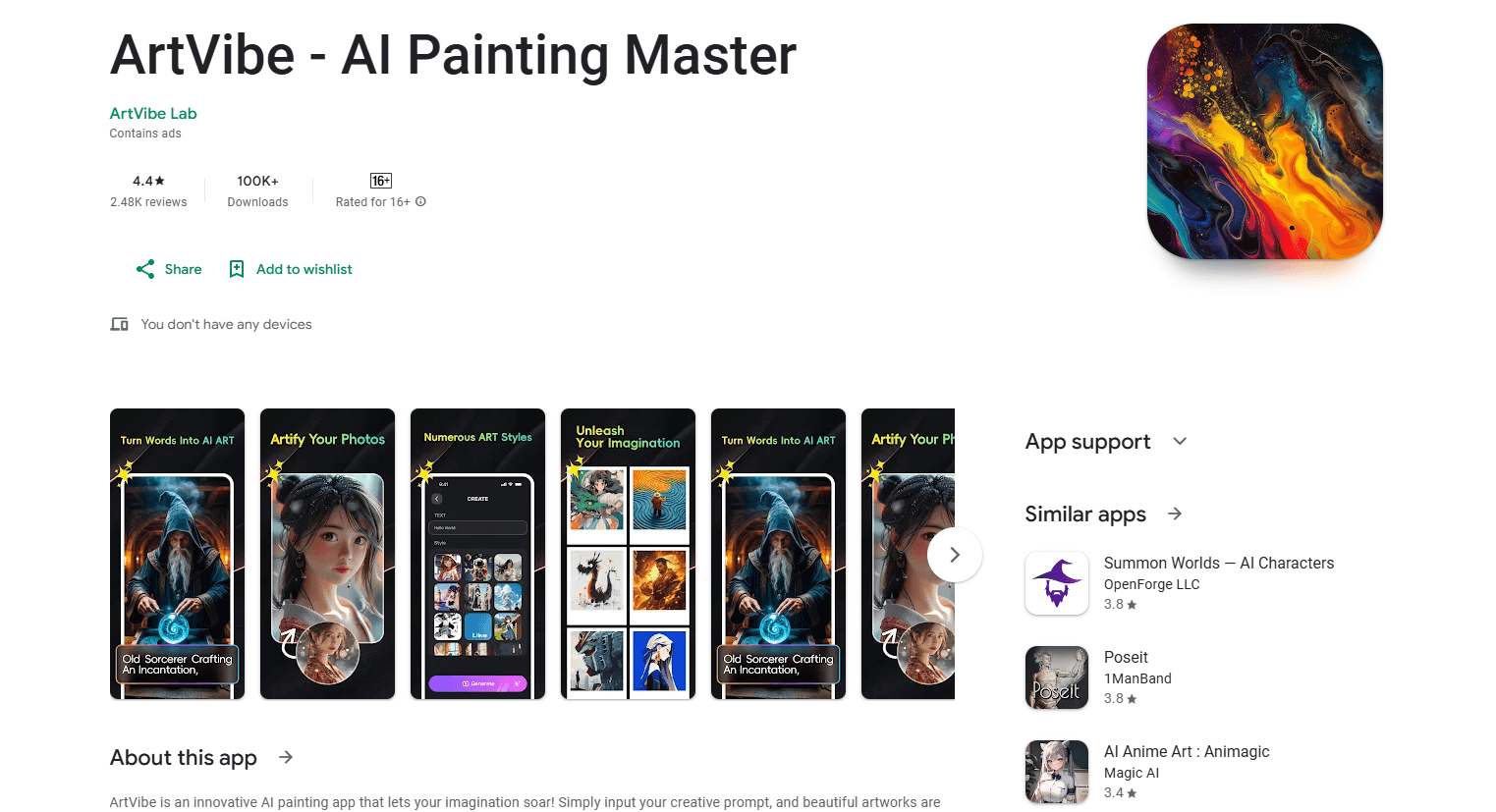
ArtVibe is an Android AI painting app from ArtVibe Labs that turns text prompts into artworks, with a style library, references to remix and one-tap sharing built in.
About ArtVibe - AI Painting Master
What Is ArtVibe
ArtVibe is a mobile AI art generator that turns a written prompt into an image. You type what you want to see, and the app returns a picture. It's aimed at people who want to make art on a phone without opening design software or learning a rendering tool first.
The app comes from ArtVibe Labs, the same developer behind other AI image apps, and it runs on Android through Google Play. On its store listing it has passed 500,000 downloads and sits at about 3.9 stars across more than 4,300 reviews. The current version was last updated on August 3, 2026, and the package name is info.artvibe.artvibe.joy. The listing carries a Mature 17+ rating for sexual themes and flags both ads and in-app purchases.
The name promises an AI painting master, and that's the pitch: a single app that covers prompt to image without extra tools.
ArtVibe leans on a reference-and-remix workflow rather than a blank canvas. You can pull in a look you like and shift it toward something new. The app also exposes a realistic setting and a pose or image input, so the same prompt can steer toward different results. The style range runs from classic to modern, and the official copy calls out sci-fi scenes, fairy tales and abstract art as example directions.
The limits are worth stating up front. ArtVibe is free to start, but it's ad-supported and the free tier is capped: several user reviews describe hitting a lock-out after a handful of images and being pushed toward premium. Output is also inconsistent by nature, and more than one reviewer notes a low hit rate on prompts and occasional mutant results. Reviews frequently mention crashes tied to ads. Treat what it makes as generated art to iterate on, not a finished asset.
Getting Started
- Install ArtVibe from Google Play and open it. It's rated Mature 17+, so confirm the age gate if one appears.
- Type a prompt describing the image you want, or pick a reference to remix.
- Choose a style from the library, and switch on the realistic setting if you want a photo-style result.
- Optionally add a pose or a source image to steer the composition.
- Generate the image, then save it or share it with one tap.
Product Information
A quick look at ArtVibe - AI Painting Master's pricing, supported platforms, and performance.
Best for
The users, tasks, and scenarios where this tool fits best.
Users
- Casual creators
- AI art hobbyists
- Sci-fi and fantasy fans
- Beginners testing AI art
Tasks
- Generating an image from a text prompt
- Remixing a reference
- Matching a pose or source image
- Producing a realistic-style image
- Sharing a finished piece
Scenarios
- Filling a gallery with themed art on a phone
- Exploring a visual idea before commissioning
- Making shareable art for a profile or post
- Passing time creatively
Key features
Text-to-image generation
The core workflow turns a written prompt into a picture. You describe what you want, and the AI art generator builds it. The official copy frames this as instant generation without long waits, which is the main draw for anyone who wants an image in a hurry.
Style library from classic to modern
ArtVibe carries a set of art styles that spans classic and modern looks, and the official description highlights sci-fi scenes, fairy tales and abstract art as directions. You pick a style alongside your prompt, so the same idea can come back in several different treatments.
Reference and remix flow
Rather than starting from a blank slate, ArtVibe lets you pull in a reference and rework it. Reviewers describe choosing references to remix images into however they want them to look, which makes the tool more of a starting point than a one-shot generator.
Realistic setting and pose input
The app offers a realistic option for photo-style results and supports pose or image input to steer composition. That combination lets the same prompt lean illustrated or photographic, and gives some control over framing when a plain prompt isn't enough.
One-tap social sharing
Finished images can be shared with a single tap, which the official copy flags as a way to show friends quickly. Sharing sits inside the app, so you don't have to export to a separate gallery or editor first.
Ad-supported free tier with premium upgrade
ArtVibe is free to download and use within limits, and it's ad-supported. Reviews consistently note that the free version caps how many images you can make before a lock-out, with premium offered as the way past it. Weigh the cost against how much you actually generate.
Pros and cons
Pros
- A text prompt is all you need to start, so there's no drawing skill or editing background required.
- The reference and remix flow adds flexibility beyond a plain prompt, letting you rework a look you like.
- A realistic setting and pose input give some control over style and framing.
- One-tap sharing keeps the loop short from generation to posting.
- It's free to download and test before paying anything.
Cons
- The free tier caps how many images you can make, and several reviews describe a lock-out after only a handful, so regular users hit the wall fast.
- Ads are a core complaint: reviews mention long and repetitive ads, and some reports tie crashes to ad playback.
- Output is inconsistent, and reviewers describe a low hit rate on prompts and occasional malformed results, so expect repeated attempts.
- The store listing carries a Mature 17+ rating for sexual themes, which rules it out for younger users and some settings.
Frequently asked questions
ArtVibe is an Android AI painting app from ArtVibe Labs that turns text prompts into images. It adds a style library, a reference-and-remix flow and one-tap sharing, and it's rated Mature 17+ on Google Play.
Related content
Explore related tools, skills, and articles for ArtVibe - AI Painting Master.
ArtVibe - AI Painting Master Alternatives

Google EmbeddingGemma 2
Google DeepMind · Writing · Image · CodingGoogle EmbeddingGemma 2 is a 740M-parameter open model that turns text, code, images, audio, and video frames into vectors in one 768-dimension space, running on phones and laptops.

Tractionwave
TractionWave · Image · MarketingTractionWave is an AI attention heatmap tool for static ads. Upload a PNG or JPG and it returns predicted attention, ranked hotspots, and fixes before you spend budget.

Imejis.io
Imejis.io · Image · MarketingImejis.io is an AI design studio for agents and marketing teams. Describe an image in plain words, and it writes the copy, builds the layout, reflows it to every size, then exports a finished file.