

AI Classmate : AssignmentGPT
AssignmentGPT · Productivity
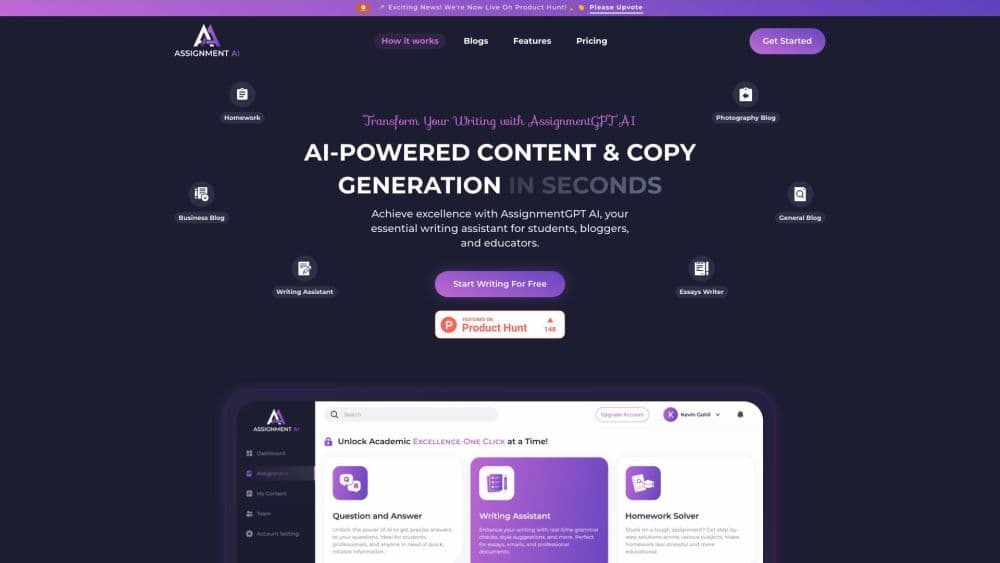
AI Classmate : AssignmentGPT is a free AI homework helper that writes essays, solves math and generates diagrams or code across 50+ subjects, a homework help app built for students.
About AI Classmate : AssignmentGPT
What Is AI Classmate : AssignmentGPT
AI Classmate : AssignmentGPT is an AI homework and assignment helper built for students. It puts more than 20 academic tools, from an assignment writer and math solver to a diagram maker and an AI humanizer, behind one login, so a study session stays in a single tab instead of jumping between a dozen sites.
It tackles a specific problem: the gap between knowing what to do and having the time to do it. A student with a research paper due, three math problems left and an exam on Friday can draft the paper, walk through the math step by step and generate practice questions without paying a human writing service that charges by the page.
The catch is that speed cuts both ways. The same tools that help you learn can be used to skip the learning, and the platform leans on a humanizer to make output read as human. It is a study aid, and using it that way takes discipline.
Getting Started
- Sign up for free at assignmentgpt.ai with an email, with no credit card required to start.
- Pick a tool from the dashboard, such as the assignment writer, math solver or diagram maker.
- Enter your topic, subject, word count and any requirements your professor gave.
- Review the generated draft, edit the parts you want to make your own.
- Run it through the AI humanizer or detector if you want a natural tone, then download or submit.
Product Information
A quick look at AI Classmate : AssignmentGPT's pricing, supported platforms, and performance.
Best for
The users, tasks, and scenarios where this tool fits best.
Users
- High school students
- College students
- Exam prep students
- Teachers
- Parents helping with homework
Tasks
- Drafting an essay or research paper
- Working through a math problem
- Turning notes into diagrams
- Making AI text sound natural
- Generating practice questions
Scenarios
- Late-night deadlines when a tutor or writing service is closed.
- Cramming the night before a test and needing fast explanations across several topics.
- Working through a long problem set on a phone during a commute.
Key features
Assignment Writer
Enter a topic and requirements, and the tool returns a complete, structured draft in seconds instead of a blank page. You can adjust word count, tone and structure to match a professor's guidelines, and the output pulls in references so the writing reads as researched rather than generic. It is the tool most students open first.
Math Problem Solver
The math solver handles everything from basic algebra to advanced calculus and shows the steps, not only the final number. That breakdown is the point: a student who sees where a sign flipped or an integral was split learns the method, which carries over to the next problem. It covers the core subjects a STEM course throws at you.
Image to Answer
Snap a photo of a printed or handwritten question and the tool reads it and returns an answer. It is built for the moment a textbook problem is easier to photograph than to retype, and it handles messy handwriting well enough to be practical on real homework. Answers come back in seconds for most problems.
Diagram Maker
The diagram maker turns a concept into a chart or visual for a report or presentation. For students who think in pictures, sketching the structure of an argument or a process is often what makes it click. It removes the need to fight with a separate drawing tool mid-assignment.
AI Detector and Humanizer
A built-in detector flags AI-sounding text, and a humanizer rewrites it to read more naturally. The pairing is aimed at students worried about how their drafts will look to a checker. Used honestly, it is a way to smooth mechanical phrasing; used carelessly, it sidesteps the writing itself.
Essay Reviewer and Research Paper Reviewer
Instead of writing from scratch, these tools read your draft and return feedback on clarity, structure, grammar and citation format. That makes them the safest part of the toolkit, since you bring the content and the tool sharpens it. They suit students who want a second pass before submitting.
Pros and cons
Pros
- More than 20 tools sit behind a single free login, covering writing, math, diagrams and code.
- The free plan needs no credit card and is enough to try every major tool.
- The math solver and reviewers show steps and feedback rather than just handing over answers.
- An Android app means the full toolkit works from a phone, not only a laptop.
- A lifetime plan exists as a one-time payment for students who want to avoid a subscription.
Cons
- The free plan caps usage at 800 words a day, so longer assignments push you toward a paid tier.
- Only the top Principal and Lifetime plans unlock 100+ languages; lower tiers are English only.
- Relying on it to finish every task can become a crutch and skip the practice that builds real skill.
- No public API is offered, so it can't be wired into a school's own platform.
Frequently asked questions
It is a free AI homework and assignment helper for students. The platform bundles 20+ academic tools such as an assignment writer, essay writer, math solver, AI humanizer and diagram maker, so students can draft work faster across 50+ subjects. Many students treat it as a daily study app for that reason.
Related content
Explore related tools, skills, and articles for AI Classmate : AssignmentGPT.
AI Classmate : AssignmentGPT Alternatives

Udon
Udon · Coding · ProductivityUdon turns an Apple Silicon Mac into a home server you run from a browser, with container controls, file shares, and an optional AI sysadmin.

offstage
offstage cloud · Coding · Productivityoffstage gives AI coding agents and CI jobs a real Mac: a fresh macOS account on Apple silicon, driven over an API and billed by the second.

BotBus
Chengdu Tuyang Tusen Technology Co., Ltd. · Coding · ProductivityBotBus lets you control AI coding agents from your phone and watch: approve commands, start tasks and read results while the code stays on your desktop.