

ASSIST Document Management Software
Assist (ASSIST.biz), Singapore · Productivity · Business
ASSIST is AI document management software for small businesses in Singapore and Malaysia. It extracts invoice and receipt data, routes approvals, and files compliant e-invoices.
About ASSIST Document Management Software
What Is ASSIST
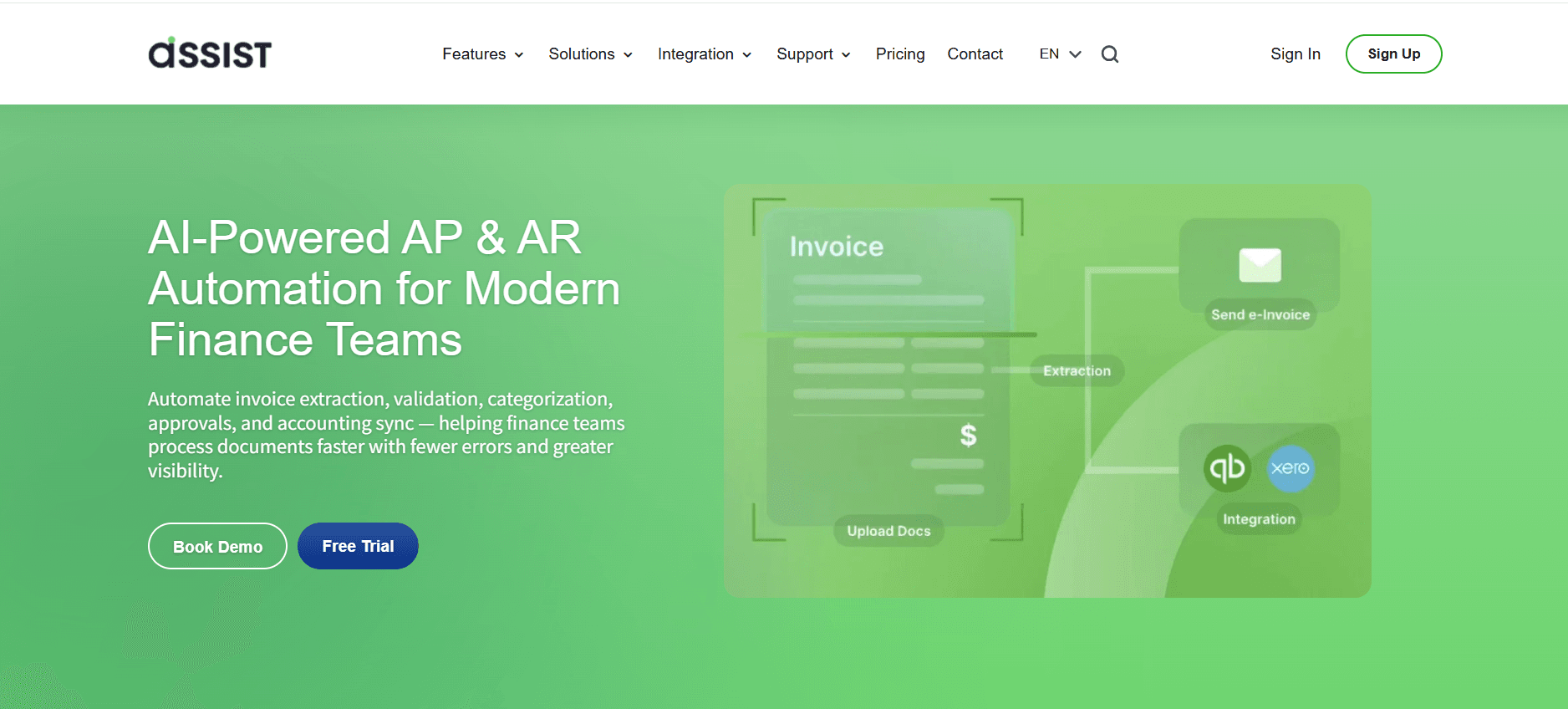
ASSIST.biz is a finance automation platform built for small and growing companies in Southeast Asia. You forward invoices, receipts, and claim documents by email or upload them to the dashboard, and the software reads them with AI document extraction, then pushes clean records into your books.
The problem it targets is boring and expensive: someone types vendor names, amounts, and due dates from PDFs into a spreadsheet every day. ASSIST replaces that with OCR, duplicate checks, and a sync into Xero or QuickBooks, so the same invoice doesn't get keyed in twice or paid twice.
The limits matter too. Monthly page allowances are modest on the cheaper plans, the approval matrix needs a Premium subscription, and files have to be under 1500 KB in jpg, png, or pdf form. Teams outside Singapore and Malaysia still get the bookkeeping automation, but the e-invoice filing is built around those two tax systems.
Getting Started
- Sign up on ASSIST.biz with a work email and confirm the activation link.
- Pick a document route: forward invoices to your ASSIST inbox address, or upload files straight into the dashboard.
- Check the extracted fields on each document, fix anything the AI misread, and assign the GL code your accountant expects.
- Connect Xero or QuickBooks, then send the batch across with one click, or export a CSV if you'd rather review it first.
Product Information
A quick look at ASSIST Document Management Software's pricing, supported platforms, and performance.
Best for
The users, tasks, and scenarios where this tool fits best.
Users
- Micro-SME owners and freelancers
- Bookkeepers and outsourced accounting firms
- HR and admin teams handling staff claims
Tasks
- Invoice data extraction from supplier PDFs
- E-invoice submission in Singapore and Malaysia
- Accounts payable automation
Scenarios
- Year-end receipt hunting
- Cross-border supplier invoices
- Growth spurts that break manual approvals
Key features
AI Data Extraction With SmartLearn
Every uploaded document gets parsed for vendor, date, line items, tax, and totals, so nobody retypes numbers from a PDF. SmartLearn watches the corrections your team makes and tunes extraction toward your supplier layouts. The system reads documents in more than 20 languages, which matters if you buy from overseas vendors.
E-Invoice Filing for Singapore and Malaysia
ASSIST handles the compliance side of e-invoice software: it validates a submission in real time, sends it to IRAS InvoiceNow or LHDN MyInvois, and stores the confirmation. Each invoice carries a PDF copy and a QR code for verification, and you can email it to a customer in one click.
Custom Approval Workflows
Documents move through approval stages you define, with rules for amount thresholds and sign-off order. A live status view shows what's waiting, who's holding it, and what stalled last week. Approval Matrix sits on Premium and Enterprise only, so Standard subscribers approve manually.
Xero and QuickBooks Sync
The Xero integration and QuickBooks integration push extracted invoices and receipts into your ledger without copy-paste. Fields map once, then every batch syncs the same way. Zapier support on Premium and above connects ASSIST to tools outside accounting, such as messaging or project apps.
Duplicate Detection and Document Classification
Files are sorted automatically into receipts, invoices, or claims, and you can tag them as receivable or payable for reporting. Duplicate checks run one document at a time or across the whole workspace, which is the cheapest protection against paying the same supplier invoice twice.
Exports You Can Hand to an Accountant
Choose the fields you want, then export them as a CSV with your own column order. Invoices, receipts, payables, and receivables can also be downloaded as separate files, so a bookkeeper gets a tidy package instead of one giant dump.
Pros and cons
Pros
- The 14-day Premium trial gives you 30 AI OCR pages and every feature, with no card required and no commitment.
- Feature access doesn't change with plan level except for the approval matrix and Zapier, so a small team isn't locked out of core tools.
- Regional e-invoice compliance is built in rather than bolted on, which saves a separate submission tool for Singapore and Malaysia.
- Page add-on packs are a one-time purchase, so a busy quarter doesn't force an annual upgrade.
- Support is reachable by email and FAQ on every plan, with a named account manager on Enterprise.
Cons
- Standard caps you at 50 pages a month and Premium at 250, so an invoice-heavy month means buying add-on pages or moving up.
- The approval matrix and Zapier integration disappear on the free plan after the trial, which hits teams that need sign-off more than they need volume.
- Documents over 1500 KB or in formats outside jpg, png, and pdf get rejected at delivery, and the fix is manual resizing or conversion.
- Small teams still need a human to check extracted fields on messy scans, since no OCR handles every faded receipt cleanly.
Frequently asked questions
It reads financial documents, pulls out the key fields, and moves that data into your accounting software or e-invoice submission. Think receipt scanning, invoice data extraction, and approval routing in one place.
Related content
Explore related tools, skills, and articles for ASSIST Document Management Software.
ASSIST Document Management Software Alternatives

Base Code
Base44 (Wix) · Coding · ProductivityBase Code is a shared cloud development environment from Base44. Teammates describe changes to an existing GitHub codebase in chat, preview them live and send them back as pull requests.

Knocket
Knocket (Tencent RTC team) · Productivity · Business · ChatbotKnocket is a free live chat and contact page tool that lets visitors message you from your website, app, or a shareable link, with every reply handled from Telegram or one inbox.

FloorGen
Vinit Kumar (FloorGen) · Productivity · China AIFloorGen is a browser-based floor plan maker that turns a sentence or a sketch into an editable 2D plan and a 3D walkthrough. Export to PDF, DXF or video, and draw without an account.