

AstroStock
AstroFate LLC · Business
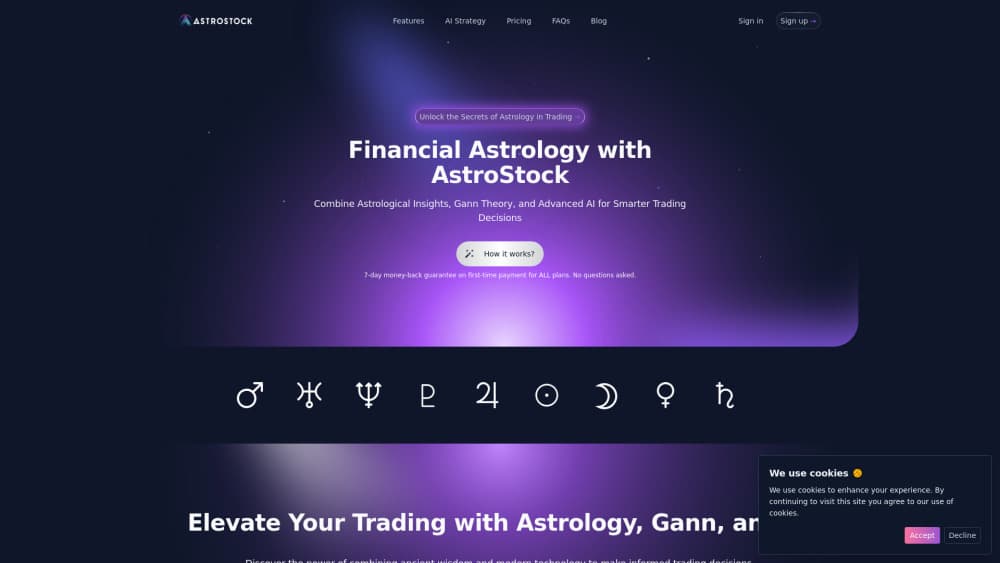
AstroStock is an AI stock research platform that combines 153-indicator charting, Gann and financial astrology modules, options flow, and screener scans in one browser workspace. Free plan available.
About AstroStock
What Is AstroStock
AstroStock is a browser-based research workspace for US stocks, built by AstroFate LLC in California. It puts a professional charting engine, market scanners, institutional flow data, and a set of specialist timing modules on the same screen. The result is one of the few trading research tools that keeps cycle work next to ordinary technical work. The pitch is unusual: alongside standard technical analysis, it plots planetary positions and Gann price and time levels directly on the chart.
The product targets a specific gap. Traders who study cycle timing or financial astrology usually juggle a charting platform, a spreadsheet of ephemeris dates, and a separate options flow service. Most financial astrology software leaves you plotting those dates by hand. AstroStock pulls the work into one place and adds an AI layer that reads whatever is already on your chart. That saves tab switching. It doesn't turn a contested method into a proven one.
The limits matter as much as the features. Coverage centers on US equities such as the S&P 500 and Nasdaq names. Real-time futures like ES and NQ aren't included, and some institutional and options feeds arrive delayed. AstroStock is also not a broker, so every order still goes through your own account elsewhere.
Getting Started
- Create a free account on the AstroStock site and open the live demo if you want a look before signing up.
- Pick a symbol from the Market Overview and Screener, then read the company profile, fundamentals, and technical readings.
- Add signal indicators such as TD13, Divergence, Trend Beacon, or the Operation Advisor, and open the Analysis rail for gamma exposure and dark pool context.
- Save the chart layout so the same setup reloads on other tickers, then set price, indicator, market event, or astro alerts.
- Move to Basic or Pro when you need intraday intervals, the full signal set, institutional data, or the ten specialist suites.
Product Information
A quick look at AstroStock's pricing, supported platforms, and performance.
Best for
The users, tasks, and scenarios where this tool fits best.
Users
- Technical traders who want one workspace
- Cycle and Gann researchers
- Options and flow watchers on a budget
Tasks
- Screening for setups
- Testing a timing idea
- Journaling a thesis
Scenarios
- Planning around a calendar window
- Reviewing institutional participation after the close
- Learning a method from scratch
Key features
Charting workspace with 153 indicators
The core engine covers 13 chart types, 153 indicators, 132 drawing tools, and 57 analysis panels, with layouts you can save and reuse on another symbol. Daily, weekly, and monthly bars are open to every plan. Intraday intervals from 1 minute to 4 hours need Basic or Pro. A compact mobile mode keeps drawing and analysis sheets usable on a phone.
Gann and financial astrology modules
Gann Analysis maps price levels and dates from key pivots. Financial Astrology places market timing events, such as planetary aspects and stations, on the chart timeline. Price Geometry carries price and time relationships forward. These are optional suites, and the rest of the platform works without them.
AI chart analysis and Signal Sage
The AI stock analysis layer reads your indicators, drawings, and bars, then describes what it sees in plain language. Signal Sage answers questions grounded in the data currently on screen rather than general market chatter. Both run on Stars, a credit unit bundled with plans at 10, 100, or 200 per month, and extra Stars can be bought or earned through referrals.
Market screener with 34 scan recipes
The screener ships with 34 ready-made recipes and supports saved scans plus scheduled digests. Results open straight into the chart with indicators already applied, which shortens the path from a list of candidates to a reviewed setup. Coverage leans on the S&P 500 and Nasdaq universes.
Institutional flow and options context
Dark Pool Prints show reported off-exchange blocks. Smart Flow flags unusual options activity, and Gamma Squeeze estimates where hedging may add pressure. On the chart, the Analysis rail combines gamma exposure with dark pool context for the active symbol. The data is delayed, so treat it as background evidence rather than a live trigger.
Forecast, cycle, and event research
Cycle Suite and Cycle Scanner look for repeating rhythm and possible turning areas. The Event Tester compares past events with sample sizes and baselines. Forecast Composer tracks predictions out of sample, and the Lead-Lag Scanner lines up related markets with shifted overlays. Neural Forecast Lab and an AI Backtest page round out the testing side.
Pros and cons
Pros
- One subscription covers charting, screening, flow data, and timing modules, which is cheaper than stacking three separate services.
- The free tier includes a real charting workspace with daily bars, core indicators, and drawing tools, not a crippled demo.
- Method documentation is public and states each module's limits, so you can judge the claims before paying.
- Stars make AI usage metered and visible instead of hiding cost inside a vague unlimited promise.
- Everything runs in the browser, so there's nothing to install and layouts follow your account across devices.
Cons
- Coverage stops at US equities, and real-time ES or NQ futures aren't available, which rules out futures day traders.
- Astrology framing is a hard sell for mainstream investors, and the planetary overlays add visual clutter if you never use them.
- Institutional and options feeds are delayed, so the flow panels can't support fast intraday decisions.
- The module count creates a steep learning curve, and new users may pay for suites they never open in the first month.
Frequently asked questions
It's a research workspace for US stocks. You screen for candidates, study them on a full charting engine, check options and institutional flow, and test timing ideas. Astrology and Gann tools are optional extras, not requirements.
Related content
Explore related tools, skills, and articles for AstroStock.
AstroStock Alternatives
Liveplan
Palo Alto Software · BusinessLivePlan is business plan software that helps founders and small business owners turn an idea into a funder-ready plan. It combines AI-assisted writing, market research with cited sources, and connected financial forecasting so your income statement, cash flow, and balance sheet move together when you change one number. Over 1.5 million businesses have used it to plan, forecast, and track performance against real accounting data. That's a lot of founders. It's also a signal the tooling survived contact with real lenders.

Swms
Swms AI · Writing · Productivity · BusinessSwms is an AI safety compliance tool that turns a plain description of a job into ready-to-use safety documents. Describe your project, trade, and known hazards, and it writes a safe work method statement, job hazard analysis, safe work procedure, RAMS, or safety data sheet in seconds. It also ships with Oscar, a chat assistant that answers workplace safety questions in any language. Teams in construction, mining, transport, and warehousing use it to cut the paperwork that usually eats into a workday.

Rows
Rows (Superhuman) · Productivity · BusinessRows is an AI spreadsheet and data analysis tool that imports live data from more than 50 sources, then lets you work with it using plain language instead of SQL queries or nested formulas. You can pull numbers out of PDFs, connect ad platforms, databases, and bank accounts, and ask the AI to build reports, merge datasets, or set up models that recalculate themselves. It runs in the browser, works like a spreadsheet, and now sits under the Superhuman umbrella.